Our reviewers evaluate career opinion pieces independently. Learn how we stay transparent, our methodology, and tell us about anything we missed.

Our reviewers evaluate career opinion pieces independently. Learn how we stay transparent, our methodology, and tell us about anything we missed.
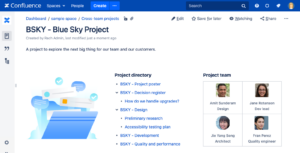
When I first started using Atlassian Confluence, I treated it like a fast, flexible wiki. Create a page, share it with the team, and move on. It felt productive.
But as my teams grew, I realized we had pages everywhere and clarity nowhere. Multiple versions of the same SOP. Outdated processes still being referenced. No clear source of truth.
That’s when I understood the real shift.
Confluence document management is the practice of using Confluence to create, organize, store, govern, and retrieve business documentation. The difference between “Confluence as a wiki” and “Confluence as a document management system” is governance: who can publish, how changes are approved, and how you keep content current.
Without governance, it’s collaboration. With governance, it’s infrastructure.
And if you think document chaos is just a minor annoyance, McKinsey’s research on productivity and knowledge work estimates that employees spend a significant portion of their time searching for information or recreating work. That’s what happens when Confluence lacks governance.
If you’re newer to the bigger picture, I explain Confluence as one tool inside your overall document management strategy. That mindset keeps teams from assuming the platform will fix structural problems on its own.
Most teams choose Confluence because it reduces friction. It’s easy to write, easy to link, and easy for people to collaborate without emailing attachments back and forth.
It also scales well when you build it around a predictable structure, because pages can become living documents rather than static files. That “living doc” advantage is where Confluence shines compared to a shared drive full of PDFs.
If Confluence feels messy, it’s because the structure is unclear. I like to design structures that match how people browse and search, because both behaviors show up in real work.
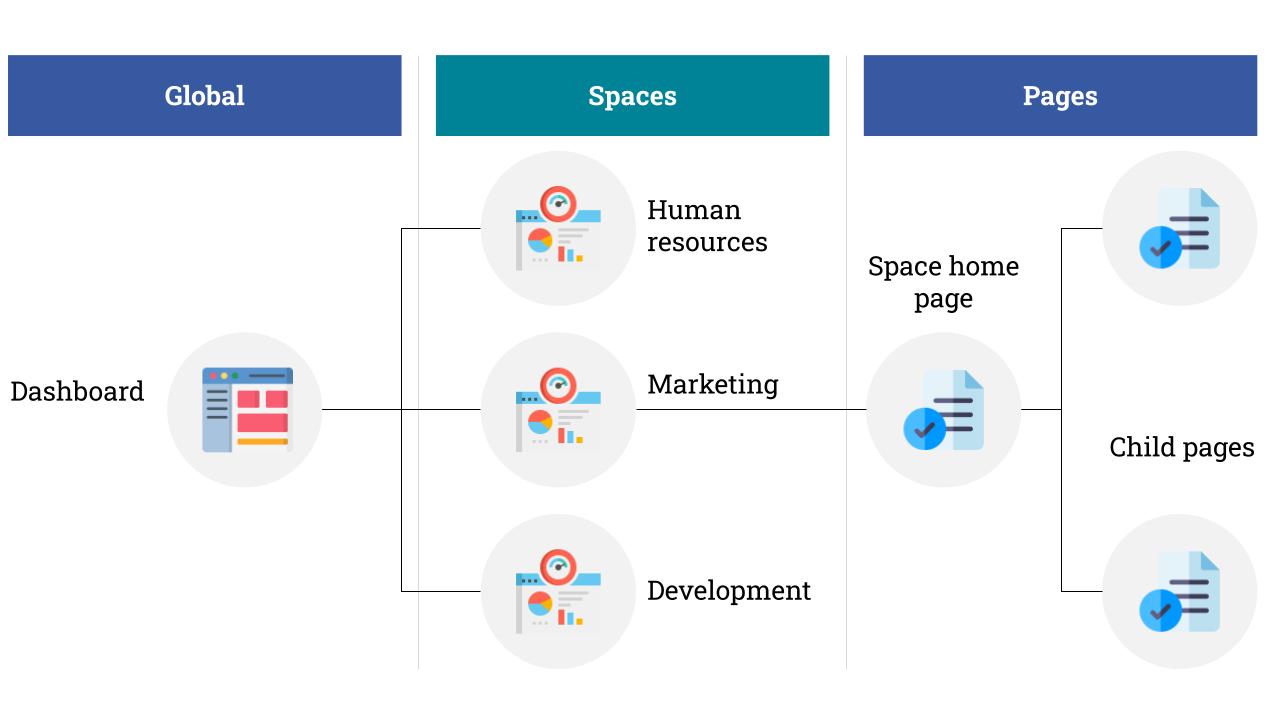
Spaces are your top-level containers, so I use them to represent stable boundaries like departments, product lines, or major programs. A space should feel like a “home” with a clear purpose, not a random bucket for whoever got there first.
Space descriptions matter more than people think. They help users understand what belongs there, and they improve search context.
Inside a space, the page-tree hierarchy should mirror how someone learns the topic. I aim for a shallow structure that’s predictable, because deep trees create “where did they hide this?” frustration.
Parent pages are great for overview and navigation, while child pages handle the detail. When the structure is consistent, retrieval becomes fast even for new hires.
Page titles should be human-readable first, searchable second. Labels are useful when they’re consistent, because they create cross-cutting navigation without forcing everything into folders.
Templates are the easiest way to reduce quality drift. If you’re building an internal knowledge base, templates keep sections consistent so reviewers know where to look for owner, status, and change notes.
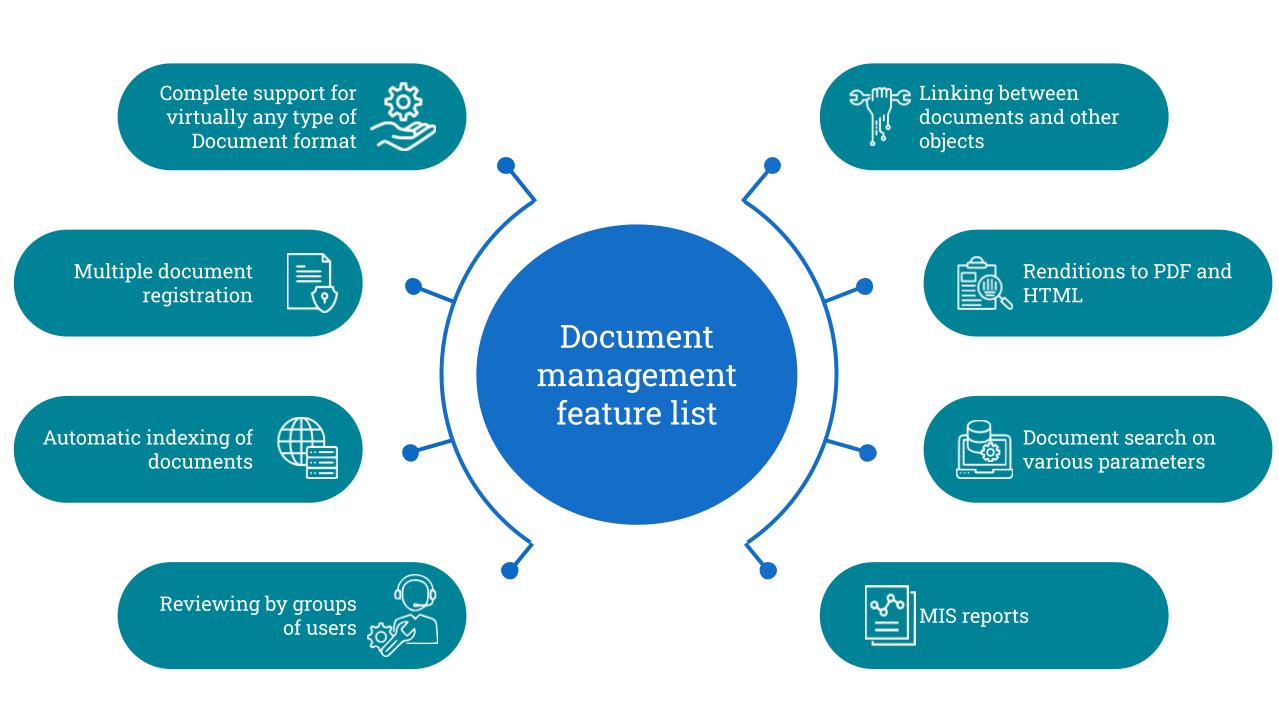
Confluence search is good, but it’s only as effective as your naming, structure, and metadata habits. If people can’t find the right page, they’ll default to asking in Slack or relying on whatever link they saved six months ago.
I’ve had the best results when teams adopt a few simple habits: clear page titles, consistent labels, and short “overview” parent pages that link to the right children. Those habits make search results less noisy and reduce the “ten similar pages” problem.
If you’re selecting tools for a broader documentation program, it’s worth reading what makes a document management system effective, because it clarifies why search, indexing, and governance are inseparable.
Search is not the only path. For frequently used material, I rely on navigation pages, space homepages, and “start here” sections that guide people to the right content.
When Confluence is set up well, you get both reliable browsing for new users and reliable search for experienced users.
Confluence is built for collaboration, but collaboration without workflow turns into churn. I try to define how drafting, reviewing, and publishing work so people don’t treat a half-finished page as official policy.
When you’re organizing technical documentation, not just internal knowledge, it helps to follow Atlassian’s guidance on using Confluence for technical documentation so you set up the right spaces, templates, and content reuse practices from the start.
Co-authoring works best when draft pages are clearly marked and published pages are protected. In practice, this means using page statuses, clearing “last reviewed” notes, and a defined owner who’s responsible for final publication.
If you’re trying to formalize this beyond Confluence, I map the workflow against a document control process so review and approval steps are explicit rather than implied.
Native Confluence workflows are lightweight, which is fine for many teams. For stricter requirements, approval apps can add structured steps, reminders, and audit-friendly histories.
The key is keeping workflows realistic. If approvals become too heavy, people will bypass them, and your “process” becomes theater.
Permissions are where Confluence becomes either trustworthy or risky. The goal is to protect confidential information and prevent unapproved edits to published content.
I build permissions using the principle of least privilege. People should have the access they need to do their job, but not the access to accidentally publish or edit controlled content.
In Confluence, this translates into space permissions for broad access and page restrictions for sensitive areas. The common mistake is relying on page restrictions to fix an open space, which creates permission gaps and constant access requests.
Access requests will happen when teams are cross-functional. The trick is making access requests routable and trackable, so you don’t end up granting one-off exceptions that nobody can explain later.
When you treat access changes like controlled changes, Confluence becomes easier to manage and less stressful during audits.
Confluence page history is one of the platform’s most useful “quiet” features. It gives you visibility into what changed and when, which is what teams need when a page becomes an operational dependency.
Version drift happens when teams duplicate pages, export PDFs, or maintain parallel “official” docs elsewhere. The cleanest fix is cultural and procedural: make Confluence the source of truth and distribute links, not files.
If your organization struggles with version chaos, pairing Confluence usage with solid document version control practices makes a big difference for SOPs and policy content.
Even if you’re not regulated, being able to see who changed a page and what they changed reduces conflict. It also makes reviews more efficient, because reviewers can scan changes rather than reread everything from scratch.
Confluence can support compliance needs, but compliance depends on how you configure the system and how teams follow the process. Security and compliance are rarely “one feature”; they’re a combination of permissions, review workflows, and evidence of control.
I focus on a few high-impact basics: role-based access controls, publishing permissions, and predictable review cycles for critical pages. I also recommend a lightweight data classification approach so teams know what belongs in Confluence and what should be in a more restricted system.
If you want a governance framework that’s bigger than Confluence, I often tie Confluence rules back to document control procedures so that permissions, approvals, and distribution are clearly defined.
Confluence is solid out of the box, but most serious document management setups extend it. Apps can add approval workflows, automated routine reviews, advanced permissioning, and improved file handling.
I recommend starting with your workflow needs first, then selecting apps that enforce what you’ve already designed. If you choose apps first, you’ll end up building processes around the tool instead of building tools around your process.
When Confluence document management works in the long term, it’s because teams optimize for consistency. The goal is a system that people want to use.
Critical pages should have owners and review cycles for policies, onboarding content, and operational runbooks. Reviews don’t need to be heavy, but they need to happen, or trust erodes fast.
If you want a framework for organizing reviews, lifecycle thinking helps because it forces you to plan for creation, updates, and archival, which is the heart of document lifecycle management.
Templates reduce formatting drift and missing sections. Publishing controls keep “draft thinking” from becoming “official policy” by accident.
When teams adopt templates plus clear publishing rules, Confluence stops feeling chaotic and starts feeling dependable.
This is the mindset shift I push hardest. Someone should own structure, navigation, and governance as ongoing responsibilities, because content systems degrade over time unless they are maintained.
When Confluence has an owner, the space directory stays clean, duplicates get removed, and the “single source of truth” promise stays credible.
Confluence can be a strong document management platform, but only when you treat it like a governed system. Structure, permissions, workflows, and version tracking are what turn it into something people trust.
When I invest upfront in clean structure, make access intentional, keep retrieval simple, and extend Confluence only where it adds real value, I get the upside of a collaborative knowledge base without the wiki chaos that kills trust and adoption.
Here I answer the most frequently asked questions about Confluence document management.
Sometimes, yes, for knowledge-heavy teams that benefit from living pages and strong linking. It becomes harder when you need strict compliance controls, formal records management, or heavy external distribution.
In those cases, Confluence often works best as the publishing layer, while controlled records live in a more formal system.
Start with structure and ownership. Clean up space purposes, standardize page titles, create navigation pages, and define publishing rules.
Once people can find things, you can tighten permissions and add workflows without creating frustration.
Make the “link to source of truth” the default habit and the easiest option. Pair that with permissions that protect published pages, and you’ll reduce version drift.
Get the weekly newsletter keeping 23,000+ technical writers in the loop.
Learn documentation engineering and advance your career.
Please check your email for a confirmation message shortly.





















Get our #1 industry rated weekly technical writing reads newsletter.
Your syllabus has been sent to your email