Writing scripts used to mean staring at a blinking cursor for hours. I’ve been there. Whether I was writing technical tutorials, long-form structured books, or story-driven content, the first-draft phase is brutal.
Now, AI script writers promise something different. Faster drafts. Cleaner dialogue. Structured screenplay formatting. Less writer’s block.
But here’s the truth. Most AI tools are either glorified autocomplete engines or chaotic idea generators with no structure.
In this guide, I’ll break down the AI script writers I’d use in 2026, how they work, and their real limitations.
Okay, let’s get into it.
Here’s my pick of the 7 best tools from the full list reviewed below:
I’ve built AI writing tools myself. I’ve also written over 300 pages of structured content that became distributed in startup circles. So I’ve seen how structure, tone, and clarity either elevate writing or destroy it.
AI script writers are powerful. But only if you understand how to use them.
Let’s break this down.
Now let’s revisit the tools with a deeper context.
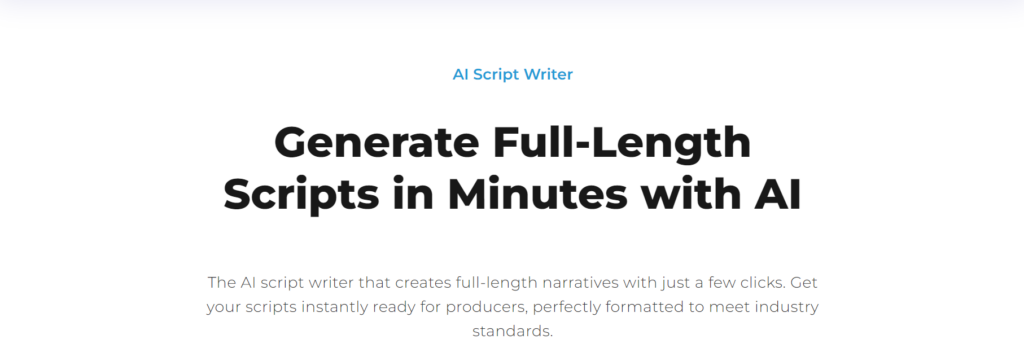
Squibler puts structure at the center of the workflow. Instead of jumping straight into random scene output, it helps you plan first, then write with a clear roadmap. You get project management views, goal tracking, and guided scene generation, which makes it especially useful for students who are still learning how to build a screenplay that actually holds together from Act One to Act Three.
It also gives you the tools to stay consistent as the script grows. You can create character profiles, monitor your progress, and visualize scenes as you go, all inside a distraction-free writing environment that keeps you focused on the draft instead of the clutter.
It feels like a complete writing system, not a chatbot that spits out paragraphs.
And if you care about cinematic structure and long-form consistency, that difference matters. Squibler supports the way real scripts are built, so you spend less time fighting the process and more time shaping the story.
Pros
Cons
Learn more: Check out Squibler on their website.
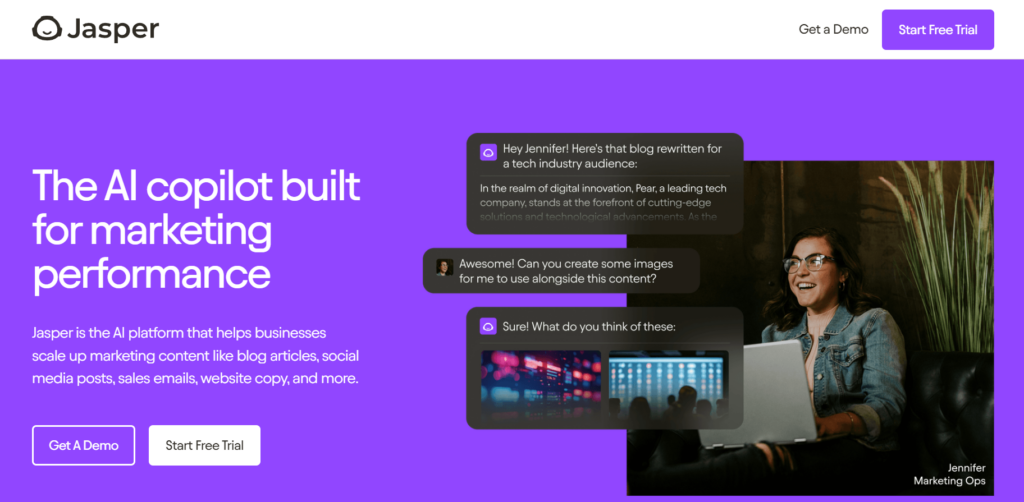
Jasper is the tool I reach for when the “script” is a business asset. Think product demos, explainer videos, social ads, webinars, and founder-led marketing videos where brand consistency matters as much as the words.
What makes Jasper different from a generic AI writer is how hard it leans into marketing workflows. It’s built around repeatable “apps” and brand control, so you can generate drafts that match a specific voice instead of sounding like the internet.
Why I picked Jasper
When a team is producing content at scale, the biggest pain is not writing. It’s keeping messaging consistent across channels, stakeholders, and revisions. Jasper’s Brand Voice and structured script generation make it easier to keep a video script aligned with positioning when multiple people touch the same doc.
Key Features
Pros
Cons
Learn more: Check out Jasper on their website.
Sudowrite is the tool I use when I want the AI to behave like a creative partner, not a marketing assistant. It’s built for fiction writers, so it’s great at expanding scenes, deepening descriptions, and helping dialogue feel less stiff.
If you’re writing story-driven scripts, Sudowrite can be a good “second brain” for alternative scene directions and character voice. It’s useful when you know what should happen, but the scene still feels flat on the page.
Why I picked Sudowrite
Most AI tools are decent at “a line of dialogue.” Sudowrite is better at the messy part in between: subtext, tension, pacing, and the emotional texture that makes a scene land. Their own screenplay-focused guidance leans into brainstorming, outlining, writing, and rewriting, which matches how real scripts are built.
Key Features
Pros
Cons
Learn more: Check out Sudowrite on their website.
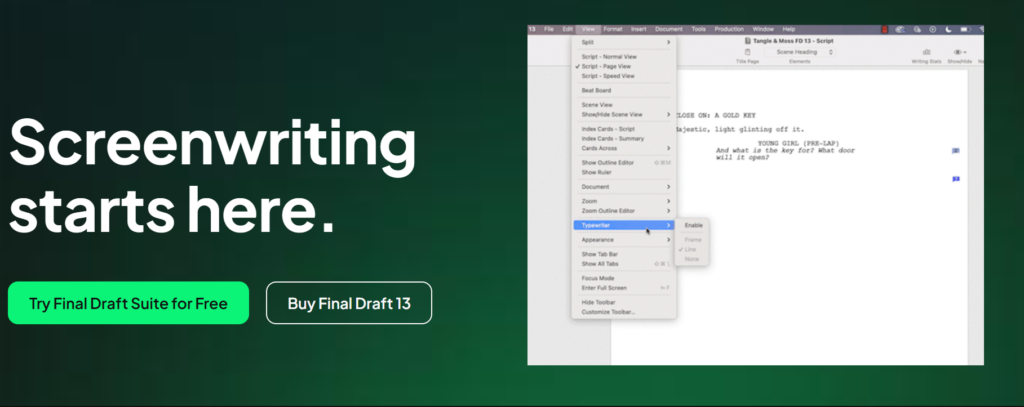
Final Draft is not primarily an AI script writer. It’s the industry-standard screenwriting tool I use when formatting and production readiness matter more than ideation.
If you want your screenplay to look correct, print correctly, and survive collaboration, Final Draft is the “boring, dependable” part of the stack. That’s a compliment.
Why I picked Final Draft
Most AI tools can generate scenes, but they don’t enforce screenplay formatting. Final Draft solves that problem, and it also helps you plan your script with built-in story tools like Beat Board and the Outline Editor.
Key Features
Pros
Cons
Learn more: Check our Final Draft on their website.

Writesonic is a practical choice when you’re writing short, commercial scripts fast. It’s less about cinematic storytelling and more about producing usable copy for ads, landing pages, and video scripts.
If you’re a student doing YouTube, TikTok, brand promos, or agency-style short scripts, this tool can help you move from blank page to decent draft quickly.
Why I picked Writesonic
Many “AI script writers” are marketing writers using script templates. Writesonic leans into that reality by offering a range of writing tools and formats, making it useful when your deliverables change every week.
Key Features
Pros
Cons
Learn more: Check out Writesonic on their website.
ChatGPT is the most flexible tool on this list because it can act like a writers’ room, an editor, a structure coach, and a brainstorming partner. It’s not a dedicated screenplay formatter, but it’s excellent for outlining, beat sheets, dialogue iterations, and rewrites.
If you want one tool that can help with every stage, from “what if” to “tighten this scene,” this is the one I keep open the most.
Why I picked ChatGPT
The real power is in persistence and iteration. With features like Projects, you can keep your script context, reference files, and instructions together so the assistant stays consistent across scenes. Custom Instructions and the writing-focused workflows make it easier to keep tone and formatting preferences stable over time.
Key Features
Pros
Cons
Learn more: Check out ChatGPT on their website.
Rytr is the “good enough, cheap enough” option when you need scripts for simple formats. It’s not trying to be a cinematic co-writer, and that’s why it works for a lot of students and creators who just need a quick first draft.
If you’re writing short video scripts, intros, ad variations, or quick narration, Rytr can help you get moving without paying premium pricing.
Why I picked Rytr
Not everyone needs a high-end platform. Sometimes you need a tool that helps you generate a baseline script, test a few tones, and keep going. Rytr’s pricing structure and template-style workflow make it approachable for beginners.
Key Features
Pros
Cons
Learn more: Check out Rytr on their website.
AI script writers are powered by generative AI and natural language processing models trained on massive film and screenplay datasets. They analyze patterns in dialogue, scene transitions, character arcs, and cinematic narratives.
But not all tools are equal.
Some are AI movie script generators that focus on full-length scripts. Others are video script generators optimized for YouTube or commercial content. A few act more like a screenwriting assistant that helps you refine tone, pacing, and emotional storytelling.
When students ask me if AI can “write a movie,” I tell them this. AI can generate structure and first drafts. It cannot replace human intuition, character psychology, or subtext.
Think of it as a writing partner, not a replacement.
Let’s zoom out before diving back into specific tools. If you’re comparing AI scriptwriting software, it helps to know what actually matters once the novelty wears off. Here are the key features and benefits worth paying attention to, and why they matter in real-world writing.
A solid AI script writer should be able to generate properly formatted scenes, not just text that looks script-like. That means correct scene headings, character names, dialogue indentation, action lines, and transitions that match industry expectations.
Because if the formatting is off, you will end up spending hours fixing it later. Tools like Final Draft are built for clean formatting, while others may need very specific prompts to enforce screenplay structure.
The better platforms do not just write scenes. They help you track who your characters are across the story. That includes creating character profiles, storing motivations and flaws, and keeping an eye on how someone changes from Act One to Act Three.
This matters because AI can easily make characters drift. Without guardrails, your lead might feel tough and sarcastic in one scene, then suddenly become gentle and introspective in the next for no real reason. Strong tools support structured character arcs, which usually matters more than flashy dialogue.
Look for tools that support story frameworks like the three-act structure, the hero’s journey, or clear plot outlining features. This is where a lot of AI script tools fall short. They can generate individual scenes that sound decent, but struggle to build a cohesive story with escalating stakes and clean turning points.
If a platform helps you map story beats and maintain pacing across the full script, that is a big advantage, especially for longer projects.
Advanced tools should do more than rewrite lines. They should help you shape dialogue. The best AI suggestions can refine awkward phrasing, improve pacing, and strengthen emotional tone without stripping away personality.
Even better, some tools help with subtext, sensory detail, and scene development so the writing feels cinematic instead of clean and generic. If a platform only swaps words around, you are not getting much value.
Some AI scriptwriting platforms include progress tracking, dashboards, and scene-by-scene views that make long projects easier to manage. If you are writing a feature-length screenplay, this can keep you consistent when motivation drops halfway through.
Being able to see what is drafted, what needs revision, and how scenes connect can speed up your workflow more than you would expect.
Scene visualization and storyboard generation are becoming more common, especially in tools designed for creators who think visually. This can be helpful if you are planning production alongside writing, or if you understand scenes better when you can see them.
When these features come together, AI starts to feel less like a random text generator and more like a practical co-creator.
Now let’s be honest. AI scriptwriting is not magic. It can speed up your process, but it also comes with tradeoffs you should understand before you rely on it too heavily.
AI can generate cinematic narratives, but it does not understand emotional nuance the way humans do. It predicts text based on probability, which means it often defaults to familiar patterns and predictable story beats.
So if you want originality, you cannot sit back and let it drive. You have to guide the direction, challenge the obvious choices, and shape the script into something that feels specific.
There are ongoing discussions around copyright and AI-generated work, especially as laws and policies evolve. The safest approach is to treat AI output as a starting point, not a final draft.
Always revise, reshape, and make sure the script clearly reflects your voice. And as a rule, never publish raw AI output without rewriting it.
Many AI tools collect prompts and usage data to improve their models. That is not automatically a dealbreaker, but it does matter if you are working on confidential client projects, unreleased concepts, or anything under NDA.
Before committing to a platform, check its data policies and privacy settings so you know what is being stored and why.
Students in particular need to be careful here. If AI becomes the default answer every time you hit resistance, you will not develop structural intuition, pacing awareness, or strong dialogue instincts.
Use AI as a screenwriting assistant, not a crutch. It should support your thinking, not replace it.
Here is a practical workflow I recommend if you want AI to improve your writing process without taking over the creative work.
Begin with a clear genre, character idea, and tone. Instead of saying, “Write a movie script,” give the tool real constraints.
For example:
“Write a three-act structure sci-fi thriller about a conflicted astronaut who discovers a secret colony on Mars.”
The more specific you are, the better the output, because the AI has fewer ways to wander.
Next, use the AI movie script generator to create an outline first. This keeps you focused on structure before you get distracted by dialogue.
At this stage, you are looking for turning points, pacing, and obvious plot holes. Fix those early. It is much easier than trying to patch them after you have generated 80 pages.
Build character profiles that include motivations, fears, flaws, and personal goals. When the AI has clear psychological direction, it produces dialogue that feels more consistent and less like placeholder text.
Think of this step as giving the model a character bible so it stops guessing who people are.
Instead of generating a full script in one go, build it scene by scene. Ask for individual moments, transitions, and pacing adjustments between scenes.
This approach gives you more control, makes revisions easier, and usually leads to stronger storytelling overall.
Use built-in editing panels to clean up what the AI gives you. Focus on the changes that actually improve the script, like:
The goal is not to make the writing perfect. The goal is to make it feel intentional.
Finally, make sure your screenplay formatting matches professional standards. If the tool is not great at formatting, export the script and polish it in Final Draft or another dedicated screenwriting app.
This workflow almost always produces better results than trying to generate 120 pages at once.
Once you have the basics down, these strategies will help you get better output while keeping more of your own voice in the process.
Do not expect perfection. Expect drafts. The best way to use AI is the same way you would work with a junior writing assistant. Give direction, review what comes back, and refine the input.
Iteration is where quality happens.
If you want stronger storytelling, say so directly. Mention frameworks like the three-act structure, the hero’s journey, or specific beat goals in your prompts.
AI responds well to constraints because they reduce ambiguity and keep scenes aligned.
When you are stuck, do not ask the AI to fix the scene. Ask for options.
A strong prompt is: “Give me three alternate directions this scene could go, each with a different emotional outcome.”
That is more useful than staring at a blank page, and it keeps you in control of the creative choice.
You do not have to use one platform for everything. Many writers brainstorm in ChatGPT, structure in Squibler, and format in Final Draft.
Mixing tools is normal and often produces better results than forcing one app to do every job.
One underrated risk is editing too much. If you accept every suggestion, your writing can start to feel flattened and emotionally bland.
Use AI to enhance your voice, not smooth it away. Know when the script sounds like you, and stop revising once it does.
Students often tell me the same story. They start using AI script writers expecting instant results, then realize the real advantage is speed plus iteration.
Some report major improvements in script development because AI gives immediate feedback and helps them test ideas faster. Others love the collaboration features and custom prompts that make revision feel less overwhelming.
More advanced users often mention that AI helps surface subtext and sensory details they might otherwise overlook, which can be a real upgrade when you are polishing scenes.
But most people end up agreeing on one key point. The best results come from writers who already understand screenplay formatting and narrative structure.
AI enhances skill. It does not replace it.
If you want to deepen your writing fundamentals, these guides will help:
Strong structural writing skills translate into better screenwriting.
When I evaluate AI scriptwriting software, I’m looking for tools that improve the scriptwriting process without making me feel like I’ve handed over creative control to a robot.
Here’s what I pay close attention to.
The first thing I look at is whether the tool respects screenplay formatting. Scene headings, character names, dialogue spacing, and transitions should be correct without constant prompting.
If I have to fight the tool to maintain industry standard format, that’s a red flag. Tools that understand three-act structure, cinematic structure, and scene formatting upfront save hours of cleanup later.
Not all AI suggestions are created equal. Some tools rewrite your dialogue into generic, lifeless prose. Others enhance subtext, pacing, and consistency in tone.
I evaluate whether the AI improves emotional storytelling or just rephrases sentences. If the tool can strengthen character psychology or tighten scene development without flattening my voice, that’s a win.
A strong AI movie script generator should handle scene generation in a cohesive way. It should remember character motivations, maintain tone, and avoid contradictions across acts.
If the AI forgets what happened three scenes ago, it’s not ready for serious scriptwriting. Long-form narrative consistency is one of the hardest problems in generative AI, so I test this.
Scripts fall apart when character arcs are inconsistent. I look for tools that allow structured character profiles, motivation tracking, and development notes.
This is important for students who are still mastering the architecture of stories. A tool that reinforces character arcs acts more like a writing coach than a text generator.
A good editing panel matters. I want revision tracking, grammar and spelling checks, tone analysis, and the ability to generate alternate scene variations.
AI should accelerate iteration. If it doesn’t make rewriting faster and more thoughtful, it’s not worth paying for.
If you’re writing with a team, collaboration tools become critical. Can you share drafts? Track progress? Use project management views?
For longer scripts, goal tracking and progress monitoring are helpful. Writing a feature-length screenplay is a marathon, not a sprint.
Some AI scriptwriting tools are perfect for beginners because they guide structure and formatting. Others are better for experienced writers who want flexibility and custom prompts.
I always ask: who is this tool for? A beginner needs guardrails. A professional may need freedom.
Choosing the right AI script writer is less about “which tool is best” and more about “which tool fits your workflow.”
Here’s how I recommend approaching it.
Are you writing a feature film, a short film, a YouTube video, a commercial script, or a training video?
An AI video script generator optimized for marketing content will not perform the same way as a long-form AI movie script generator. Start with clarity about your story type and production goals.
If you’re still learning screenplay formatting and the three-act structure, choose a tool that enforces structure.
If you already understand story architecture, you may prefer a flexible AI assistant like ChatGPT, where you control prompts and pacing.
Before committing, run a simple experiment. Generate Act One, then skip ahead and generate a later scene.
Does the AI remember character motivations? Does tone stay consistent? Does it maintain world-building details?
If not, you’ll spend too much time fixing continuity.
Generating a first draft is easy. Improving it is where quality scripts are made.
Check whether the tool supports:
If it cannot assist with iterative improvement, it’s incomplete.
Some tools are inexpensive but limited. Others are more expensive but production-ready.
If you plan to write regularly, investing in a more robust tool that includes collaboration, progress monitoring, and structured project management views can pay off over time.
Almost every AI scriptwriting platform offers a free trial or limited access plan.
Use that trial. Test structure, character arcs, scene development, and formatting. Don’t just generate one scene and decide.
Here I answer the most frequently asked questions about AI script writers.
AI can generate a well-formatted, well-structured first draft when guided by clear prompts and constraints. However, professional scripts always require human refinement to improve subtext, character psychology, pacing, and emotional storytelling.
Yes, most modern tools can improve grammar, tighten pacing, and suggest alternate dialogue variations. That said, emotional nuance and layered subtext still benefit from human judgment in complex dramatic scenes.
Using AI scriptwriting software is legal, but copyright questions depend on how much you revise and transform the output. You should always edit and ensure the final script reflects your unique voice and creative direction.
Beginners benefit from tools that enforce screenplay formatting and support the three-act structure. Platforms with structured workflows and character profile features tend to accelerate learning without overwhelming new writers.
Yes, AI is effective at breaking through writer’s block by generating alternate scene directions, dialogue variations, or new story prompts. Even if you don’t use the output, it can spark creative ideas and momentum.
Professional writers can use AI for outlining, scene generation, or brainstorming alternative approaches. The key is to treat AI as a collaborative assistant that accelerates iteration, not as a replacement for creative judgment.
AI can maintain structure within short sections well, but long-form narrative consistency still requires oversight. The best approach is to generate scene-by-scene drafts and refine character arcs and thematic development.
ChatGPT can generate outlines, scenes, and dialogue if prompted correctly. However, for full-length production-ready screenplays, combining it with dedicated screenplay formatting tools produces better results.
Get the weekly newsletter keeping 23,000+ technical writers in the loop.
Get certified in technical writing skills.
Please check your email for a confirmation message shortly.





















Get our #1 industry rated weekly technical writing reads newsletter.
Your syllabus has been sent to your email