Our reviewers evaluate software independently. Learn how we stay transparent, our methodology, and tell us about anything we missed.

Our reviewers evaluate software independently. Learn how we stay transparent, our methodology, and tell us about anything we missed.
I’ve written a lot of things that start with “this should only take a weekend” and then somehow turn into a month-long grind. That includes documentation, long tutorials, and plenty of creative drafts where the first few chapters feel effortless, only for the plot to hit quicksand.
That’s why I’m picky about AI story writers. The best ones do not just spit out paragraphs, but help you get unstuck, keep your characters consistent, and give you a workflow that nudges you toward finishing.
In this updated guide, I’ll share the AI story writers I’d use in 2026, plus how to choose one, how to use it step-by-step, and the limitations you should know before you build your whole writing process around an algorithm.
Here’s my pick of the 10 best tools from the full list reviewed below:
Before we get into the detailed reviews, I want to level-set expectations. AI can be a great writing partner, but it’s not a substitute for taste. You still have to decide what’s interesting, what’s true for your characters, and what deserves to be cut.
Also, many “AI story writer” tools are “AI paragraph writers.” They can generate text, but they don’t help you plan, revise, or finish. The tools below are the ones I’d consider using because they support more than just typing.
If you want a related read after this, I’d pair it with my breakdown of AI story generators and, if you’re writing longer fiction, the list of AI novel writers.
A good AI story writer should help you do at least one of these jobs well.
It should help you generate ideas when you’re blank. It should help you organize a story so you don’t lose track of character arcs. Or it should help you revise, tighten, and fix consistency issues once you’ve got words on the page.
If it does all three, even better. Let’s talk about what that looks like in practice before we dive tool-by-tool.

Squibler is built for writers who want structure without feeling boxed in. It’s less about generating one-off paragraphs and more about helping you build a manuscript that holds together.
The experience feels like writing inside a system. You can move through chapters and scenes without losing your place, and it’s easier to keep a consistent narrative because your work is organized from the start.
If you’re a student, this matters a lot. Most people fail at finishing because their notes and drafts become a messy pile, not because they “lack talent.”
I picked Squibler because it supports the whole process. It’s one of the few tools that encourages planning, scene development, and consistent progress, which is what you need when writer’s block shows up mid-book.
Learn more: Check out Squibler on their website.

Jasper is associated with marketing content, but it’s also useful for narrative drafting when you care about clean language. If you’re writing short stories, character monologues, or stylized passages, Jasper can produce polished prose.
It’s useful when you already know what you want to say, but you want help saying it better. That makes it a strong companion tool during revision phases.
For students, Jasper is also a nice bridge into “editor mode.” You can write rough, then ask Jasper to rewrite with tighter pacing or a clearer tone.
I picked Jasper because it’s reliable for rewrites and style consistency. When you want your narration to sound like one voice across an entire piece, that’s where Jasper tends to feel steadier than more chaotic story generators.
Learn more: Check out Jasper on their website.
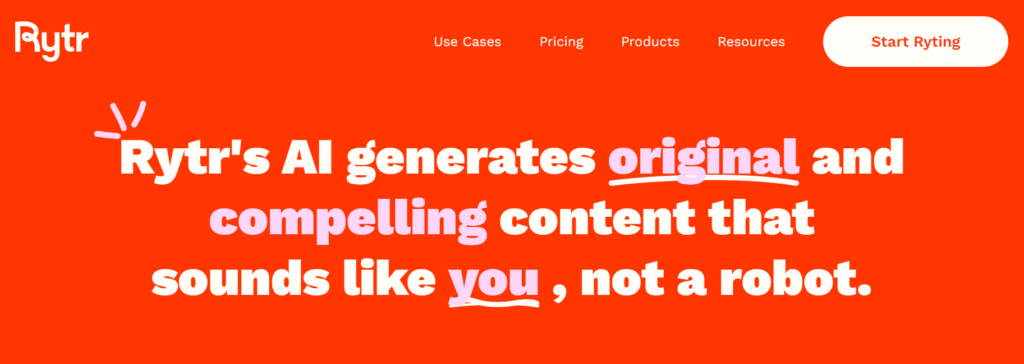
Rytr is a lightweight tool that’s great when you need momentum fast. It’s not the deepest story platform, but it’s easy to open, prompt, and produce usable material.
This is the tool I’d use if I had 10 minutes and wanted to generate 3 openings, 5 character concepts, or a quick scene starter. It’s also friendly for beginners who don’t want a complex interface.
If you tend to overthink, Rytr can be a good “get moving” tool.
I picked Rytr because it lowers the barrier to starting. For writer’s block, starting is the whole problem, and Rytr makes it easy to generate something you can react to.
Learn more: Check out Rytr on their website.

Writesonic is quick and flexible, which makes it useful for rapid iteration. If you want multiple versions of a scene, alternate intros, or short plot summaries, it’s a strong option.
It’s also useful for “bridging” moments in a story. That spot where you know what should happen next, but you’re not sure how to get there without filler.
If you’re working on a draft and you need volume for exploration, Writesonic helps you generate options fast.
I picked Writesonic because it’s fast without being chaotic. When you’re experimenting with plot beats or testing different tones, the ability to iterate quickly can keep you from stalling out.
Learn more: Check out Writesonic on their website.
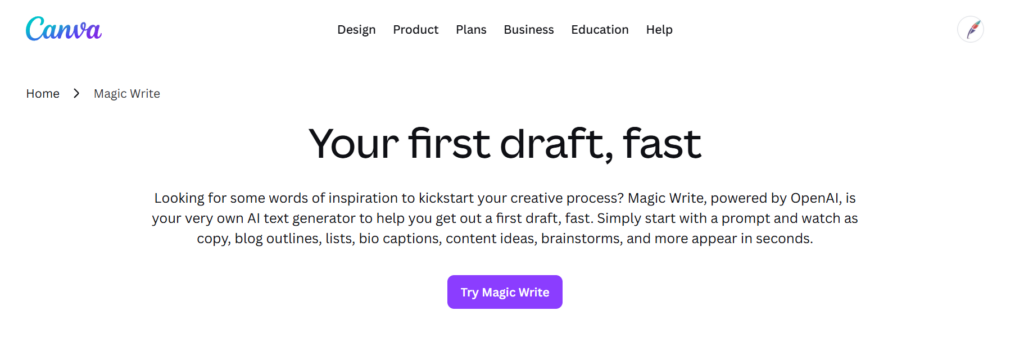
Canva Magic Write is interesting because it sits inside a visual platform. It’s not the most advanced story writer, but it’s great when your storytelling is connected to design.
If you’re creating storyboards, pitch decks, children’s stories with visuals, or social-first storytelling, having writing help inside Canva can simplify your workflow.
It’s also beginner-friendly. You can draft text, then lay it out into something presentable.
I picked Canva Magic Write because some writers need to ship visuals alongside words. If your project involves AI-generated visuals, layouts, or presentations, Canva keeps everything in one place, reducing tool switching.
Learn more: Check out Canva Magic Write on their website.
NovelAI is designed to feel like an author’s companion for genre fiction and longer narrative play. People use it for scene expansion, dialogue improvement, and maintaining continuity across a story world.
It’s also popular with writers who enjoy exploratory drafting. You can “play” scenes forward and see what emerges, then keep what you like.
If your writing style thrives on discovery, NovelAI can be a good fit.
I picked NovelAI because it’s built for long-form narrative continuation. When you’re writing many scenes in the same world, consistency is everything, and NovelAI is designed around that idea.
Learn more: Check out NovelAI on their website.
AI Dungeon is less “write a novel” and more “generate an interactive story you can steer.” It’s built for branching narratives where user choices shape what happens next.
This makes it a good creativity tool. If you’re stuck, interactive play can generate plot beats you would not have come up with in outline mode.
It’s also one of the easiest ways to practice improvisational storytelling.
I picked AI Dungeon because it forces motion. When writer’s block hits, forward momentum is the cure, and interactive narratives make it harder to stall out.
Learn more: Check out AI Dungeon on their website.
ShortlyAI is a focused drafting tool. It’s not overloaded with features, which is the point. You write, you prompt, you continue.
This style works well for writers who want a minimal environment and don’t want to manage lots of dashboards. It can also fit collaborative workflows in teams that prefer simplicity.
If your biggest problem is getting words on the page, this tool’s simplicity can help.
I picked ShortlyAI because the UI stays out of your way. When you’re trying to build writing momentum, a cluttered tool can become an excuse to procrastinate.
Learn more: Check out ShortlyAI on their website.

ClosersCopy is positioned for marketing and sales copy, but that doesn’t mean it’s useless for story work. If you’re writing persuasive narratives, brand storytelling, or dramatic hooks, its psychology-driven approach can help.
It’s good for “reader intent.” That matters in fiction too, in openings and chapter endings.
If you’re writing stories for commercial outcomes, like brand campaigns, ClosersCopy is worth a look.
I picked ClosersCopy because persuasion is part of storytelling. If your goal is to pull a reader through a narrative with strong hooks and clear emotional beats, tools built for conversion can help.
Cons
Learn more: Check out ClosersCopy on their website.

StoryLab supports story creation across formats like scripts, interactive narratives, and video storylines. That makes it useful if you’re not sure where your story will end up.
It’s also helpful for writers who like guidance. Tools like this can prompt you toward clearer plot development and stronger character arcs.
If you’re writing across mediums, StoryLab’s flexibility can save you from managing separate tools for each format.
I picked StoryLab because some writers need multi-format output. If you’re adapting a story into a script or creating story-driven marketing content, having a single tool that supports multiple media can simplify your workflow.
Learn more: Check out StoryLab on their website.
AI story writers are generative AI tools that create or improve narrative text from prompts, notes, or partial drafts. Some focus on short story generation, others on novels, and a few lean into interactive storytelling where you “play” the story forward like a game.
Where they get interesting is in workflow. The best tools are not just a text box. They include features like story outlines, character profiles, scene planning, and editing support, so you can iterate rather than starting over every time you hit a wall.
If you’ve ever written documentation, this will feel familiar. Structure makes creativity easier. That’s also why I’m a fan of learning fundamentals like what technical writing actually is and how writing systems work, even if you’re writing fiction.
When students tell me, “I tried an AI writer, and it was garbage,” I ask one question. What did you ask it to do?
Most AI tools are capable, but they need constraints. These are the specific capabilities that make a story tool feel useful instead of random.
A serious story tool should support outlines, plot beats, and character arcs. You can keep a “story bible” so the tool remembers names, motivations, and rules of the world you’re building.
If you want to go deeper into structured thinking, it’s similar to how I think about documentation architecture in what product documentation is. Good structure prevents chaos later.
Look for a brainstorming feature, prompt libraries, and “continue writing” options that generate multiple directions. The real value is not the first suggestion, but the second or third option that triggers a better idea in your head.
Basic grammar is table stakes. What matters more is whether the tool can help with developmental editing, like detecting pacing problems, repeated beats, or inconsistencies in tone.
If you want a writing-adjacent framework for this, you’ll like the mindset in how to test documentation usability. The goal is not “more words,” it’s “better experience.”
Some tools support team workflows, comments, and shared projects. If you’re writing with a partner, or you want feedback loops, collaboration options matter more than people expect.
A clunky interface kills writing momentum. Features like focus mode, dark mode, draft organization, and custom prompt templates are not “nice to have.” They are the difference between writing daily and quitting.
Writer’s block is a symptom, not a disease. You’re either missing clarity, missing stakes, or missing a next scene you want to write. AI helps most when you use it like a brainstorming partner. Ask it for options, not answers. Then pick the one that feels most “you.”
A few prompts I’ve seen work well for students:
Even if you don’t use what it generates, you’ll find the path forward faster.
Here’s the workflow I’d recommend if you want results that feel intentional.
Write a one-sentence premise and add constraints. Genre, POV, tone, and the “problem” your character is facing.
If your prompt is vague, the output will be bland. If your prompt is specific, the output becomes usable.
Ask for plot beats, chapter-level summaries, and escalation. Then review for plot holes early.
This is where many people skip ahead. They generate three chapters and then wonder why they feel lost.
Define what each major character wants, what they fear, and what they will not do. Then store it inside the tool if it supports it.
This is the easiest way to avoid consistency issues later.
Chapters are containers. Scenes are where the story happens.
Generate or write a scene, then ask the AI to propose two alternate scene outcomes. Pick the best one, then move forward.
Ask for specific improvements: pacing, dialogue tightening, tone consistency, or sensory details. Do not ask for “make it better.” That’s how you get generic rewrites.
Use editing and rewriting tools to clean up grammar, repetition, and clarity. Then export into your final format for submission or publishing.
If you’re also writing scripts, you’ll like the companion guide on AI script writers, because the workflows overlap more than people expect.
I want outlines, character profiles, and a place to store story rules. If a tool can’t help me keep track of a story bible, it’s not strong enough for long-form work.
Planning features also reduce writer’s block because you know what scene you’re writing next. The moment you stop deciding “what happens,” writing becomes much easier.
The tool should include a brainstorming feature that generates multiple options, not a single “answer.” I also look for good “continue writing” behavior where the tool can extend a scene without changing the tone or forgetting key details.
If the tool gives me bland, generic plot beats, it’s not helping..
I look for tools that can help fix pacing, clarity, and repetition. Grammar is nice, but I care more about whether the tool can spot consistency issues or propose tighter versions of a scene without deleting the emotional intent.
This is where a lot of tools fall short. They can rewrite, but they can’t revise with taste.
If I’m writing with another person, collaboration options matter. Shared projects, comments, and tracked contributions reduce friction and help you keep moving.
Even if you’re solo, goal tracking and progress monitoring can be motivating. A tool that nudges you toward finishing is worth more than one that generates “cool” paragraphs.
I want a UI that makes writing feel easy. Focus mode, draft organization, dark modes, and custom prompt templates are not cosmetic. They affect whether you’ll use the tool consistently.
If the tool makes you feel scattered, you’ll quit. Simple as that.
If you want more options to explore, here are a few additional tools worth testing. I’m not reviewing them in detail here, but they can be useful depending on your workflow.
If you want to improve your writing fundamentals alongside using AI, these are a few guides I’d read next:
Even if you’re writing fiction, clarity, structure, and revision skills transfer perfectly.
Here I answer the most frequently asked questions about AI story writers.
Yes, and it’s one of the best use cases. The trick is to ask for options, not answers, like “give me three ways this scene could end,” then choose the one that fits your intent. If you paste “continue my story” with no constraints, you’ll get generic filler.
AI-generated text is newly generated, but it’s trained on large datasets, so the risk is publishing raw output that feels derivative. If you revise, reshape the scenes, and make deliberate creative choices, you’re much more likely to end up with something that feels like yours.
No, but it will replace certain parts of the workflow. AI is great at brainstorming, drafting variations, and helping you iterate faster, but it lacks taste, life experience, and emotional judgment. The human job is still deciding what matters and what resonates.
Beginners do best with tools that support structure and organization, such as outlines and character features. That’s why I recommend starting with something like Squibler or a drafting tool like Rytr, then layering in editing tools once you have a draft to improve.
Some tools offer collaboration options for teams, while others are more solo-focused. Even if collaboration isn’t built in, you can still export drafts and review them together, but shared projects and comments make the process smoother.
If you’re worried about submissions or academic policies, it can be useful as a sanity check. But I wouldn’t obsess over it, because the real solution is strong revision and a clear personal voice. If your story reflects intentional choices and consistent character psychology, it won’t read like generic AI output anyway.
They can help, but to different degrees. Many tools can rewrite, paraphrase, or tighten passages, and some can catch grammar issues, but developmental editing still requires your judgment. I recommend using AI for revision suggestions, then making the final call yourself.
Use it as a collaborator, not a ghostwriter. Generate ideas, draft variations, and revise, but make sure the final narrative decisions, voice, and structure come from you. Also, avoid putting confidential projects into tools unless you understand their data settings and policies.
Get the weekly newsletter keeping 23,000+ technical writers in the loop.
Get certified in technical writing skills.
Please check your email for a confirmation message shortly.





















Get our #1 industry rated weekly technical writing reads newsletter.
Your syllabus has been sent to your email