Our reviewers evaluate career opinion pieces independently. Learn how we stay transparent, our methodology, and tell us about anything we missed.

Our reviewers evaluate career opinion pieces independently. Learn how we stay transparent, our methodology, and tell us about anything we missed.
A few years ago, I inherited a shared drive that looked normal until I opened it. The “latest” procedure existed in three folders, two people had edited it in parallel, and someone had emailed a PDF months ago that half the team was still using. Nobody was doing anything malicious. The system just made it easy to drift into chaos.
That experience is why I treat document version control like a safety mechanism, not a nice-to-have. When it’s set up well, it keeps approvals clean and gives you a history you can defend when someone asks, “What changed, and when did it become effective?”
So, let me teach about document version control and why it matters.
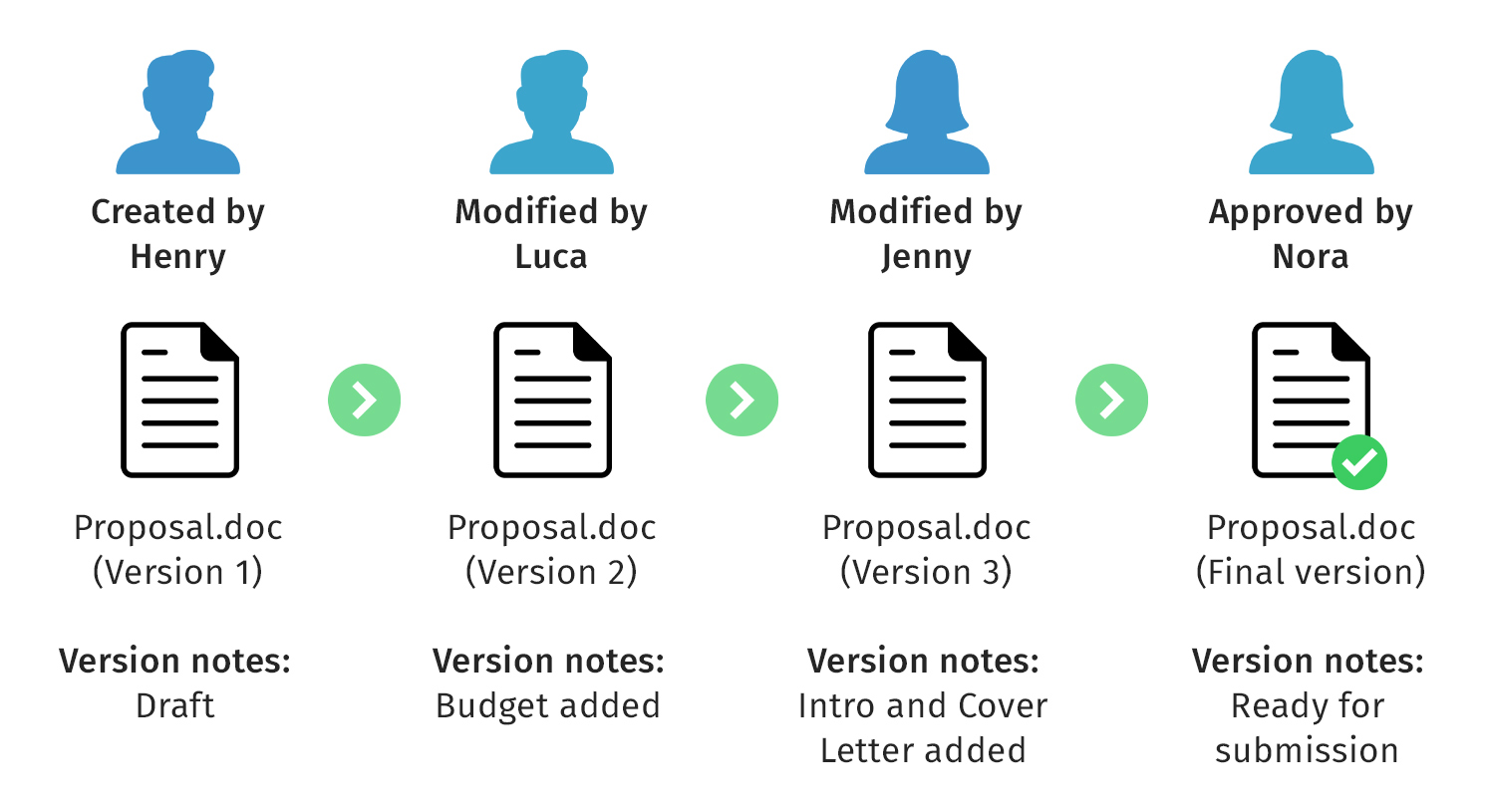
Document version control is a system or process that manages changes to documents over time. Its goal is to ensure that everyone in an organization can access the most current version of a document and avoid confusion caused by multiple copies. At its core, it helps my team answer two simple but critical questions: “What’s the latest version?” and “What changed since the last one?”
I’ve learned the hard way that without solid version control, documentation chaos creeps in fast. You end up with files like Final_v3_REAL_Final_THIS_ONE.docx sitting in someone’s desktop folder. Not ideal.
If you’re building a broader document control program, version control is a foundational piece. It connects to your workflows, approval processes, and access permissions. I break all of that down in more detail in my guide on the document control process, where I walk through how I structure it so it works in real teams.
Without version control, teams end up working from whatever file is closest, most recently emailed, or easiest to find. That’s how you get conflicting instructions, inconsistent policies, and accidental rework that costs more than anyone wants to admit.
Version control also protects document integrity. When you can trace edits through a version history and an audit trail, you can prove how a document evolved, who approved changes, and when updates became effective.
Most systems follow the same mechanics, even if the UI looks different. The system stores a new version when changes are made, preserves the previous version, and records metadata about the change.
A typical version control workflow looks like this:
In cloud-based systems, concurrent collaboration is supported, but it only stays sane when permissions and approvals are defined. Otherwise, “real-time editing” turns into “real-time confusion.”
The benefits are practical and measurable once your team has enough docs that manual tracking stops working.
Version control lets multiple people work on the same document without overwriting each other’s changes. Comments, annotations, and collaboration features give reviewers a clean way to contribute without creating duplicate files.
This is where teams notice the biggest emotional win: fewer Slack messages that start with “which file are we using?”
When version history is built into the system, reviewers can focus on what changed instead of re-reading the entire document. Automated approval workflows make this even smoother because routing and status are visible, not hidden in someone’s inbox.
Over time, you’ll also see fewer approval bottlenecks because it becomes obvious where work is stuck.
Version control supports compliance by maintaining an audit trail and preserving previous versions. That’s useful even in non-regulated orgs, because it reduces disputes and helps you reconstruct decisions when something goes wrong.
If your organization is serious about document control, version control connects to access permissions and distribution controls, which are also covered in document control procedures.
Version chaos creates rework. People implement the wrong instructions, write policies on top of old decisions, or waste time reconciling conflicts between two “final” documents.
Version control reduces that waste by making the latest version obvious, keeping the version history searchable, and letting teams revert when necessary.
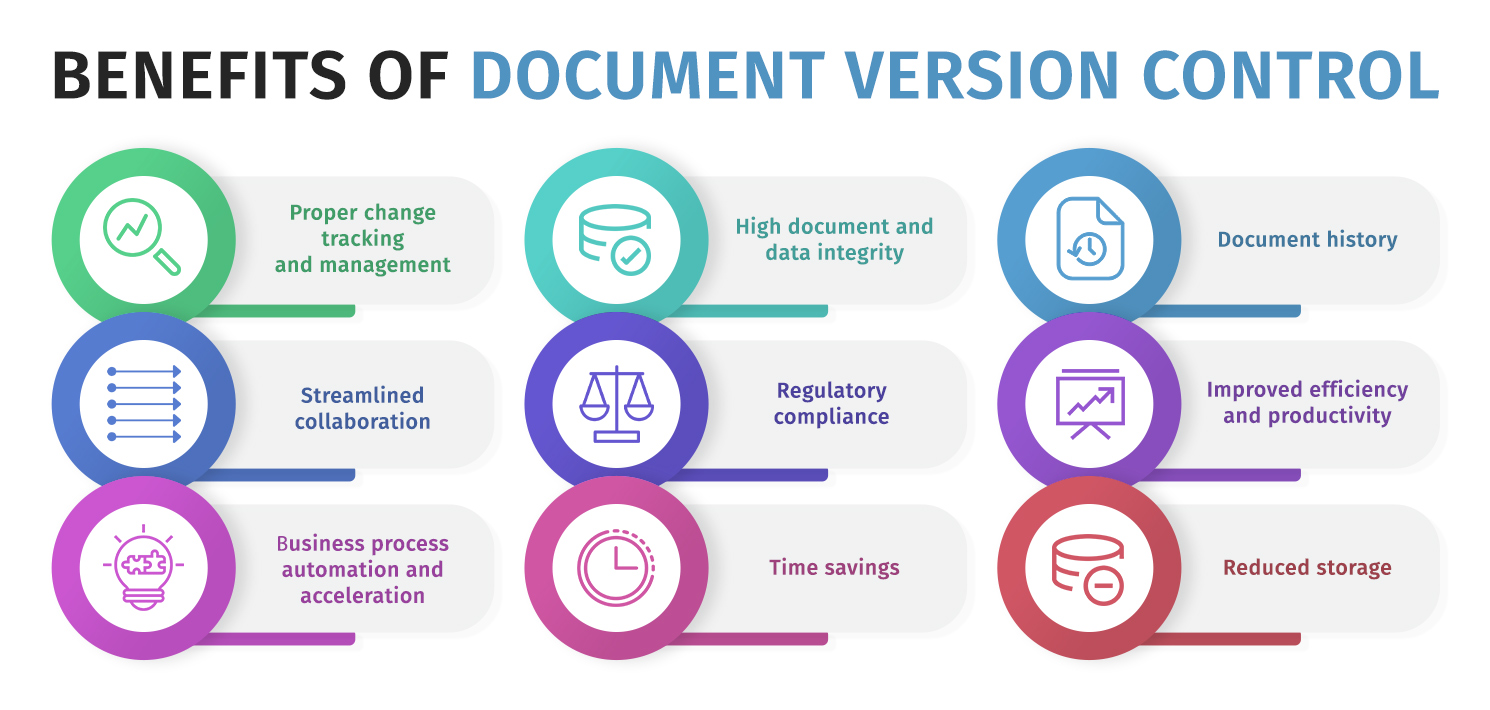
This is the setup I recommend when you want version control to stay consistent after the rollout hype fades.
Version numbers help if people understand them. Keep it consistent, and make sure the version number is visible wherever the document is consumed.
A simple system that scales is:
If your team is struggling with document IDs and naming, pair this with document control numbering.
For controlled docs (SOPs, quality docs, compliance docs), a version control table makes change history visible within the document itself. This helps when documents are exported as PDFs or shared outside your primary system.
A good table includes version number, date, author/owner, and a short change summary.
Version control breaks down when anyone can publish changes with no gatekeeping. Define who can approve, who can publish, and what review cycles apply based on risk.
I separate roles like this:
Access control is part of version control, because uncontrolled edits create uncontrolled versions. I prefer role-based access permissions because they are easier to audit.
A clean permissions model often looks like:
Version control is not the same as hoarding every file forever. You want a retention policy that keeps what you need for compliance and traceability, while archiving old versions so they don’t clutter day-to-day retrieval.
If you’re managing this across the full lifecycle, document lifecycle management is the framework I come back to.
Version control is strongest when your documents live in a centralized repository. If versions are scattered across email attachments, shared drives, and random downloads, you can’t control what people use.
This is why version control lives inside a broader document management system. If you want the bigger picture, read what a document management mystem is.
Almost every version control failure comes down to one of these issues.
If one department follows versioning rules and another doesn’t, you end up with parallel systems and confusion. The fix is boring: training, a simple policy, and enforcement through workflow instead of “hoping people remember.”
Loose permissions create accidental edits and version sprawl. Strict permissions create workarounds, such as offline editing and emailed attachments.
The sweet spot is least privilege with clear escalation paths, so people can request access changes without breaking the system.
This happens when the system doesn’t make the latest version obvious. People create their own version control with filenames, which works right up until it doesn’t.
The fix is centralized storage, visible version numbers, and read-only publishing for the approved version.
If the workflow is annoying, people bypass it. This is why I always define the process first, then pick tooling that enforces it, rather than picking a tool and hoping it creates discipline.
Most document management systems include versioning features, but the quality varies. Gartner’s enterprise content management overview highlights governance, compliance, and auditability as core evaluation criteria when selecting enterprise content management systems.
The features I look for when version control matters are:
If your team is selecting tooling, it’s worth reviewing document control software after you’ve defined your workflow.
I’ve seen version control appear in three common “worlds,” and each teaches a different lesson.
These are great for collaboration, comments, and version history, for teams already living in docs and spreadsheets. The main risk is distribution, because downloaded files and shared attachments can become unofficial copies that people treat as current.
When teams succeed here, it’s because they enforce “link to source of truth” distribution and lock published versions as read-only.
Git is excellent for change tracking, approvals via pull requests, and maintaining a clear audit trail. It’s strong for documentation teams working alongside engineering, or for docs that ship with code.
Git’s documentation on pull requests explains how they create structured review and approval checkpoints before changes are merged.
The biggest obstacle is onboarding non-technical reviewers. When that’s handled well, Git-based version control becomes one of the most reliable systems you can use.
These can shine in environments that require heavy control, formal approvals, or strong traceability. They’re used when teams need strict workflows, better audit logging, or advanced controls around distribution.
The tradeoff is cost and implementation complexity, so I recommend them when the risk profile justifies it.
Document version control is one of those systems that feels unnecessary right up until the first time it saves you. Once your document volume grows, the difference between confident collaboration and a slow, messy version becomes clear.
If you want it to stick, keep it simple: centralized storage, clear version numbering, defined approval rights, role-based access permissions, and an audit trail that’s created through normal work. That’s the combination that keeps teams aligned, compliant, and sane.
Here I answer the most frequently asked questions about document version control.
Version control is about tracking and managing document versions over time. Document control is broader and includes approvals, access permissions, distribution rules, retention, and compliance workflows.
Not always. If your documents never leave the system, the built-in version history might be enough.
If documents are exported to PDF, distributed externally, or used in audits, a version-control table within the document can prevent confusion and make the file’s history visible as it travels.
Make the repository link the official distribution method, lock published versions as read-only, and keep version numbers visible. If your system supports it, activity logging and access tracking also help you spot risky patterns early.
The “best” scheme is the one your org will follow. For most controlled documents, major.minor is simple and readable, and it works well when paired with a short change summary and a clear approval workflow.
Get the weekly newsletter keeping 23,000+ technical writers in the loop.
Learn documentation engineering and advance your career.
Please check your email for a confirmation message shortly.





















Get our #1 industry rated weekly technical writing reads newsletter.
Your syllabus has been sent to your email