Our reviewers evaluate career opinion pieces independently. Learn how we stay transparent, our methodology, and tell us about anything we missed.

Our reviewers evaluate career opinion pieces independently. Learn how we stay transparent, our methodology, and tell us about anything we missed.
I’m going to be honest, most LinkedIn advice reads like it was written by someone who’s never hired anyone (or never had to live with the consequences of bad hiring). And a lot of knowledge manager LinkedIn advice is even worse because it treats KM like a buzzword instead of a real operational function.
But here’s the good news: knowledge managers have a built-in advantage. Your job is about findability, clarity, governance, and adoption. If you apply those same instincts to your own profile, you can stand out fast.
I know it’s awkward to do the “here’s why you should listen to me” thing… but I’ve spent my career building documentation systems, working with SMEs, and setting up repeatable processes so teams can find what they need (instead of DM’ing the same person 12 times a week). That mindset maps perfectly to LinkedIn optimization. (And yes, I know that sounds braggy but you’ll just have to take my word for it for now.)
This guide keeps the same core steps as the original article and preserves the same image moments so the screenshots and examples still make sense, but I’m rewriting the context so it feels like a real person is walking you through it.
LinkedIn is still one of the most important platforms for getting discovered. It launched in 2002 and has grown into a massive professional network with over 1.2 billion members, and it’s heavily used by recruiters.
So when I optimize a Knowledge Manager profile, I’m not trying to “look impressive.” I’m trying to achieve three outcomes:
Below are the exact steps I’d follow, in the same order I’d do them on my own profile.
I wish profile photos didn’t matter. But they do.
Here’s what I’d do (and what I recommend for anyone in a KM role):
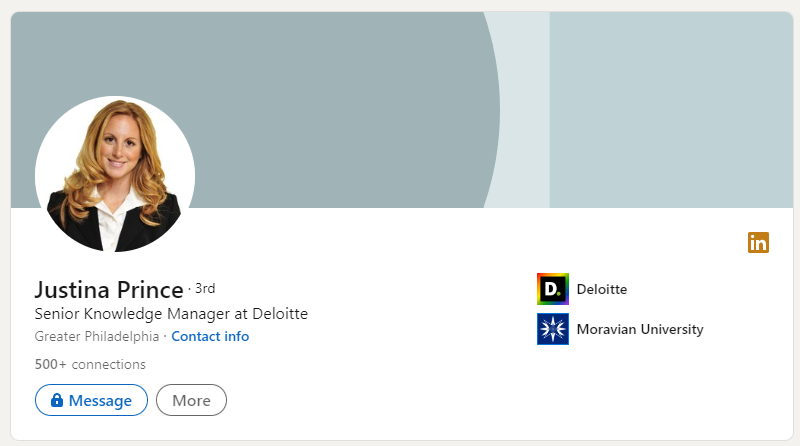
Here is an example of a strong and clear profile photo:
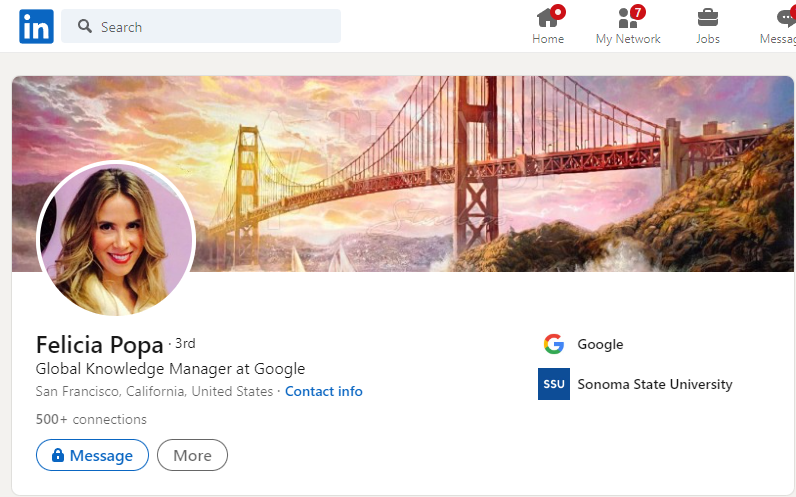
If you’re overthinking this, here’s the simple rule I use: Would this photo feel normal on a company “Team” page? If yes, you’re good.
Your LinkedIn headline is one of the highest-leverage fields on your entire profile. It shows up in invites, messages, and search results. It can’t just be “Knowledge Manager at Company” and call it a day.
Here’s the headline formula I’d use: Role + Specialty + Outcome
Examples:
LinkedIn gives you a character limit (the original article calls out using it wisely), so don’t waste it on fluff.
A few things I’d avoid even if they’re tempting:
Here are a few example headlines that reflect expertise, clarity, and professionalism (and this screenshot keeps the existing example in context):
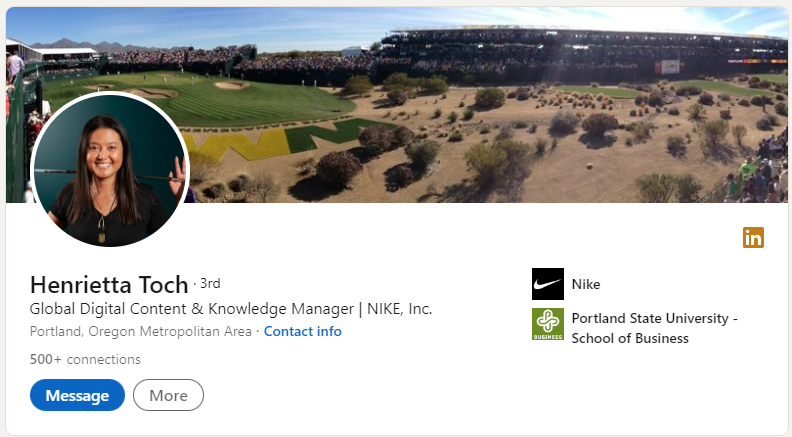
Credit: Henrietta Toch
If you’re unsure what your headline should emphasize, scan a few real postings and mirror the language employers use most often. This is where reading knowledge manager job description examples can help you “borrow the employer’s vocabulary” without sounding forced.
This step is underrated, yet it’s one of the simplest ways to improve your profile’s effectiveness because even the best profile won’t matter if recruiters can’t contact you easily.
If your profile is hard to contact, hard to share, or has a messy, default LinkedIn URL, you’re adding friction for the people you want to hear from.
Here’s how to fix it:
By taking these steps, you’re removing decision fatigue for recruiters and making it easier for them to take action.
Here’s what that can look like:
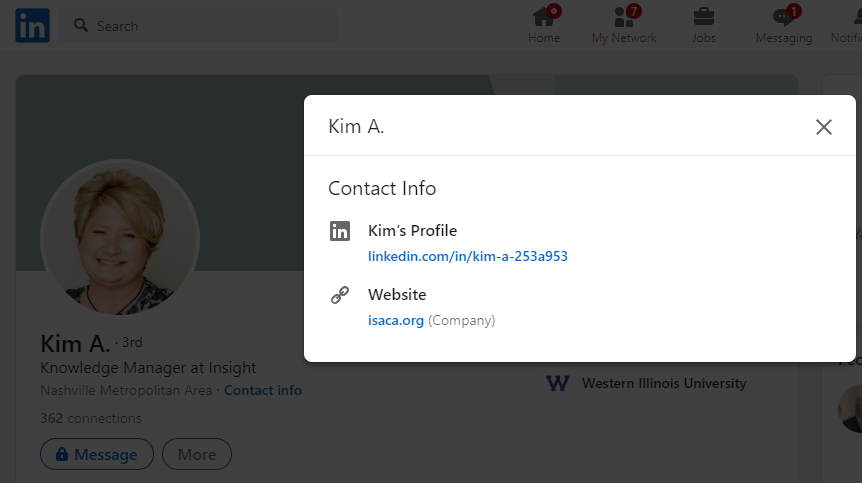
If you do freelance KM consulting (or you’re open to it), this is also where I’d add a simple CTA like: “Email me for consulting inquiries” or “Book a call.”
This is one of those moments where Knowledge Managers should think like Knowledge Managers and remove friction from the user journey.
The About section is where you stop being “a list of jobs” and start being a narrative.
LinkedIn gives you about 2,600 characters in the About section, which is a lot, yet tons of people either leave it blank or fill it with irrelevant personal facts.
Here’s how I’d write it so it works for Knowledge Managers:
If you want a simple template that creates a cohesive professional narrative (without sounding like a motivational poster), here’s the structure I use:
Start with the “why”: what you care about in KM (findability, reducing rework, protecting institutional knowledge, helping people self-serve).
Then define your lane: support KM, enterprise KM, enablement, governance, taxonomy, or platform ownership.
Then prove it: 1–2 key accomplishments with measurable outcomes.
Then show your trajectory: what you’re learning right now (continuous learning) and where you want to apply it next.
Example phrasing (edit to fit your truth):
“I build knowledge systems that make information easier to find, trust, and reuse—so teams stop relying on tribal knowledge. I’ve led KM initiatives across [repositories / knowledge sharing platforms / content management systems], with a focus on taxonomy, governance, and adoption. Recent wins include [metric/result]. Right now I’m leveling up in [information science / data management / organizational behavior / change management] because KM doesn’t stick without behavior change. I’m open to roles where I can own KM strategy and deliver measurable improvements in knowledge accessibility.”
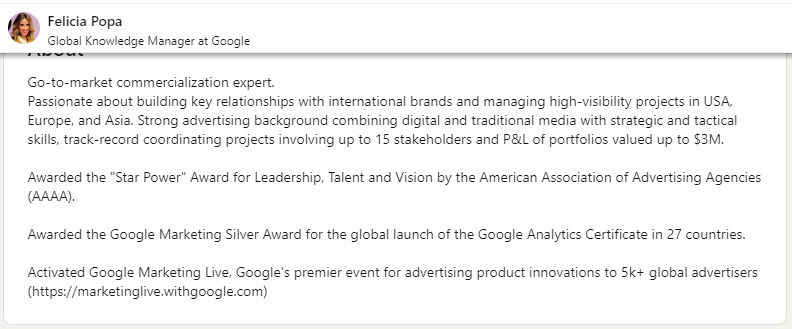
If you’re stuck, I’d pull language from a skills checklist and translate it into “how you help teams.” This is where essential knowledge manager skills can help you identify what to highlight (and what to leave out).
This step might feel optional at first, but it’s one of the smartest ways to stand out because recruiters often prefer having a “downloadable summary” that they can review or share internally.
A resume complements your LinkedIn profile by including details that are harder to fit into the platform’s format, like project specifics, metrics, or tailored language for niche KM roles.
Why a customized resume matters:
Different KM roles emphasize different priorities. For example:
Trying to use a single, generic resume for all these roles often underperforms. Tailoring your resume to align with the specific priorities of each job increases your chances of being noticed.
One easy way to share your resume is by uploading it as a document to your LinkedIn profile. Here’s how to do it:
Here’s what that looks like:
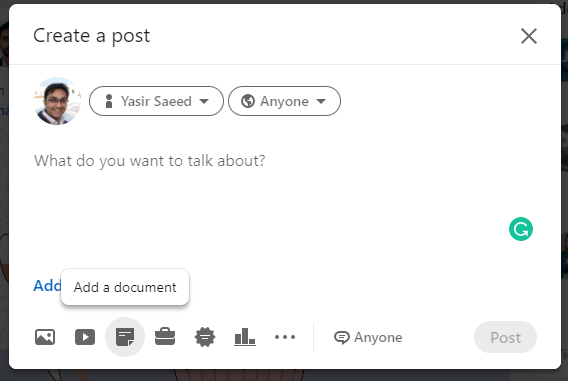
Pro tip I like (from the original article) is to keep multiple versions of your resume for different “lanes” of Knowledge Management including system implementation, training/knowledge transfer, data organization, etc.
If you want a structured way to do this, this guide maps well to LinkedIn too: how to write a knowledge manager resume.
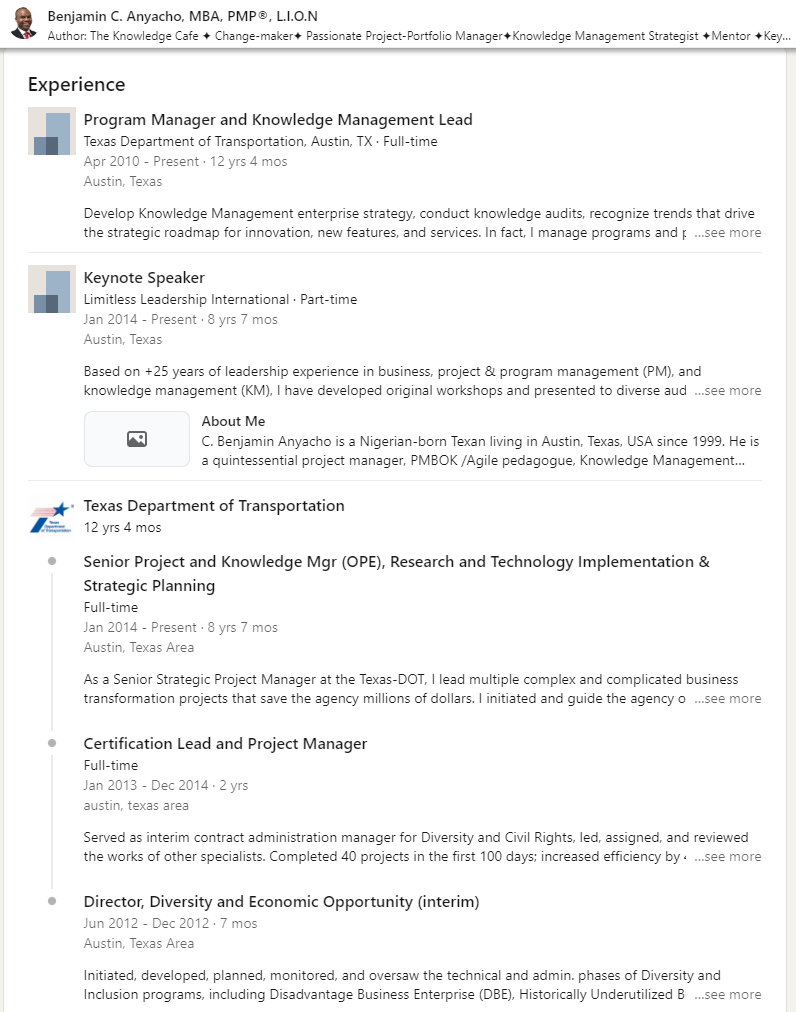
If the About section is the story, the Experience section is the proof.
This is where you list roles, internships, volunteer work, and relevant projects. But the difference between a mediocre profile and a strong one is how you write the descriptions.
The original article says it clearly. Focus on accomplishments and impact, not just responsibilities.
If I want recruiters to take me seriously as a Knowledge Manager, I don’t just say I “improved the knowledge base.” I name the outcome in a way a business actually cares about.
Metrics I like because they map to real pain:
Then I convert that into a mini case study format inside the role description:
“Problem: information silos + inconsistent answers → Action: rebuilt taxonomy + governance + content health → Result: measurable lift in knowledge accessibility + project efficiency.”
Even if you don’t have perfect analytics, you can still quantify scope:
“How many teams used it, how many articles you governed, how many stakeholders you aligned, how many training sessions you ran, or how much content you migrated during a digital transformation.
While education isn’t the sole deciding factor in Knowledge Management roles, it remains an important credibility signal. A well-completed education and certification section not only reinforces your expertise but also helps your profile stand out in searches.
The original article highlights an important insight. Profiles with complete education and certification details tend to attract more attention from recruiters.
LinkedIn provides multiple sections to highlight your qualifications:
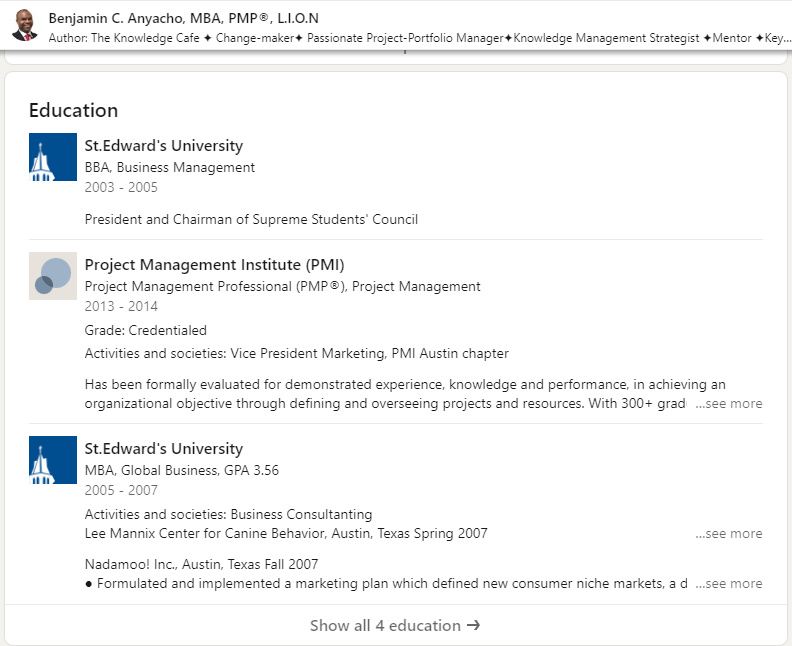
Here is what the Education section on LinkedIn should look like:
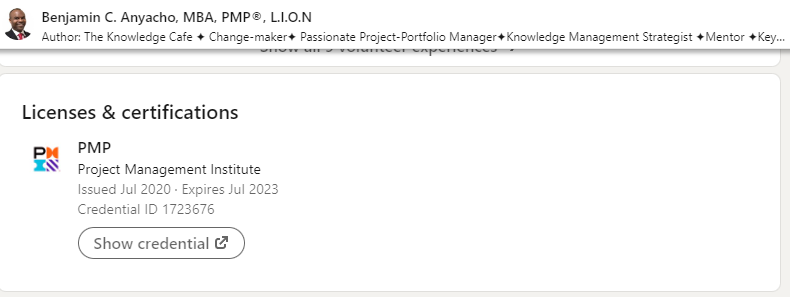
And here’s an example of licenses/certifications that create a strong impression:
One organic (and very relevant) way to stand out is to add a certification that’s aligned with the role. If you’re newer to KM or want a structured way to prove competency, the Knowledge Manager Certification Course is relevant and also easy for hiring managers to understand.
If your headline is your title tag, your Skills section is basically your metadata. It helps recruiters and hiring managers determine if you’re a match for the role.
Recruiters frequently filter searches by skills, and hiring managers skim this section to confirm your expertise. Even endorsements, while not perfect, act as additional social proof to validate your strengths.
The original article recommends adding skills that align with KM and encouraging peers to endorse you.
For Knowledge Managers, skills that make sense include:
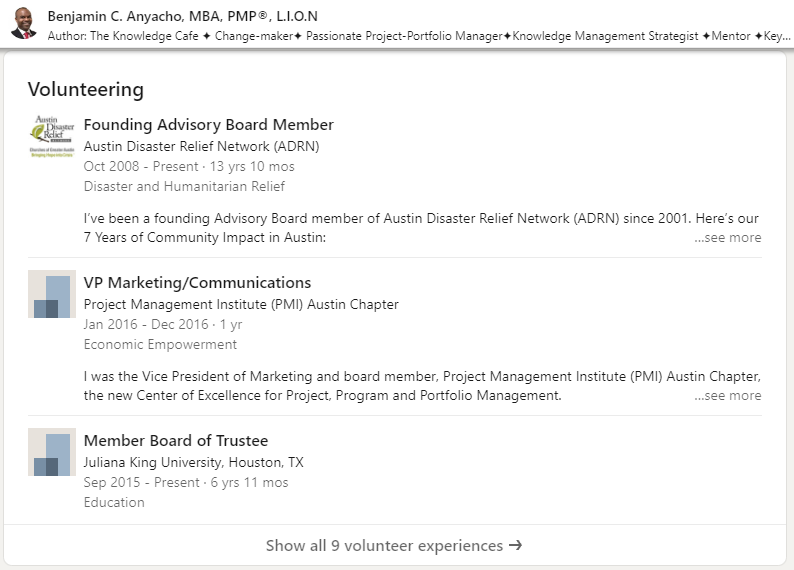
This is also where volunteer experience can help especially if you’re early in your KM career. If you’ve done anything that demonstrates knowledge capture, organizing information, digitizing records, running training, or improving access to information… that’s relevant.
Here is a practical way of adding volunteering experience and skills to your profile:
My personal rule is to not add 80 skills. Add the 15–25 that match the roles you want.
This step is so simple that people forget it and then wonder why they’re not showing up in searches.
Recruiters filter candidates by location, especially for roles that are hybrid or in-office. If your location is too vague (e.g., listing just the country or “remote”), you may not show up in searches for positions in specific cities or regions.
The original article gives a great example. If you’re targeting a role in Washington, DC, but your profile isn’t set correctly, you may never appear in local recruiter searches.
A few tips that matter:
Here’s the screenshot reference for what “accurate city name” looks like:
This is one of those “quiet multipliers.” You can do everything else right, but if recruiters can’t filter you into view, none of it matters.
Endorsements are fine. Recommendations are better.
Your work often spans multiple teams, requiring collaboration and transparency. A strong recommendation from a peer, manager, or stakeholder highlights your ability to influence, implement, and deliver results across functions.
The original article recommends focusing on quality over quantity and being specific in what you ask for.
Here’s the exact message style I’d use:
“Hey [Name]! Would you be open to writing a LinkedIn recommendation focused on the KM work we did together? If helpful, I’d love you to highlight the governance model we implemented and the impact it had on adoption and findability.”
That makes it easier for them to write something meaningful (instead of generic praise).
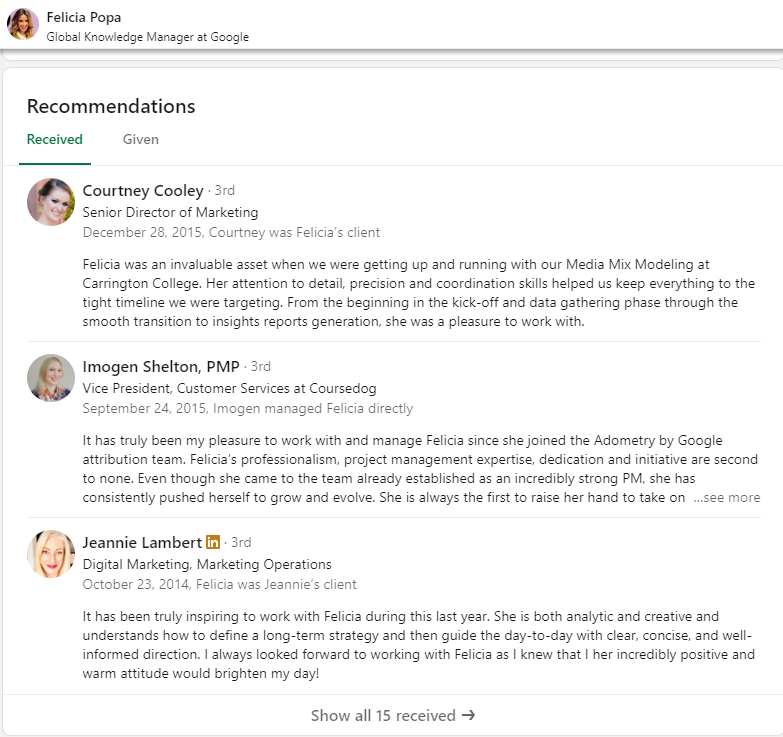
Here’s an example referenced in the original article (keeping it here so the image still fits the narrative):
If you think you don’t have anyone to ask, consider these potential sources:
By proactively asking for recommendations that highlight your unique KM skills and impact, you’ll build a profile that feels credible, well-rounded, and attractive to recruiters.
Creator Mode is one of those LinkedIn features that can feel “influencer-ish,” but it doesn’t have to be.
The real value of Creator Mode for Knowledge Managers is that it helps you build authority by sharing how you think. Governance, taxonomy decisions, change management, content health, KM metrics, the stuff hiring managers care about.
The original article lists benefits like:
If I were using Creator Mode as a Knowledge Manager, I’d keep it practical:
Here’s the example screenshot reference for Creator Mode usage:
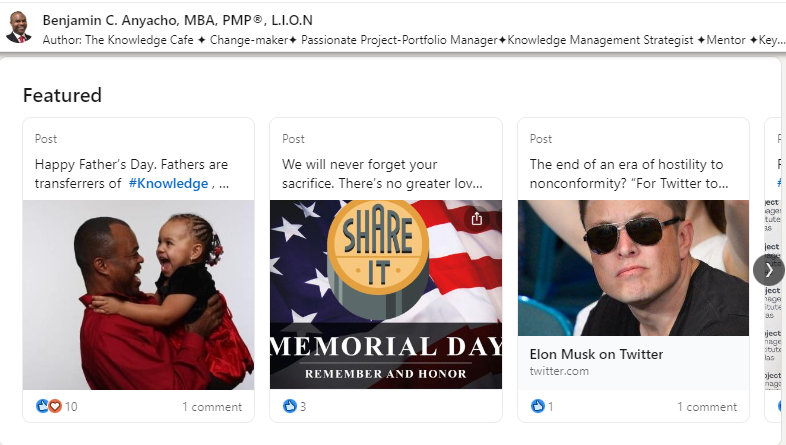
Key takeaway from the original article is spot on. Consistency matters. Posting once a week beats posting 10 times in one month and disappearing.
This is the section most Knowledge Managers underuse and it’s arguably the best place to prove you’re a KM operator, not just someone who likes the idea of KM.
The Featured section can include:
The original article’s steps are straightforward:
If you can only add three things, I’d add:
Here’s the screenshot reference for adding Featured content:
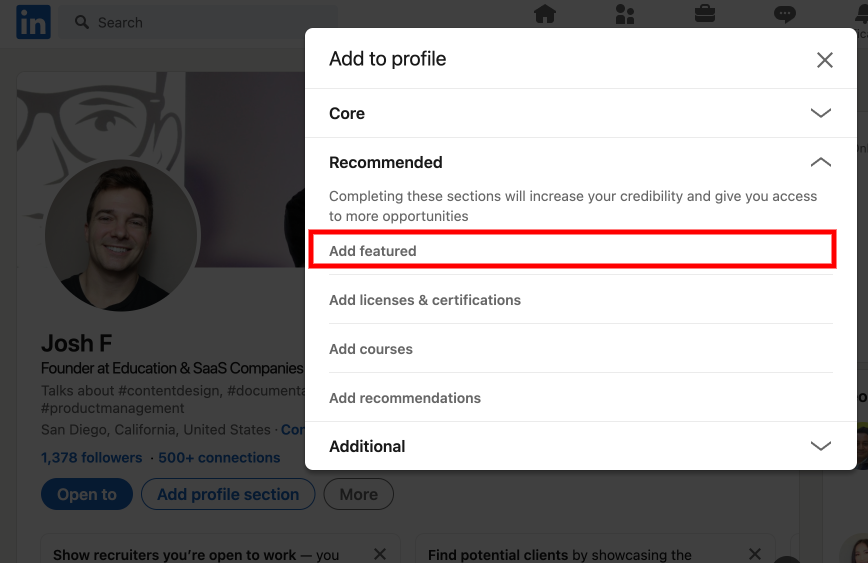
On my LinkedIn profile, I went ahead and added several of the certifications that Technical Writer HQ provides. This way if someone clicks on any of these featured links, they get taken right to the certification pages on Technical Writer HQ to sign up for the course.
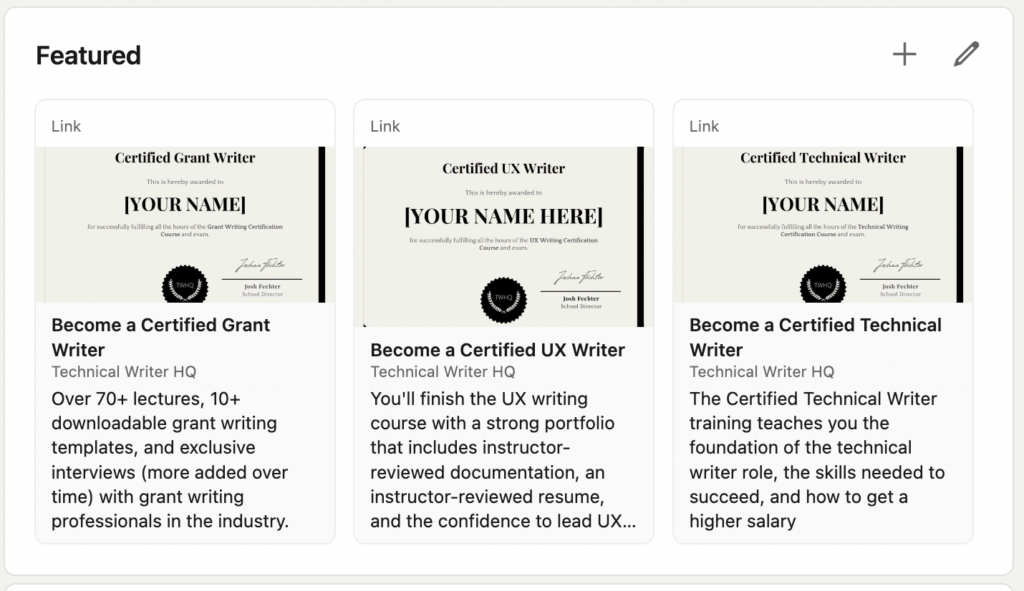
This is also where you should think about who you’re trying to attract. Hiring managers, clients, collaborators and then tailor your Featured links to that persona.
No header here, LinkedIn is basically a knowledge base for your career. If you apply KM fundamentals like structure, findability, proof and governance, you’ll end up with a profile that feels confident, credible, and easy to hire.
Here are the most frequently asked questions about optimizing a Knowledge Manager LinkedIn profile.
I’d use the headline to state your role + your niche + the outcome you drive (for example: “Knowledge Manager | KM Strategy + Enablement | Reducing time-to-answer + improving adoption”). The goal is to be searchable and specific.
Keep it skimmable and outcome-driven: who you help (teams/orgs), what you build (KM systems, governance, processes), what you’re known for (taxonomies, enablement, change mgmt), and 1–2 proof points (impact, metrics, wins).
I’d avoid “responsibility dumps” and write bullets like mini case studies. Problem → action → result. If you can attach numbers (deflection rate, time saved, adoption, CSAT, search success), even better.
Prioritize skills that match the jobs you want. Knowledge strategy, taxonomy/IA, governance, content operations, stakeholder management, change management, and tooling familiarity (only if it’s relevant to the roles you’re targeting).
Use Featured to show proof, not just tell: a KM framework doc, a process one-pager, before/after examples, a presentation, a case study, or a public writing sample that demonstrates how you think and communicate.
You don’t need to post daily. I’d aim for light consistency. Comment thoughtfully on KM/enablement posts, share the occasional lesson learned, and connect with intent (people in your space, hiring managers, adjacent teams). Even small activity helps visibility over time.
If you’re new to knowledge management and are looking to break in, we recommend taking our Knowledge Manager Certification Course, where you will learn the fundamentals of knowledge management, how to dominate knowledge manager interviews, and how to stand out as a knowledge management candidate.
Get the weekly newsletter keeping 23,000+ technical writers in the loop.
Learn knowledge management and advance your career.
Please check your email for a confirmation message shortly.





















Get our #1 industry rated weekly technical writing reads newsletter.
Your syllabus has been sent to your email