Knowledge management sounds boring until you’re answering the same question for the 40th time, or onboarding a new hire and realizing the “process” only exists in someone’s head.
These are the knowledge management tools I’d personally start with in 2026 to capture what your team knows and make it searchable.
Here’s my pick of the 11 best tools from the wider knowledge management landscape.
I’ve built documentation stacks in fast-moving companies where people ship features faster than anyone can document them. And honestly, that’s exactly why knowledge management tools matter. They give you a centralized knowledge base that doesn’t collapse the moment your best SME takes a vacation.
If you do this well, you’ll see real benefits: faster onboarding, fewer repeat questions, quicker support resolutions, and better knowledge retention. If you do it poorly, you’ll end up with a “wiki graveyard” where nobody trusts what they find. (I’ve seen both.)
Before we get into the list, here’s the lens I’m using. The best knowledge management tools are the ones people actually use, and that usually comes down to search, workflow fit, and governance. Bonus points if they include AI-powered search, content analytics, and integrations with the collaboration tools your team already lives in.

Confluence is the tool I reach for when a team already runs on Jira and needs a natural place for specs, decision logs, runbooks, and project documentation. The biggest win is how “connected” it feels inside Atlassian workflows, especially when you’re trying to keep technical decisions attached to the work that shipped.
In practice, Confluence works best when you treat it like your operational memory. Think meeting notes that do not vanish, pages that map to services, and a home for process documentation tools like SOPs and incident playbooks. If you’re already building out a real knowledge management system, Confluence tends to scale with you.
Pricing-wise, Confluence is typically tiered, and most teams start with a basic plan and grow into governance features later. I like tools that let you start small, then layer in permissions and structure as your org matures.
I picked Confluence because it’s one of the few tools that can handle messy, real-world documentation at scale without becoming a chaotic folder dump. It’s particularly good when you need structured spaces, page permissions, and a clear “source of truth” for engineering-heavy organizations.
Pros
Cons
To learn more, check out Confluence on their website.
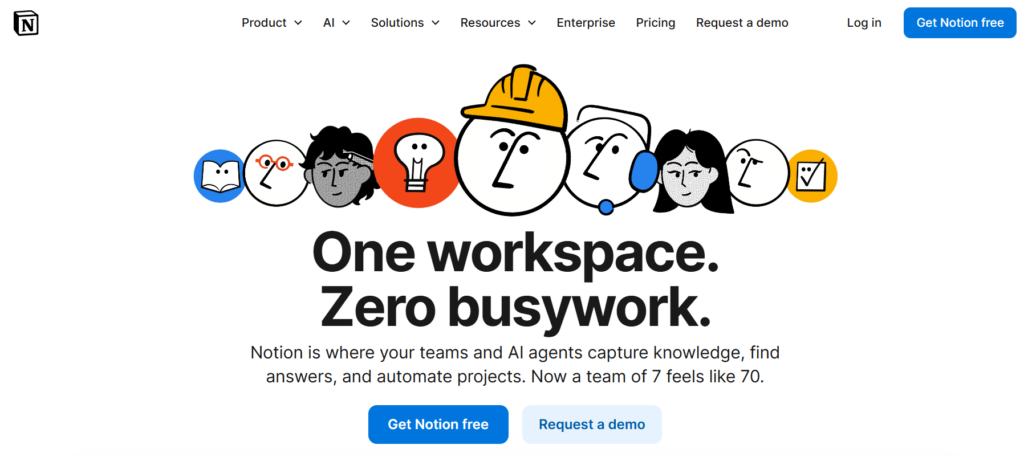
Notion is the “choose your own adventure” option. It’s part docs, part database, part collaboration hub, which makes it great for teams that want a centralized knowledge base plus lightweight project tracking in the same place.
Where Notion shines is flexibility. You can build a wiki, a handbook, an onboarding hub, and a lightweight CRM all in one workspace. For teams that are still figuring out how they want to structure knowledge, this is a good thing.
The tradeoff is that flexibility can turn into inconsistency if you do not define conventions. If your team is serious about a knowledge-sharing culture, you’ll want a few standards, like naming rules, ownership fields, and a review cadence.
I picked Notion because it’s one of the fastest ways to get a team writing things down, especially outside engineering. It lowers the barrier to “just document it,” which is half the battle when you’re trying to prevent knowledge silos.
Pros
Cons
To learn more, check out Notion on their website.

Guru is built around a simple idea: knowledge should show up where people already work. Instead of telling everyone to “go check the wiki,” Guru pushes trusted answers into Slack, Teams, and the browser, which is perfect for support, sales, and operations teams.
The part I like most is verification. If you’ve ever watched a company ship outdated internal docs for months, you know how dangerous stale knowledge can be. Guru’s approach encourages content verification workflows, so answers do not quietly rot.
This is also one of the better options when you care about fast self-service resources. A lot of teams measure success here by search success rates, reduced repeat questions, and faster onboarding time.
I picked Guru because it’s opinionated in a good way. It nudges your company toward a real “single source of truth” mindset by making knowledge easy to consume and harder to neglect.
Pros
Cons
To learn more, check out Guru on their website.

Document360 is what I reach for when the output needs to look like a polished help center, not just an internal wiki. It’s built for support documentation, product docs, step-by-step tutorials, and FAQs that customers can actually navigate.
It also fits teams that care about content governance. You usually get better workflows for drafting, review, publishing, and version control than you do in more general-purpose doc tools. That matters if you’re coordinating technical writers, support, and product SMEs.
From a pricing standpoint, tools like this typically scale by feature tier and contributor count. If you’re doing serious customer self-service, the ROI is usually ticket deflection and faster support resolution times.
I chose Document360 because it’s purpose-built for knowledge bases and it shows. The authoring workflow, analytics, and publishing experience feel designed for documentation teams, not adapted from a generic notes app.
Pros
Cons
To learn more, check out Document360 on their website.

Zendesk Guide is the knowledge base that makes the most sense when Zendesk is already your support system. The real advantage is tight integration with ticketing workflows, which helps agents share articles, reduce repetitive tickets, and keep support answers consistent.
If you want to streamline support, this is where knowledge management turns into measurable outcomes. You can track what people search, where searches fail, and which articles actually reduce tickets. That’s the difference between “we have a KB” and “our KB works.”
It’s also a strong option for multilingual content delivery if you support multiple regions. For global support orgs, multi-language knowledge base features stop being “nice to have” and start being mandatory.
I picked Zendesk Guide because it closes the loop between knowledge and support. When the same platform powers tickets, macros, and knowledge articles, it’s easier to keep answers consistent and keep content updated.
Pros
Cons
To learn more, check out Zendesk Guide on their website.
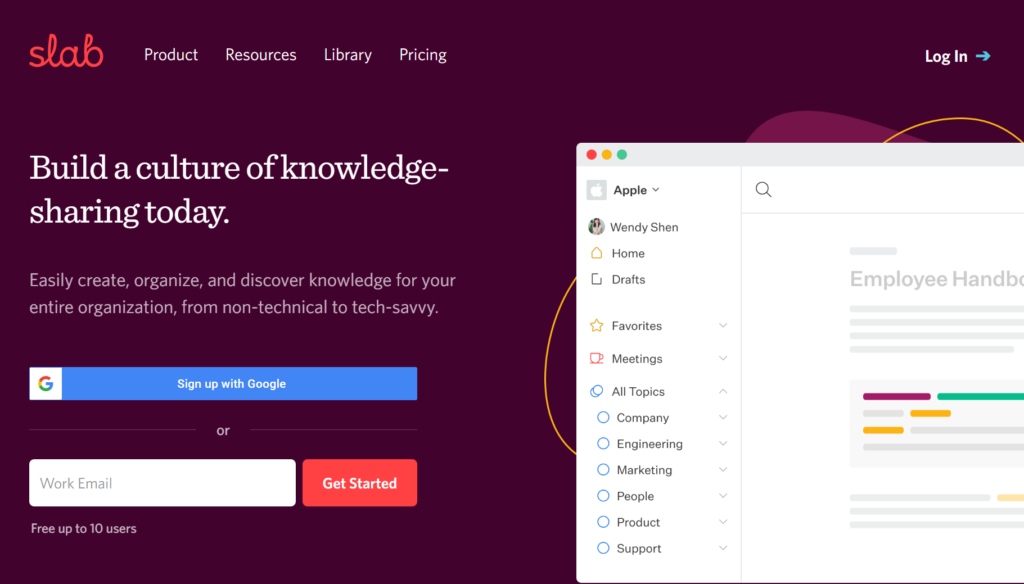
Slab is a knowledge base, pure and simple. If you want a modern internal wiki that stays out of the way, Slab is a strong choice, especially for teams that do not want an “all-in-one” workspace.
What stands out is how quickly people can find things. Search is fast, organization is straightforward, and the editor feels designed for docs, not for complicated page building. That helps adoption, which is usually the hardest part of implementation.
Slab also works well when you want integration with collaboration tools like Slack, Google Drive, GitHub, or task managers. Instead of forcing you to move everything into one system, it helps you unify knowledge across your existing stack.
I picked Slab because it’s one of the easiest ways to get an internal wiki live without months of configuration. When teams tell me “we need something simple that people will actually use,” Slab is often the right answer.
Pros
Cons
To learn more, check out Slab on their website.

SharePoint is the classic choice for enterprises that already run on Microsoft 365. If your company lives in Teams, Outlook, OneDrive, and Office, SharePoint can become your centralized document and knowledge hub with relatively little friction.
It’s less “wiki vibe” and more “enterprise content system.” You get powerful access controls, structured libraries, and strong integration with workflow automation through Power Automate. For compliance-heavy orgs, those access management and governance capabilities are a major reason to choose it.
The big implementation tip here is to design for findability. A SharePoint instance with no information architecture is basically a digital junk drawer, so it’s worth learning the basics of information architecture before you go all-in.
I picked SharePoint because it’s often the most realistic choice for enterprises. If the organization is already standardized on Microsoft, this gives you a knowledge foundation without adding another tool to the stack.
Pros
Cons
To learn more, check out Microsoft SharePoint on their website.
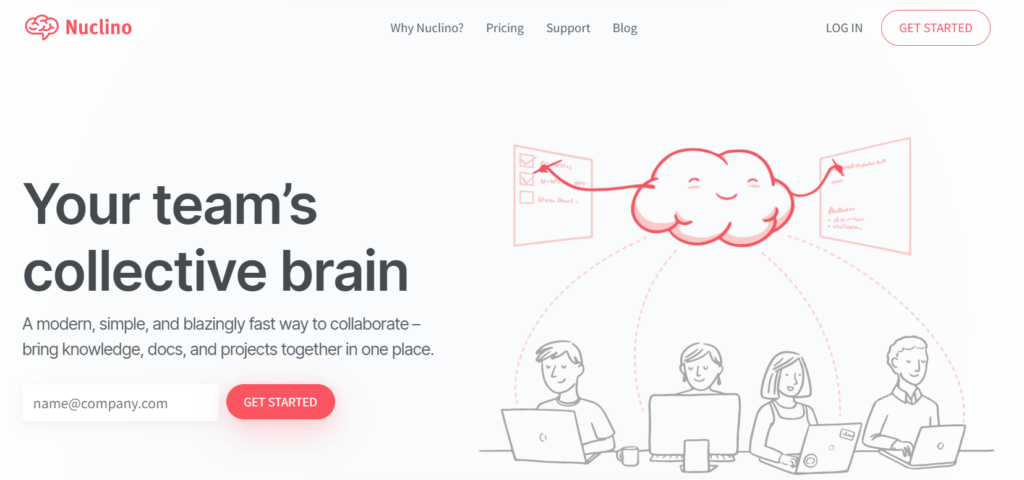
Nuclino is a lightweight wiki that feels fast and uncluttered. It’s a good option when you want a centralized knowledge base but do not want to maintain something heavyweight.
I like Nuclino for smaller teams, startups, and cross-functional groups that need quick collaborative editing. It also tends to do well when you want multiple views of knowledge, like a graph view to explore conceptual relationships between pages.
If you’re early in your documentation journey, pairing a tool like this with basic process documentation discipline can get you surprisingly far.
I picked Nuclino because it removes friction. When a tool feels fast and simple, people document more, and that’s the point.
Pros
Cons
To learn more, check out Nuclino on their website.
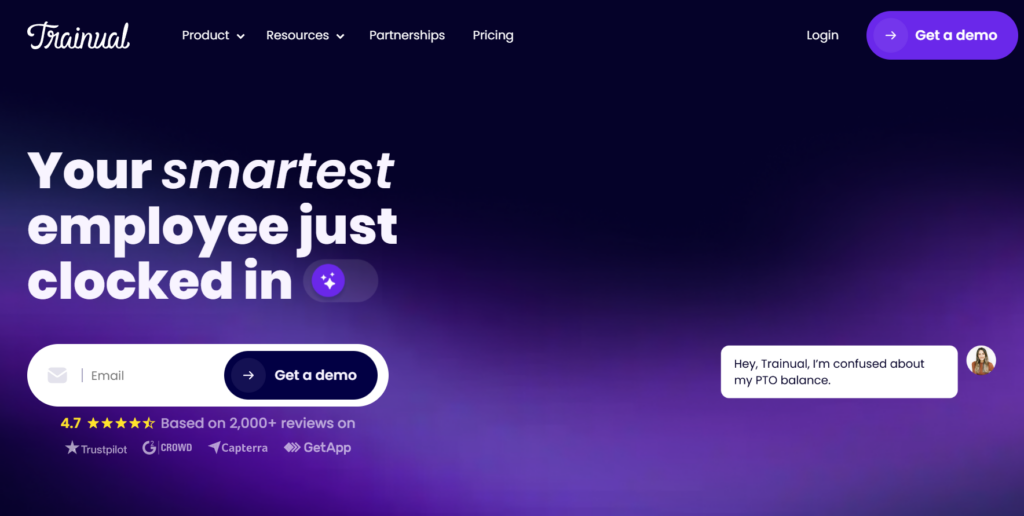
Trainual is a knowledge management tool disguised as onboarding. It’s built for documenting roles, processes, and training modules so new hires can ramp faster and managers are not repeating the same explanations every week.
What I like here is the structured approach. Instead of pages floating around randomly, Trainual pushes you toward repeatable training paths, tests, and role-based assignments. That’s perfect when your “knowledge” is really operational SOPs and step-by-step guides.
This is also one of the clearest ROI stories in knowledge management. If your onboarding gets faster and more consistent, the time savings are obvious, especially as you scale.
I selected Trainual because onboarding is one of the fastest places to see impact. When you turn tribal knowledge into structured training, you protect the org from churn and make growth less painful.
Pros
Cons
To learn more, check out Trainual on their website.

Bloomfire is built for organizations possessing a lot of knowledge spread across departments that need better discovery. It leans into enterprise search, AI-based surfacing, and content organization across large teams.
This is where features like AI-powered search, automated deep indexing, and analytics matter. You’re not just building a wiki, you’re trying to connect people to expertise, previous work, and reusable assets. In bigger companies, that can mean avoiding duplicate projects and speeding up decision-making.
Bloomfire is also a strong contender if your knowledge includes more than documents, like videos, research, or community-driven Q&A. It’s closer to an internal knowledge network than a simple doc repository.
I picked Bloomfire because large organizations usually do not struggle with “writing docs.” They struggle with finding the right doc, trusting it, and knowing who owns it. Bloomfire is designed to solve that discovery and trust problem.
Pros
Cons
To learn more, check out Bloomfire on their website.
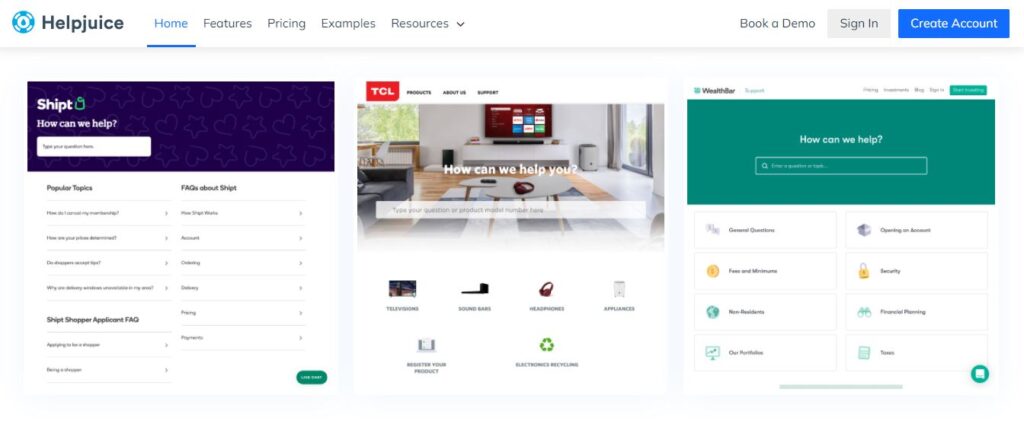
Helpjuice is a dedicated knowledge base platform that leans hard into self-service outcomes. If your goal is “reduce support requests, improve onboarding, and measure what’s working,” Helpjuice has the right mindset.
I especially like it for teams who want to iterate using data. Content analytics, search behavior, and feedback widgets make it easier to spot gaps, fix confusing articles, and build better decision trees for troubleshooting.
It can work as an internal knowledge base, a customer-facing help center, or both, depending on how you structure permissions. It’s a strong choice when you want a tool that treats search success rate as a first-class metric.
I picked Helpjuice because it pushes you toward measurable knowledge management. If you’re serious about ROI, you need analytics and a feedback loop, not just “a place to put docs.”
Pros
Cons
To learn more, check out Helpjuice on their website.
If you want a few more options depending on your use case, these are worth a look.
If you’re building a real KM program, these TWHQ guides help you set the foundation.
If people cannot find what they need in 10 seconds, they will stop using the tool and DM someone instead. I prioritize strong search functionality, ideally with AI-powered search, deep indexing, and filters that actually reflect how teams think.
Knowledge rots. You need owners, review cadences, and verification workflows that make it obvious what’s trusted and what’s outdated. Version control and audit trails are non-negotiable once your docs affect customers, compliance, or incident response.
The best KM tool connects to where work happens: Slack, Teams, your ticketing system, your CRM, and your docs stack. Integration depth matters because it reduces context switching and encourages a knowledge-sharing culture by making contributions easy.
Content analytics are how you avoid building a huge knowledge base nobody uses. I look for search analytics, article performance, and feedback widgets so you can improve continuously, not just publish once and pray.
Different teams need different visibility. Good access controls, role-based permissions, and secure sharing prevent knowledge leaks while still keeping the system useful. This matters even more when you’re mixing internal SOPs with customer-facing resources.
I care less about the cheapest sticker price and more about long-term ROI. A tool that reduces support tickets, speeds onboarding, and prevents duplicated work is often cheaper than it looks, even if the subscription cost feels high at first.
A knowledge management tool can be an internal wiki, a customer-facing knowledge base, a document management system, or a training library. If you pick the wrong type, you’ll fight the tool forever.
As a shortcut, if you’re trying to reduce tickets, start with a knowledge base tool like Document360, Zendesk Guide, or Helpjuice. If you’re trying to centralize internal docs, a wiki-first tool like Confluence, Slab, or Nuclino usually wins.
Most KM rollouts fail because nobody plans for adoption. Assign owners, define contribution rules, and ship a minimum viable knowledge base that solves real pain fast, like onboarding, support FAQs, or incident runbooks.
Once people trust the system, expand it. That’s when you layer in governance policies, review schedules, and workflows for content verification.
Data migration is where good intentions go to die. Instead of dumping every doc you have into the new tool, migrate what’s actively used and rebuild what’s outdated.
I like doing a quick content audit first: what gets asked weekly, what breaks onboarding, and what support repeats constantly. Start there, then iterate.
If you cannot measure effectiveness, you cannot improve it. Track search success rates, top searches with no results, article helpfulness, and whether the tool actually reduces repeated questions.
This is also where content analytics and feedback widgets earn their keep. They turn knowledge management into a living system, not a one-time project.
I’ve been building documentation systems for over a decade now, and the biggest shift I’ve seen is this: knowledge management is no longer just about “storing documents.” It’s about connecting people to the right knowledge instantly, in context, and with confidence that it’s accurate.
The future of knowledge management tools is less about static wikis and more about unified knowledge layers that sit across your entire stack. Instead of asking, “Where is that doc?” teams are starting to ask, “Why didn’t the system surface that for me already?”
Here are the biggest trends shaping the space right now.
Search used to mean keywords and filters. Now it means AI that understands intent, conceptual relationships between documents, and even who you are inside the company.
Modern tools are moving toward AI-powered search that:
This shift is huge for breaking down knowledge silos. Instead of forcing people to navigate five platforms, AI layers unify information across docs, CRM systems, ticketing systems, and collaboration tools.
The future is not one tool replacing everything. It’s better integration.
We’re seeing deeper CRM integration, contact center system integration, and ticketing system integration. That means knowledge is no longer isolated in a standalone knowledge base. It connects directly to support workflows, sales conversations, and customer interactions.
For example:
The result is centralized organizational knowledge that feels embedded, not separate.
As AI-generated content becomes easier to produce, content accuracy becomes more important, not less. I expect to see more built-in verification workflows, automated review reminders, and even AI-powered knowledge verification that flags outdated or conflicting content.
Version control will also become more visible and more meaningful. Instead of just “page history,” tools will likely show confidence scores, last verification dates, and content ownership more clearly.
Trust will become a competitive advantage for knowledge platforms.
Self-service capabilities are expanding beyond help centers. Internally, employees expect the same experience customers do: type a question, get a direct answer, move on.
The future knowledge base:
The best tools will treat knowledge as an active support layer, not a passive document library.
One of the biggest historical problems in knowledge management is this: people intend to document things after the fact. They rarely do.
Future-forward tools are focusing on systematic knowledge capture. That means:
This reduces reliance on hero contributors and makes knowledge retention more sustainable.
We’re also seeing a move toward graph-based views of knowledge, where tools map conceptual relationships between documents, topics, and experts.
Instead of folders and hierarchies alone, future systems will:
This is especially powerful in large organizations where knowledge is abundant but fragmented.
Long term, I believe knowledge management tools will become infrastructure, not applications. They will sit underneath CRM systems, ticketing systems, collaboration platforms, and learning management systems as a unified layer.
The goal is unified knowledge across the entire organization, supported by:
In other words, the future is less about building a bigger wiki and more about building an intelligent, connected knowledge ecosystem.
Here, I answer the most frequently asked questions about knowledge management tools.
I make it the easiest place to get an answer, then I reinforce the habit. That means strong search, clear ownership, and a “no DM answers without documenting” norm for repeat questions.
Also, start with high-value content first: onboarding, common support issues, and core SOPs. If the first few searches succeed, adoption gets dramatically easier.
For most teams, it’s search, permissions, integrations, analytics, and version control. If you’re building customer self-service, add templates, localization, and a good publishing workflow.
If you want the “modern” version of this list, prioritize AI-powered search, content verification, and workflow automation. Those three features reduce maintenance overhead a lot.
If your primary problem is internal alignment and onboarding, start with an internal wiki. If your primary problem is support volume and repetitive tickets, start with a customer-facing knowledge base.
Plenty of orgs eventually need both. When that happens, I either run separate spaces in one platform (if it supports it cleanly) or use two tools with clear boundaries and shared governance.
I track onboarding time, support ticket deflection, time-to-answer for internal questions, and duplicated work avoided. If your tool has content analytics, you can usually connect article usage to fewer tickets and faster resolutions.
The simplest KPI is this: are fewer people asking the same questions in chat, and are new hires ramping faster? If yes, your KM system is working.
At minimum: role-based access controls, SSO support, and permission-aware content visibility. For regulated environments, you’ll also care about audit logs, version history, and review workflows that prove content is maintained.
If you have sensitive internal processes, do not treat your KM tool like a public wiki. Set up governance policies early, even if they’re lightweight.
The biggest one is “move everything over” with no structure or ownership. The second is ignoring adoption and assuming people will magically change their behavior.
My rule is simple: pick one high-impact use case, build it well, assign owners, measure outcomes, and expand from there. Knowledge management is a system, not a one-time migration.
Get the weekly newsletter keeping 23,000+ technical writers in the loop.
Learn knowledge management and advance your career.
Please check your email for a confirmation message shortly.





















Get our #1 industry rated weekly technical writing reads newsletter.
Your syllabus has been sent to your email