Our reviewers evaluate career opinion pieces independently. Learn how we stay transparent, our methodology, and tell us about anything we missed.

Our reviewers evaluate career opinion pieces independently. Learn how we stay transparent, our methodology, and tell us about anything we missed.
In one of my first roles, we had three “official” places to store knowledge: a wiki, a shared drive, and a ticketing tool. Every incident postmortem turned into a debate about which version was correct, and that’s when I realized the problem was not writing, it was the system.
A knowledge management system (KMS) is basically your organization admitting that knowledge needs infrastructure. When it’s done right, it becomes the place people check first because they trust it to be current, findable, and consistent.
I’m going to cover the pieces I look at when I’m either implementing a KMS from scratch or cleaning up an existing one. If you want a parallel read for structure and findability, my breakdown of information architecture pairs well with this, because IA is what makes a KMS navigable at scale.
If you want the bigger umbrella first, start with knowledge management, then come back here when you’re ready to think about systems and software.
A knowledge management system is a set of policies, procedures, and tools that helps an organization capture, organize, store, and retrieve knowledge. In practice, it creates a centralized platform for knowledge sharing and decision-making, which is why many KMS products emphasize collaboration, search, and continuous updates.
I think about a KMS as the operating system for organizational knowledge. It is not just a repository, because it also includes the workflows, governance, and measurement that keep knowledge alive.
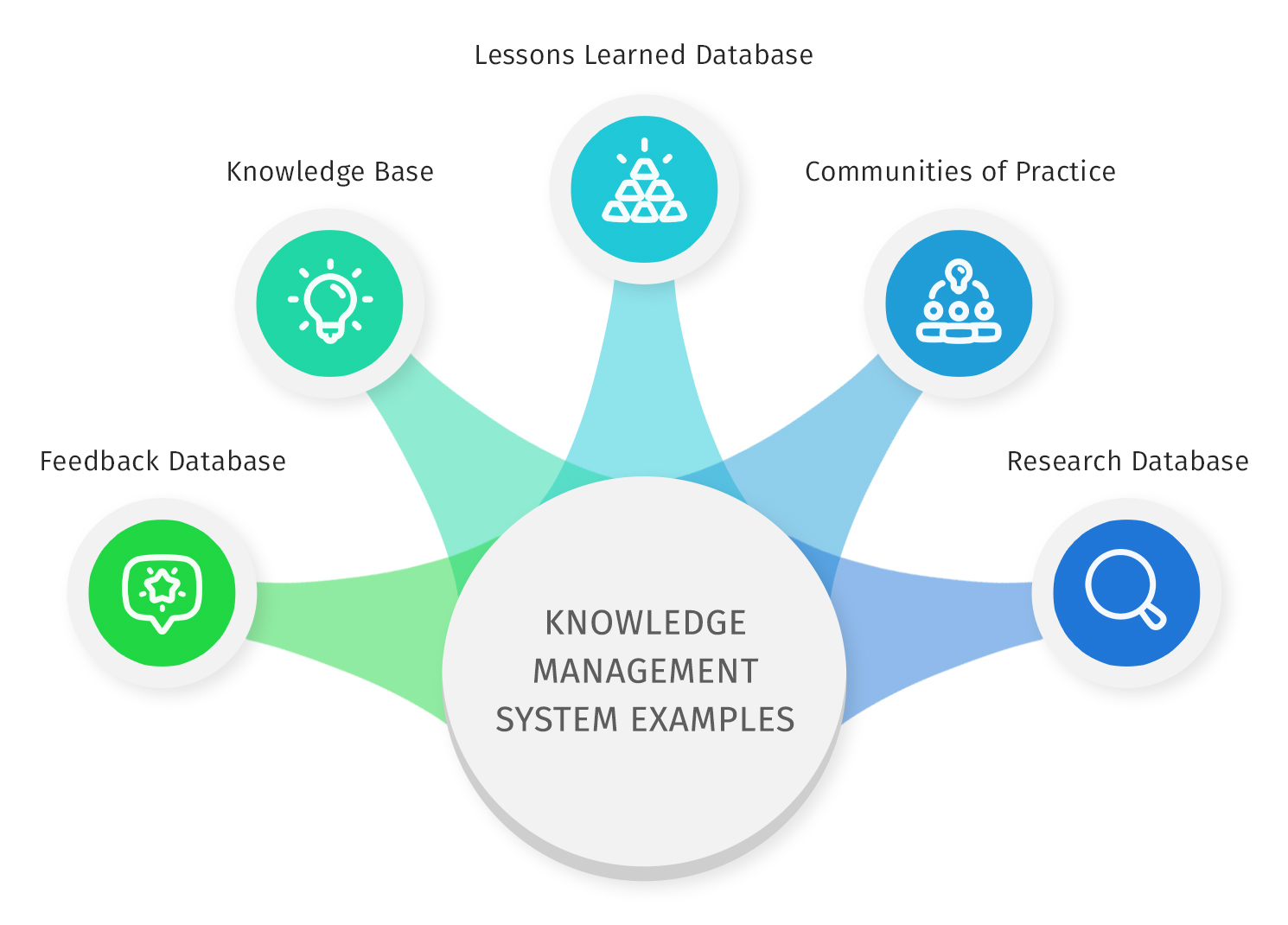
Most KMS programs deal with explicit knowledge first, like FAQs, documents, employee handbooks, presentations, monthly reports, and published procedures. That’s the low-friction category because it already exists and can be migrated into a searchable repository.
The harder category is tacit knowledge, which lives in personal experiences and “how we actually do it” shortcuts. The only reliable way I’ve found to capture that is through deliberate knowledge elicitation, like SME interviews, shadowing, and reviewing real ticket threads, then converting it into durable articles and playbooks.
Implicit knowledge sits in between. It’s knowledge people don’t always realize they have until you prompt it, which is why interview recordings and real examples are so valuable in the early stages of KMS adoption.
This is the section I spend the most time on with stakeholders, because “KMS” sounds abstract until you tie it to outcomes. The best argument for a KMS is not “we should store knowledge,” it’s “we are paying a tax every day because we cannot retrieve the right information quickly.”
A KMS reduces duplicated work by turning repeat questions into reusable answers. You see it in the little stuff, like fewer Slack pings for “where is the policy,” and in the big stuff, like fewer incidents caused by outdated runbooks.
Cost reduction usually shows up in customer support first. When knowledge is maintained and discoverable, customer self-service improves and incident handling time drops because agents can retrieve the right article fast instead of improvising. Oracle explicitly positions knowledge management around raising self-service rates and lowering handling time, which matches what I see in the field.
Customer service teams benefit because knowledge becomes available in the flow of work. If your KMS integrates with your service platform, an agent can search once, reuse a vetted answer, and stay consistent across channels.
This is also where feedback collection matters. Great systems make it easy to capture “did this help?” signals and routes that feedback to owners, so the knowledge base gets better instead of older.
Internally, a KMS supports a collaborative environment by making it safe to share drafts, iterate on articles, and improve guidance without losing track of what changed. Version history and review workflows keep collaboration from turning into chaos.
Knowledge retention is the quiet payoff. When employees leave, you do not lose everything in their heads, and when teams reorganize, the knowledge still survives because it is not tied to one person’s inbox.
A KMS is also an on-demand training platform when your content is structured properly. New hires can self-serve the “how we do things here” playbook without needing a human guide for every basic step.
Sales enablement is another high-impact use case. Competitive positioning, battle cards, pricing guidance, and objection handling are all knowledge assets, and they work better when they are searchable, current, and governed like product content.
A KMS becomes a decision support tool once you can see what people search for, where they fail, and which articles drive outcomes. Search queries reveal content gaps. Page-level analytics show whether users are getting answers or bouncing.
When you plug those signals into business intelligence reporting, you can prioritize work like a product team. You stop guessing which pages matter and start working from evidence.
In larger orgs, knowledge does not live in one system. Content federation is the idea that your KMS can surface knowledge from multiple repositories without forcing a huge migration on day one.
This is useful when teams use different systems of record. You can unify retrieval through one search experience while leaving the source content where it belongs, which reduces political friction and speeds adoption.
Workflow automation is a real advantage when you scale. Routing reviews, expiring stale content, notifying owners, and enforcing governance rules should not be manual hero work.
This is also where an AI-powered knowledge management system can help. Not because AI magically “knows” your organization, but because it can recommend content, surface duplicates, and highlight inconsistencies faster than humans can triage them.
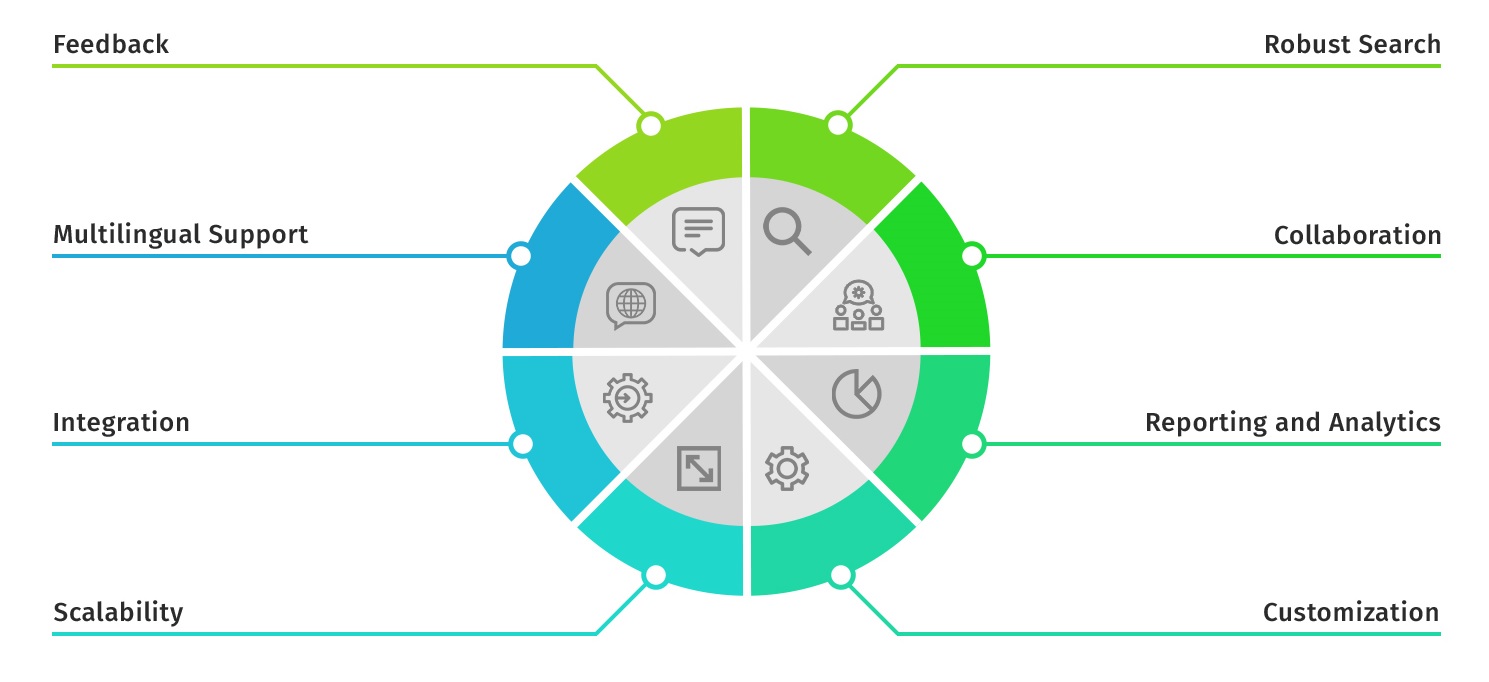
If I had to reduce KMS evaluation to one sentence, it would be this: the system needs to make it easy to publish good knowledge and even easier to retrieve it later.
At minimum, you need a central repository that supports content management, not just file storage. That means templates, content types, ownership, and lifecycle stages like draft, review, published, and archived.
If the repository does not support structured fields, you lose leverage. Simple things like product tags, audience, last-reviewed dates, and related links are the difference between “we have articles” and “we have a system.”
Reliable search functionality is the first thing I test. Search has to handle synonyms, partial matches, and natural language queries without returning garbage.
Increasingly, vendors add machine learning and natural language processing to improve retrieval. That can help, but it only works if the underlying taxonomy and metadata are clean, otherwise you are just putting a smarter engine on top of messy inputs.
Categorization and tagging are what keep your KMS navigable at scale. Good taxonomies support browsing, reduce click depth, and help users form a mental model of where things live.
This is also where governance matters. Without rules, tagging becomes a folksonomy and taxonomy becomes a junk drawer, which is how systems drift into “hard to navigate” territory.
Some of the best KMS setups include collaboration tools like commenting, inline suggestions, and approval threads. Those features keep SME knowledge close to the content and reduce the “docs ping-pong” that slows updates.
Q&A forums can also be valuable, especially when you treat them as an intake pipeline. The best approach is to promote the most repeated questions into formal articles, then link back so the system evolves from real demand.
A KMS should integrate with the tools people already use, especially CRMs, ticketing systems, and chat platforms. That is how you reduce context switching and improve adoption.
Permission controls and version control are non-negotiable. They protect regulated content, support audit trails, and prevent accidental edits from turning into misinformation. Oracle highlights analytics/reporting and “knowledge everywhere” style access, which lines up with this “in the flow of work” requirement.
Analytics is what keeps a KMS honest. You need to see searches, failed queries, most-viewed content, outdated pages, and feedback trends.
I also like systems that make it easy to export reports, because stakeholders will ask for dashboards. If your KMS cannot support reporting, you end up flying blind.
In most organizations, the people who benefit most are not always the people who maintain it. Customer service agents, onboarding employees, and front-line teams need fast retrieval because the cost of “not knowing” shows up immediately in delays and escalations.
Managers and SMEs often supply the knowledge, but they need a low-friction publishing workflow. If knowledge enrollment feels like extra paperwork, the system will starve, and the KMS will quietly rot.
Admins and governance owners are the glue. They manage permission models, compliance expectations, taxonomy standards, and content lifecycle hygiene, which is why I treat knowledge governance as a real job, not a side task.
A KMS is not the same as a content management system (CMS). A CMS focuses on content lifecycle management and publication, while a KMS focuses on knowledge retrieval, reuse, and decision support across teams.
A KMS also differs from an “AI system.” Conversational guidance and AI answers can be a layer on top, but without a maintained knowledge repository and governance, AI will just remix outdated or conflicting information into confident responses.
You’ll also see KMS overlap with systems of record like CRMs and ITSM tools. In those cases, the best setups use integrations or content federation so knowledge can be accessed in the flow of work, rather than forcing employees to context-switch into a separate portal.
Implementation is where most KMS efforts die, not because the tool is bad, but because ownership and habits never become real. I treat implementation like building a small internal product: define success, ship an MVP, then iterate.
If support, product, enablement, and compliance do not agree on what “done” looks like, the system becomes a battleground. A cross-functional team lets you set shared goals, like reducing ticket volume, shortening onboarding time, or standardizing procedures across locations.
I also recommend a short “definition of knowledge” workshop. It sounds fluffy, but it forces agreement on what qualifies as publishable guidance, what belongs in a forum, and what should stay in a system of record.
Brainstorming sessions are fine for collecting topics, but they are not enough. I prefer knowledge elicitation methods that generate usable raw material, like interview recordings, incident timelines, and real support conversations.
Then I convert those into a small set of high-impact content first. That early win matters because it creates trust and momentum, which is half the battle in building a knowledge sharing culture.
If publishing is hard, adoption collapses. Use document creation tools, templates, and a clear content creation workflow so contributors can create articles without inventing structure every time.
This is where templates become culture. When your templates encode your standards, people follow them naturally, even when they are busy.
Knowledge governance is not a “phase two” feature. It is how you prevent content sprawl, enforce taxonomies, and maintain consistency over time.
Knowledge maintenance also needs a predictable cadence. I like a lightweight schedule where critical articles are reviewed more often than niche pages. The key is that it is planned, not reactive.
If your org has regulatory requirements, bake them in at the start. Permission controls, review workflows, and version control are painful to retrofit after content has already spread across teams.
Even in non-regulated environments, version control matters because it makes ownership real. People are more willing to contribute when they know changes are tracked and reversible.
The vendor landscape is messy because “KMS” overlaps with CRM knowledge, intranets, enterprise content management, and data catalogs. I usually bucket vendors by where knowledge lives and how users access it.
Some vendors position KMS as part of a broader suite, especially where knowledge supports service, sales, or collaboration. Salesforce describes KMS as a way to capture, organize, and retrieve knowledge for decision-making and collaboration, often embedded within service workflows.
Microsoft ecosystem implementations often lean on SharePoint because it is already deployed and familiar. The upside is adoption. The downside is that without strong information architecture and governance, SharePoint can become a “modern shared drive” in disguise.
Service-centric solutions tend to emphasize agent workflows, self-service portals, and consistent answers across channels. Oracle’s knowledge management emphasizes creating and publishing articles that improve self-service and reduce handling time, which is exactly how many contact centers justify the investment.
KMS-focused vendors typically differentiate on governance, taxonomy, structured content models, and strong analytics. These can be great when you need a centralized repository of best practices and you cannot afford drift.
If you are evaluating this category, ask how the system enforces templates, permissions, and review cycles. If everything is optional, you will eventually get chaos.
In highly regulated industries, enterprise content management products show up as the “knowledge backbone.” Documentum, for example, is positioned around secure, compliant document management for regulated, high-volume environments.
This bucket is heavier and more expensive, but it can be the right choice when compliance and auditability are the primary drivers.
Some organizations treat governed data catalogs as part of their broader knowledge management strategy, especially when “knowledge” includes data assets, metrics definitions, and analytical models. IBM describes Watson Knowledge Catalog as providing self-service access to governed data assets for knowledge workers.
This is a different flavor of KMS, but it matters if your teams struggle with “what does this metric mean” or “which dataset is the source of truth.”
I start with use cases and constraints. Do you need customer self-service, internal enablement, regulated workflows, or data governance? Then I test the product against the non-negotiables: search quality, content model flexibility, permissions, version control, analytics, and integrations.
Finally, I run a pilot with real content and real users. If the vendor cannot support a pilot, that is usually a warning sign.
There are various software and robust knowledge management tools that you can use to implement knowledge management in your organization. Some of the categories of knowledge management solutions are:
If you are new to creating a knowledge base and are looking to a break in, we recommend taking our Certified Knowledge Manager Course, where you will learn the fundamentals of creating and managing a knowledge base.
A document management system is software used to capture, store, share, and retrieve electronic versions of documents and digital images.

Microsoft SharePoint Online is a cloud-based enterprise document management system. It helps organizations share and manage content, knowledge, and applications to empower teamwork, find information quickly, and collaborate seamlessly.
Sharepoint supports seamless integration with Microsoft Office to enhance productivity for teams of all sizes.
The Sharepoint mobile app is available for iOS and Android. Users can access documents and collaborate from the office, home, and when moving.

M-Files is a document management system that helps streamline your organization’s document-related processes and improve business performance.
The tool allows your team to create workflows for creating, storing, and retrieving electronic documents. With this system, you can reduce redundancies, avoid conflicts, and protect against data loss.
It also gives you complete control and visibility over your digital documents.
Knowledge base software is a software tool that helps you create, organize, and manage self-service content for internal and external customers.

Document360 is a SaaS platform that helps you to build a knowledge base for your customers and internal users. Supported functionality includes
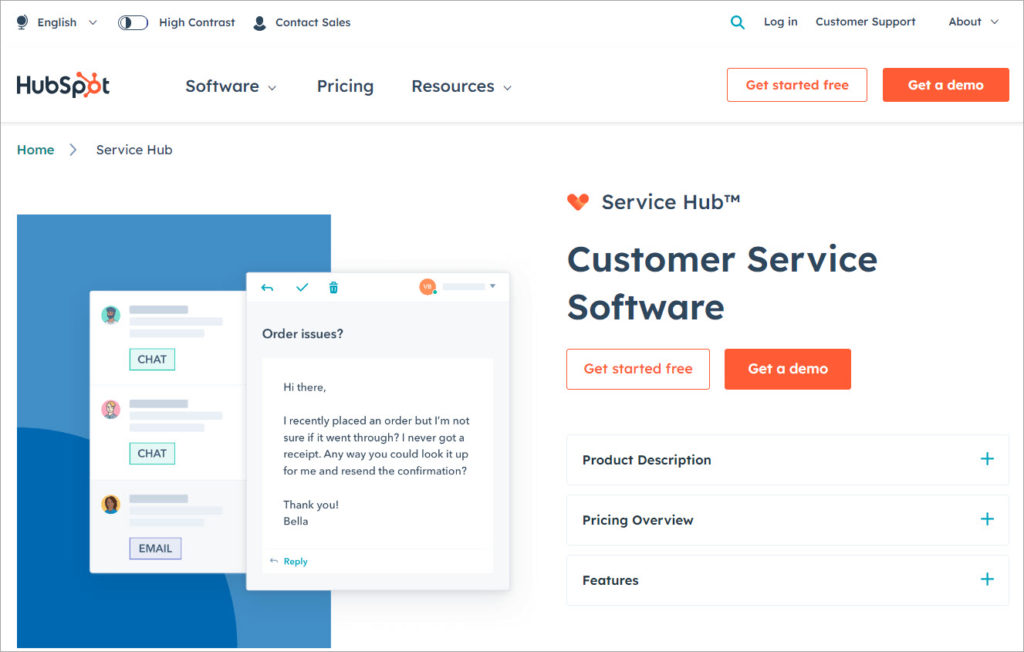
Service Hub from HubSpot is a customer service software. With all tools and data synergized through a single source, it helps businesses scale customer support through self-service and automation and decrease customer support costs.
Service Hub features include
A learning management system or LMS is a software or web-based technology used to plan, implement and assess a specific learning process.
LMS software is used for
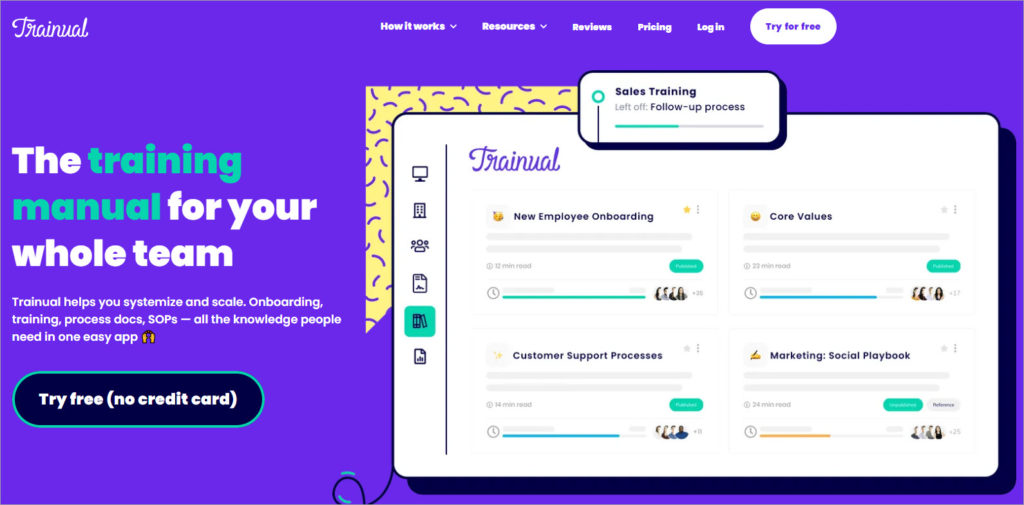
Trainual is a cloud-based learning management system. It serves various industry verticals and allows organizations to automate training and onboarding processes. The solution helps in organizing training modules in a centralized system.
Trainual helps you automate onboarding processes by associating content and processes with roles, departments, or locations. Employees are notified whenever content for subjects they have worked on is updated. Users can also add videos and tests. Trainual also supports integration with Zapier for workflow automation.

Docebo Learning Suite is an AI-powered multi-product learning platform. The platform covers the entire learning lifecycle, from content creation and management to measuring learning impact and key business drivers.
The core products that constitute the learning suite include:
A decision support system or DSS is software that enables companies to improve their decision-making capabilities.

Salesforce Analytics Cloud is a business intelligence (BI) platform. The platform is optimized for mobile access and data visualization.
Features supported by Analytics Cloud include
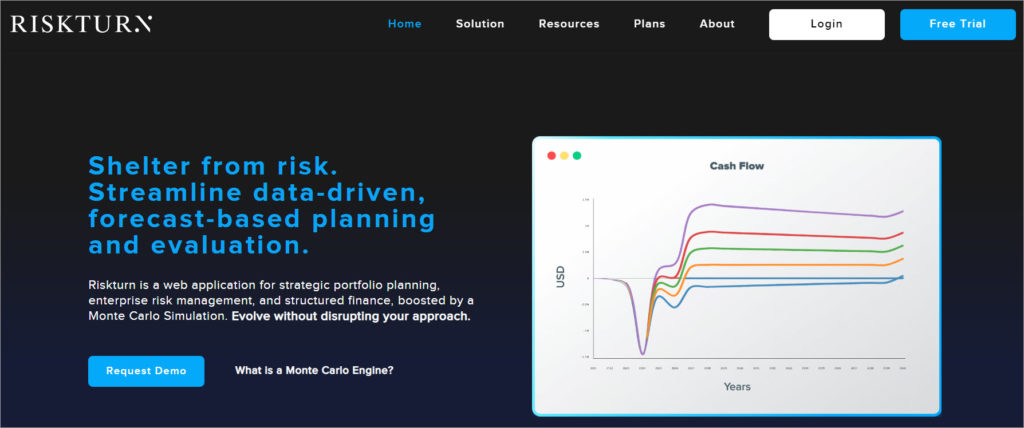
Riskturn is a cloud-based accounting tool. It offers budgeting and forecasting tools for cash-flow planning. Users can display cash flow projections and financial data in charts and graphics.
Users can also set risk impact and probability values and run Monte Carlo simulations to see possible outcomes.
Features supported by Riskturn include:
AI is already changing how KMS works, but the real shift is not “AI writes articles.” The shift is that AI is becoming the primary interface for retrieval, while the KMS becomes the trusted grounding layer underneath.
Conversational AI is becoming a front door. Instead of navigating categories, users ask questions in natural language, and the system responds with an answer plus sources, assuming your knowledge base is clean enough to ground it.
Generative AI is also pushing smarter search and content recommendation. Done well, that looks like intelligent guidance that suggests the next best article, the right template, or the correct procedure based on role and context.
This is the trend I care about most. AI can flag stale articles, detect contradictory guidance, and identify content gaps from “no result” searches, which is essentially automated knowledge quality monitoring.
If you are serious about AI in a KMS, prioritize systems that make sourcing and verification visible. Otherwise, hallucinations and outdated guidance become a faster way to scale misinformation.
Process automation is moving from “routing approvals” to agentic workflows. Some organizations are experimenting with autonomous AI agents that can draft updates, open review tasks, and suggest taxonomy changes, but only within strict permissions and guardrails.
The practical takeaway is this: as agents become more common, your permission model and governance maturity matters more, not less.
A knowledge management system is not a software purchase, it’s an organizational capability. The best KMS programs combine findable structure, clear ownership, measurable outcomes, and a culture that treats knowledge as an asset worth maintaining.
If you get those basics right, AI becomes a multiplier instead of a risk. It can speed up retrieval, surface gaps, and keep knowledge healthier, but only if the underlying system is coherent and governed.
Here, I answer the most frequently asked questions about knowledge management systems.
A KMS is a system that helps your organization capture, store, and retrieve knowledge so people can do their work faster. It includes tools, structure, and governance, not just a repository.
A knowledge base is usually the content repository, often focused on support or documentation. A KMS is broader because it includes processes, workflows, governance, analytics, and integrations across teams.
I prioritize reliable search, taxonomy and tagging, version control, permissions, and analytics. If those are weak, adoption drops because people stop trusting the system.
Ownership usually sits with a knowledge manager, enablement leader, or operations function, with strong partnership from SMEs and support teams. The key is having clear accountability for governance and maintenance.
AI is becoming the interface for search and retrieval through conversational experiences, smarter recommendations, and automated content health checks. The winning approach is to pair AI with strong sourcing, governance, and permission controls so the system stays trustworthy.
Get the weekly newsletter keeping 23,000+ technical writers in the loop.
Learn knowledge management and advance your career.
Please check your email for a confirmation message shortly.





















Get our #1 industry rated weekly technical writing reads newsletter.
Your syllabus has been sent to your email