Our reviewers evaluate career opinion pieces independently. Learn how we stay transparent, our methodology, and tell us about anything we missed.

Home › What is Knowledge Management?… ›
Our reviewers evaluate career opinion pieces independently. Learn how we stay transparent, our methodology, and tell us about anything we missed.
When I started technical writing in 2014, I learned that “having documentation” and “having a working knowledge base” are two different things. The first can be a folder of articles. The second is a system people trust because it stays findable, consistent, and current.
If you’re building a knowledge base for customers or employees, I want you to leave with something more actionable than definitions. I’ll walk through real use cases, the benefits you can actually measure, and the maintenance habits that keep a knowledge base from quietly dying.
A knowledge base is part content, part information architecture, and part ongoing operations. In practice, it touches search, templates, editorial standards, and analytics, which is why it can either become your “single source of truth” or your company’s most ignored link.
If you want a companion read for structure and findability, I also recommend my breakdown of information architecture because it’s the foundation most knowledge bases are missing.
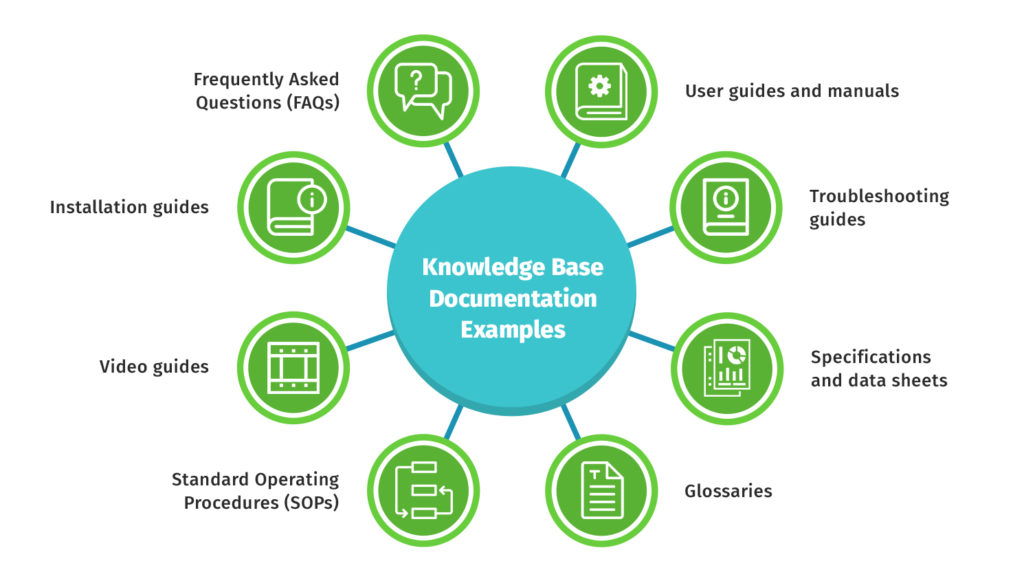
A knowledge base is a structured information repository that helps people retrieve answers quickly. In customer-facing scenarios, it’s often product how-tos, troubleshooting, and FAQs. Internally, it’s policies, procedures, onboarding, and “tribal knowledge” you do not want walking out the door.
When teams get more advanced, “knowledge base” can also mean machine-interpretable knowledge, like ontologies and semantic models. That’s where you’ll hear terms like classes, instances, subclasses, and rules for interpreting the data, especially in expert systems and AI-driven retrieval.
The simplest split is internal vs external. An internal knowledge base supports employees, improves onboarding, and keeps procedures consistent. An external knowledge base supports customer self-service, reduces tickets, and improves customer satisfaction.
Another split I use is structured vs unstructured. Structured knowledge bases rely on defined content types, metadata descriptions, and consistent classification. Unstructured systems are closer to “a wiki with pages,” which can work early on, but gets messy once content scales.
There’s also a more technical category: knowledge bases designed for knowledge-based systems. Those might use a knowledge representation language, an ontology or object model, and even inference layers to help systems reason over relationships.
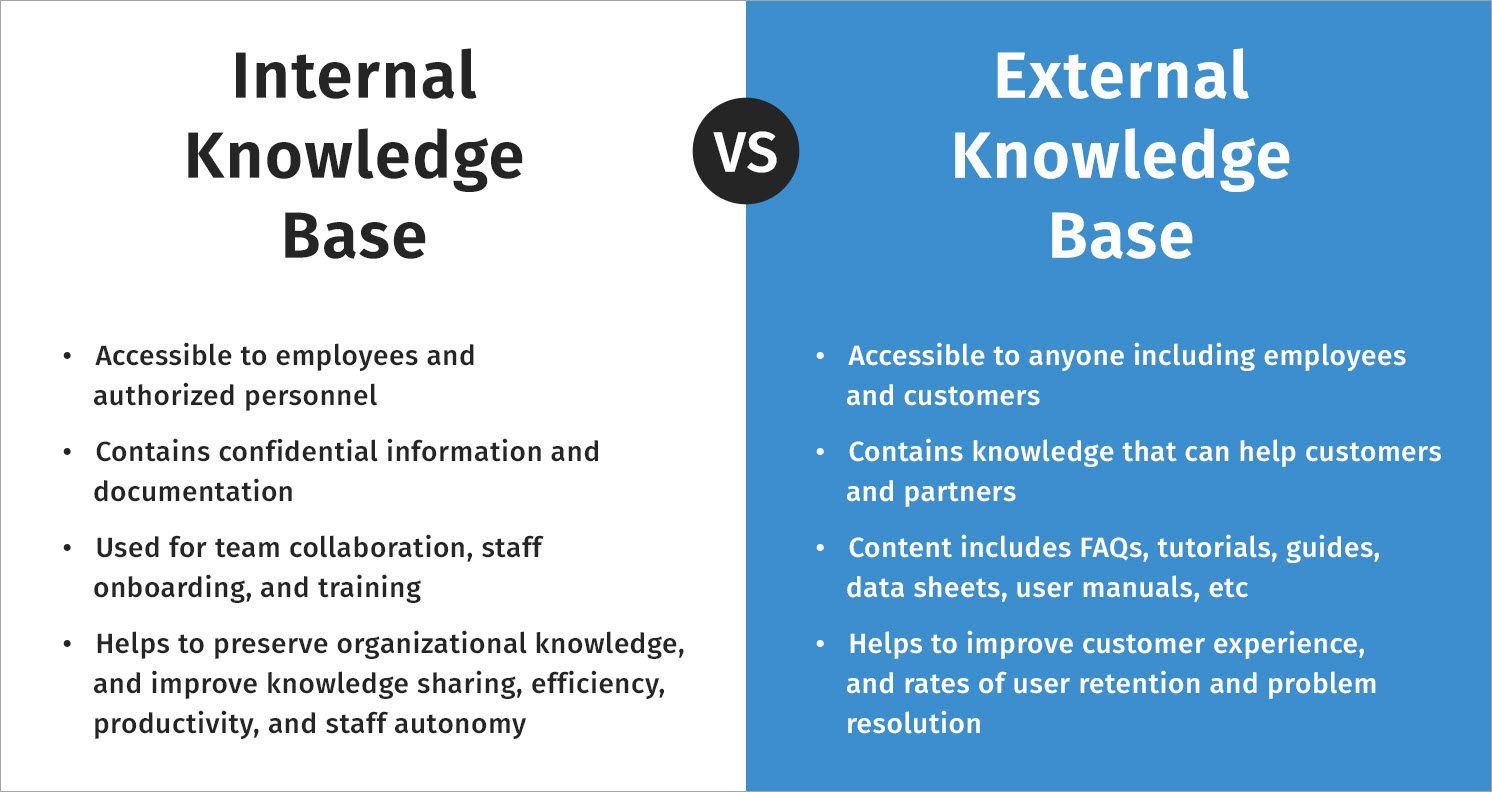
A well-run knowledge base boosts employee productivity because it reduces repeated questions and context switching. In onboarding, it shortens ramp time because new hires can self-serve answers instead of pinging teammates for every basic workflow.
For customer support, the win is usually support cost reduction. Customer self-service lowers ticket volume, and it also improves the quality of tickets that remain, because users arrive with more context and fewer “where do I start?” questions.
The other benefit is team alignment. When the knowledge base becomes the single source of truth, you get consistency in procedures across support, product, and operations. That’s when a knowledge base stops being “docs” and starts being operational infrastructure.
The most common use case is content search and retrieval for humans. People want quick answers, which is why navigation and search quality matter as much as the writing itself.
A second use case is decision support. When your knowledge base includes consistent metadata, integrity constraints, and strong internal linking, it becomes a lightweight decision-making system. Leaders can spot patterns, teams can standardize responses, and new hires can follow the same playbook without guesswork.
In more technical environments, knowledge bases support application interoperability. You’ll see this in ecosystems where multiple tools share consistent definitions through application profiles, metadata descriptions, and a shared semantic model.
Another practical use case is analytics and reporting. When you connect knowledge base usage data to business intelligence, you can prioritize content that prevents tickets, identify confusing workflows, and even support predictive maintenance in industrial contexts where the “knowledge” is troubleshooting patterns and failure modes.
I build knowledge bases like products. That means I start with structure, templates, and governance, not just writing articles and hoping search saves me.
A clean url structure and clear categories and subcategories make retrieval easier and keep the system scalable. I also standardize article templates early, because templates enforce consistency when multiple authors publish content.
Page-level SEO details matter too, especially for customer-facing systems. Meta descriptions, page titles, and internal linking are not just “marketing,” they’re navigation aids that improve findability through search engines and within your KB.
The biggest maintenance lever is a content creation workflow that includes ownership. I assign owners by area, define review cycles, and document editorial guidelines so tone and formatting stay consistent as the team grows.
Regular updates are not optional. If users hit outdated content twice, they stop trusting the knowledge base and they go back to opening tickets.
Most teams need lightweight classification of the data, not a full ontology. But if your knowledge base spans complex domains, you may benefit from a graph database approach, especially when relationships and class-subclass relations matter for retrieval.
If you ever plan to add a formal inference layer, start by getting your taxonomy and controlled vocabulary stable. Inference rules don’t fix messy content, they amplify it.
If you want a deeper dive on the writing side, I break down the craft of articles, templates, and maintenance in knowledge base documentation.
Teams often confuse knowledge bases with relational databases, but they serve different purposes. While both can store information, their design and intent set them apart.
A relational database is designed for transactions, data integrity, and structured queries across organized collections of data. Its primary focus is storing and retrieving structured data efficiently.
A knowledge base, by contrast, is optimized for information retrieval, understanding, and reuse. It focuses on helping multiple users access and apply knowledge through narratives, procedures, examples, and rules.
In knowledge-based systems and expert systems, the boundary between databases and knowledge bases becomes less distinct. These systems might store large, long-lived data alongside rules wikis, object-oriented capabilities, and reasoning layers. At this stage, they approach knowledge engineering rather than traditional documentation, even if the interface still resembles “a help center.”
Tools don’t make a knowledge base good, but the right ones make it easier to keep clean, consistent, and measurable. I typically think in three buckets: authoring and publishing, structure and templates, and measurement.
For authoring and publishing, you’ll often see teams choose knowledge base software that supports versioning, review workflows, and strong search. If you want options, I break down popular platforms in knowledge base software.
For structure and planning, I rely on a content inventory document, a category map, and article templates. When teams skip templates, they usually end up with inconsistent headings, missing prerequisites, and “almost the same article” repeated in three places.
For design and planning artifacts, tools like Figma and FigJam are great for mapping categories, drafting navigation, and creating storyboards for onboarding flows. If you need more formal IA mapping software, a sitemap builder can help you visualize growth, especially when the KB starts to sprawl across dozens of categories.
If the KB lives inside a CMS, your platform matters. WordPress can work well for simpler help centers, but it needs disciplined taxonomy. Drupal tends to shine when you need more structured content types, stronger metadata, and stricter publishing control.
You’ll also find UI kits like UI8’s information architecture kit useful for visual planning, but I treat them as scaffolding. The real work is deciding categories, templates, and governance, then keeping those decisions consistent.
The fastest way to align stakeholders is to show the model, not argue about it. A simple sitemap, a navigation flowchart, and a prototype are usually enough to expose weak labels, unclear categories, and dead ends.
One of the most common wins is reorganizing content around user tasks instead of product modules. When you group by “what the user is trying to do,” you reduce cognitive load and make wayfinding easier, which boosts self-service and cuts ticket volume.
In these projects, I lean hard on the principle of exemplars. I show a few real pages, demonstrate how they’d live in the new structure, and then validate with search data and usability feedback.
Internal wikis often fail because they’re not designed for retrieval. Once you introduce consistent templates, clear categories, and ownership, the system becomes an informational hub that supports onboarding and operational consistency.
The most important change is maintenance. A knowledge base without regular updates becomes a museum, and new hires can tell immediately.
If you want inspiration from real customer-facing systems, I keep a running list of patterns worth copying in knowledge base examples.
A knowledge base is not just documentation. It’s a living system for capturing, organizing, and retrieving knowledge, and it only pays off when it’s structured well and maintained like a product.
If you get the basics right, you’ll see measurable outcomes: faster onboarding, fewer support tickets, and better alignment across teams. That’s when your knowledge base becomes the place people check first, not the place they forget exists.
Here, I answer the most frequently asked questions about knowledge bases.
A knowledge base is a centralized place where people can find trusted answers. It’s designed for fast retrieval, usually through clear categories, strong search, and consistent article structure.
An internal knowledge base supports employees with policies, procedures, onboarding, and operational knowledge. An external knowledge base supports customers with product guidance, troubleshooting, and self-service support.
Assign ownership, create a review cadence, and track what users search for. If you treat updates as part of normal operations, your knowledge base stays credible and continues to reduce tickets and interruptions.
I include a clear problem statement, prerequisites, step-by-step instructions, expected outcomes, and links to related topics. Consistent headings and internal linking matter more than people expect, because they reduce scanning effort and improve findability.
Not exactly. Databases are optimized for transactions and structured queries, while knowledge bases are optimized for information retrieval and understanding. Some knowledge bases use database technology underneath, but the purpose and user experience are different.
Pick tools that support search, versioning, and a review workflow. Most teams also need planning tools for templates and structure, plus analytics to measure whether the KB is actually reducing tickets and helping users succeed.
Learn knowledge management and advance your career.
Your syllabus has been sent to your email