
Our reviewers evaluate career opinion pieces independently. Learn how we stay transparent, our methodology, and tell us about anything we missed.

Our reviewers evaluate career opinion pieces independently. Learn how we stay transparent, our methodology, and tell us about anything we missed.
The first time I did technical writing fully remote (I kind of started before remote was a thing, but we still had those “remote” moments where we’d talk over email a lot), I assumed I’d just trade office noise for focus time.
What happened was a lot more like running a mini newsroom. Slack pings, last-minute engineering changes, screenshots that needed redoing because the UI shipped overnight, and a constant question in the background: “Is the reader going to get stuck here?”
A quick, slightly awkward “why you should listen to me” moment: I’ve spent years writing technical documentation for real products with real users, and I’ve watched teams succeed or fail based on whether docs were treated like a product, not an afterthought.
If you’re exploring remote technical writing, I’m going to walk you through what the job looks like, the skills that matter, and how to grow your career without burning out.
A remote technical writer creates and maintains documentation from outside the office, usually working with engineers, product managers, support, and other subject matter experts. The output might be developer documentation, how-to guides, tutorials, API references, release notes, internal SOPs, or customer-facing knowledge base articles.
If you want a broader definition before we zoom into remote specifics, start with what a technical writer does.
Remote changes the job in a subtle way: writing quality still matters, but coordination becomes just as important. When you can’t tap someone on the shoulder to clarify a detail, your ability to run an async workflow becomes part of your writing skill.
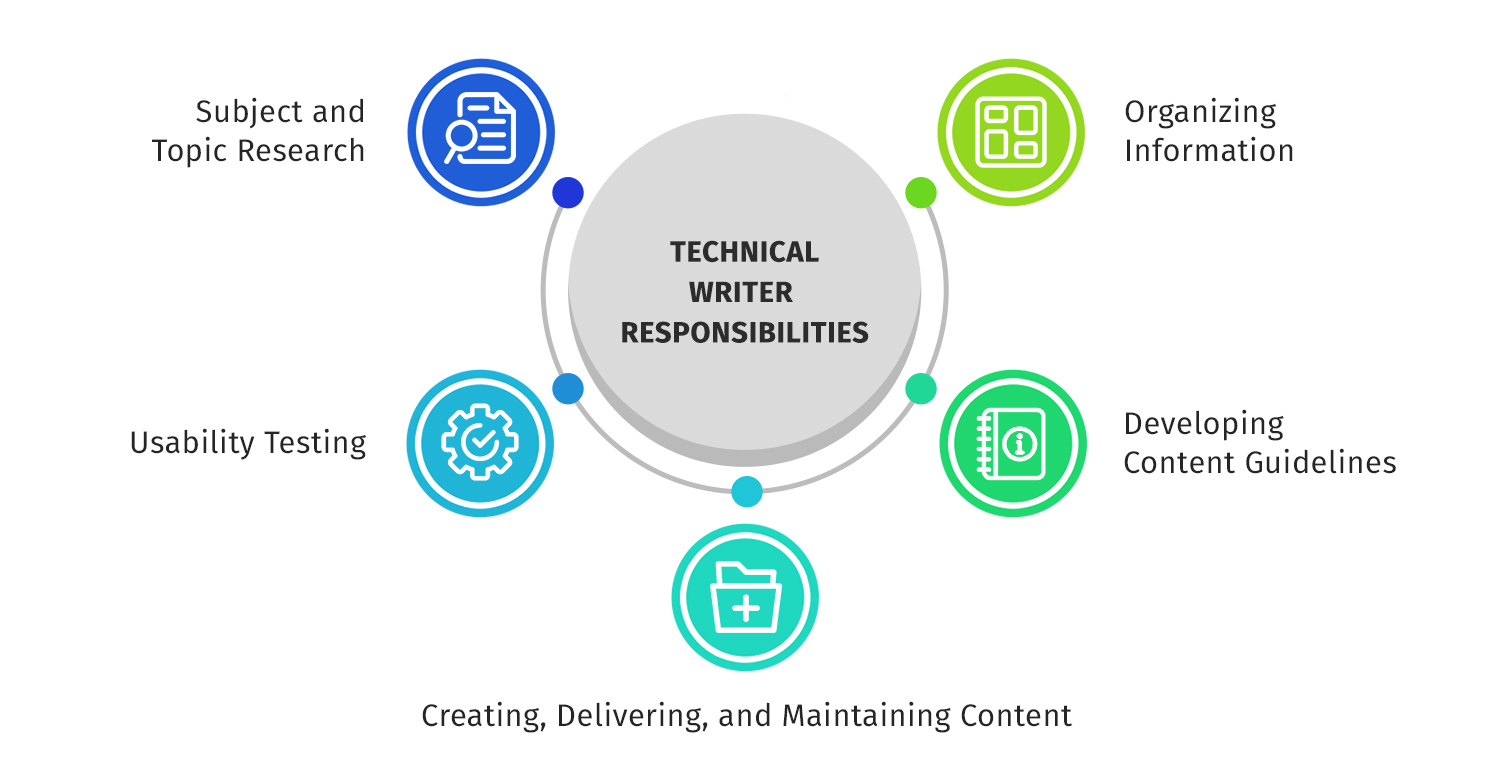
Remote technical writing has some real upsides, and some traps people don’t see until they’re in it.
Remote work can give you travel flexibility, more control over your day, and a stronger chance at finding a niche you actually enjoy (developer docs, onboarding guides, tutorials, internal process docs, and so on). It also exposes you to diverse audiences fast, because you’ll often write for developers, support teams, and decision makers in the same week.
When the team is healthy, remote technical writing feels deeply satisfying. You ship a guide, support tickets drop, onboarding gets smoother, and you can literally see the friction leaving the system.
The hardest part is usually remote communication, not the writing. You’ll run into delayed SME responses, conflicting technical opinions, and the classic “the feature changed, but nobody told docs.”
There’s also technical overhead: tools, workflows, permissions, environments, and the occasional day where you can’t reproduce a bug because your local setup is different than the engineer’s.
And yes, self-motivation matters. Not in a hustle-culture way, but in a “can I keep momentum without external structure?” way. If you don’t build your own structure, remote work can blur into a long, distracted day.
The writers who last tend to have a few practical habits:
They default to async, but they’re not afraid to schedule a quick video call when back-and-forth messages are wasting time.
They keep notes and decisions in one place, so they’re not digging through Slack threads to find what changed.
They protect work boundaries. Remote technical writing is one of those jobs where you can always “just fix one more thing,” which is how burnout sneaks in.
Remote technical writers don’t need a fancy setup, but you do need a reliable one.
You want the boring things to work: stable WiFi, a decent microphone, a screen setup that lets you view source content and draft side by side, and screen capture software that doesn’t fight you.
I also like having a clean “documentation workstation” mindset. If it takes you five minutes to find the right repo, the right editor, and the right template every time, you’re paying a tax you don’t need.
Async work can be fast if your messages are specific. Instead of “Can you review?”, I’ll ask: “Can you confirm the command flags in Step 3 and whether the output changed after the last release?”
That’s the difference between getting an answer in 10 minutes and getting a vague thumbs-up two days later.
Slack and video calls are fine, but the real magic is having lightweight routines:
A short weekly sync with engineering or product for doc-impacting changes.
A simple “doc intake” process so requests aren’t scattered across DMs.
A habit of writing decision logs when something is ambiguous, so you can explain why you documented it the way you did.
If you’re trying to build these routines from scratch, it helps to see how other writing roles formalize their collaboration. The workflow patterns in proposal writer interview questions are transferable because proposals and docs both live on structured inputs, reviews, and deadlines.
This is where remote technical writers can separate themselves.
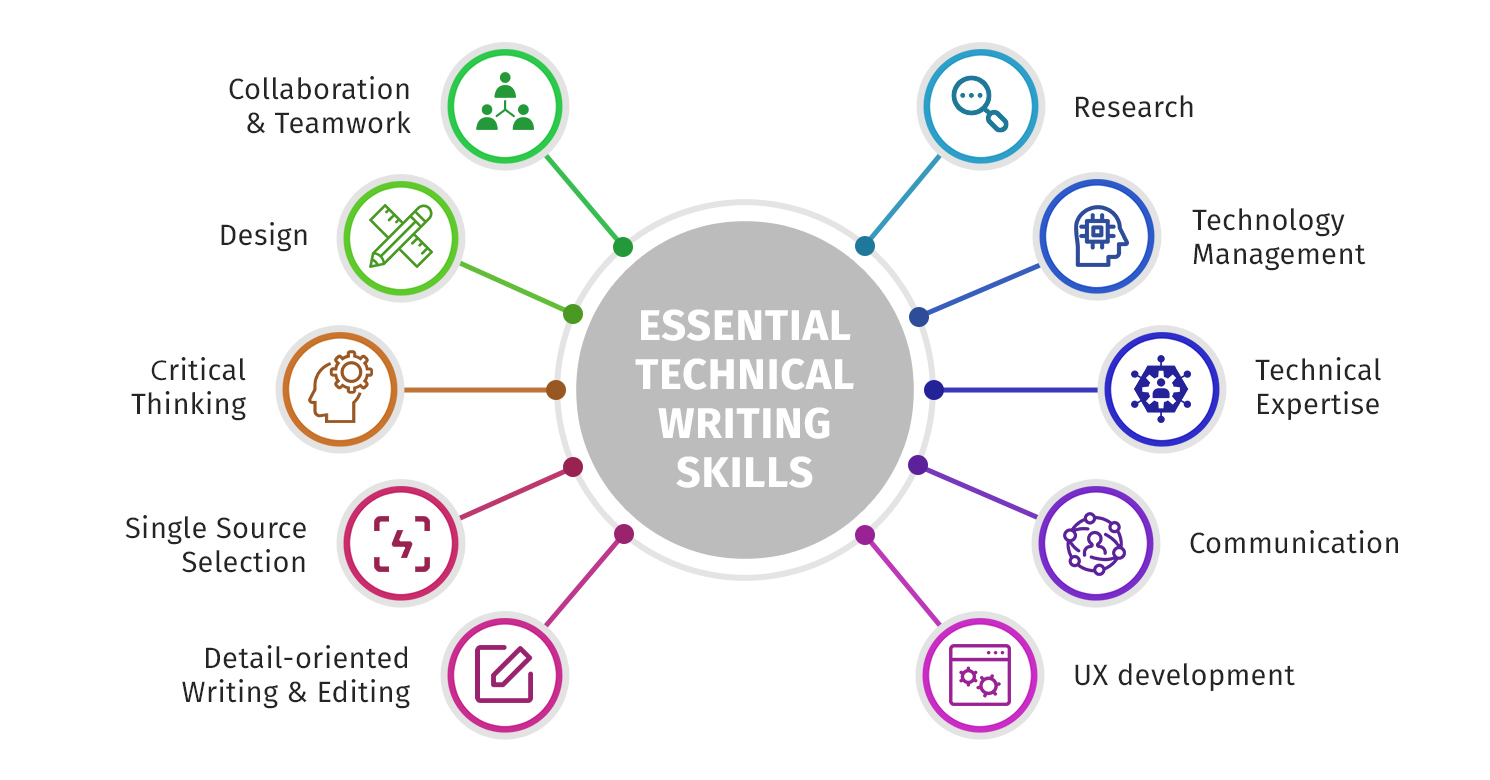
Remote technical writing is rarely read top-to-bottom. People skim, search, and jump around. That means you win by making the structure obvious: descriptive headers, predictable patterns, and a table of contents when the doc is long enough to justify it.
If someone can skim your headings and understand the workflow, you’ve already made the doc feel easier.
Remote technical writers often need to switch content formats fast: tutorials, guides, reference docs, internal runbooks, release notes, and troubleshooting articles.
If you can handle that variety, you become more marketable. And you’re also less likely to get stuck in one content type forever.
Diagrams, screenshots, and code blocks can be the difference between “I get it” and “I’m stuck.” The goal is not to decorate the doc. The goal is to reduce cognitive load.
If you want a clean external reference on voice, tone, and readability for developer audiences, the Google developer documentation style guide is one of the better public resources.
Remote technical writers are translating between people who don’t share context.
You might be writing for:
The key is building a reader persona, even if it’s informal. What do they already know? What are they trying to do? Where are they likely to get stuck?
SMEs are busy, and remote work amplifies that. I’ve had the best luck using a “structured interview” approach:
This also reduces the classic remote problem where an engineer says “Looks good” and you later learn they didn’t actually verify the tricky parts.
A good remote technical writer can go deep without making the doc feel heavy. I’ll often write in plain language first, then layer in technical depth with examples, definitions, or expandable sections.
The goal is to serve diverse knowledge levels without turning the doc into a wall of text.
Remote technical writing is easier when you stay close to the tools and communities your readers use.
You don’t have to be a full-time developer, but understanding Git, pull requests, and basic repo workflows makes you dramatically more effective. It also helps you collaborate with engineers in a way that feels native, not bolted on.
If you want one external community that consistently helps remote writers level up, Write the Docs is a solid place to learn, meet peers, and stay exposed to emerging topics.
You can also learn a lot by contributing to open source documentation. It builds portfolio strength and topic exposure, and it proves you can work in public workflows.
Remote technical writing tools change constantly: documentation platforms, markdown editors, screen capture tools, and content management systems. You don’t need to chase every trend, but you do need a habit of staying current.
A simple strategy is to pick one emerging topic each quarter and go one level deeper than you “need” to. That’s how you stay versatile without living in tutorial hell.
Remote technical writers can grow in a few directions, and the best path depends on what you enjoy.
A strong portfolio beats a perfect resume. I like portfolios that show range:
A reference-style page that proves you can be concise and consistent.
If you’re building your portfolio from scratch, how to become a technical writer without experience is a practical starting point, especially if you’re using open source documentation to get real samples.
If you want income stability (especially freelancing), versatility helps. Writers who can handle developer documentation plus one or two adjacent content types (internal SOPs, customer education, onboarding guides) tend to have more consistent work.
You’ll also find more opportunities through content agencies, freelance projects, and even article pitches if you’re good at explaining technical topics to broader audiences.
Remote roles often live on LinkedIn, referrals, and niche communities. If you want your profile to pull in better opportunities, this guide on how to optimize a technical writer LinkedIn profile is worth using as a checklist.
And if you’re applying actively, pairing your portfolio with a strong application package matters. I’ve seen a solid cover letter do real work when the hiring manager is on the fence, so keep this technical writer cover letter example in your back pocket.
Remote technical writing is one of those careers where the outside image (“writing from a laptop anywhere”) is true, but incomplete.
The real job is clarity under uncertainty. It’s asking the right questions, building docs that reduce user frustration, and running a process that works even when everyone is distributed.
If you like problem-solving, structure, and shipping helpful content, remote technical writing can be an incredibly sustainable career.
Here are the most frequently asked questions about remote technical writers.
Not always, but basic technical fluency helps a lot. If you can read code, understand developer workflows, and use version control at a basic level, you’ll be able to write better developer documentation and collaborate more smoothly.
Most remote technical writers use a mix of docs platforms, markdown editors, screen capture software, and collaboration tools like Slack and video calls. The specific tools vary, but being adaptable and organized matters more than mastering one platform.
Clear work boundaries and realistic workflows are the biggest factors. Protect focus time, take regular breaks, and avoid treating every doc as an emergency unless it truly is. Burnout often comes from constant context switching and unclear expectations.
A strong portfolio and a clear LinkedIn profile do a lot of heavy lifting. You can also find work through referrals, open source contributions, technical writing communities, and content agencies that place writers on documentation projects.
Include at least one sample that shows structure (headings, table of contents, scannable layout), one that shows step-by-step instructions (with visuals if possible), and one that shows concise reference-style writing. Show variety, but keep it curated.
They can be, but it depends more on specialization and industry than location. Writers who can handle developer documentation, complex tools, or regulated industries often command higher rates, whether they’re remote or onsite.
If you are new to technical writing and are looking to break-in, we recommend taking our Technical Writing Certification Course, where you will learn the fundamentals of being a technical writer, how to dominate technical writer interviews, and how to stand out as a technical writing candidate.





Your syllabus has been sent to your email



