Our reviewers evaluate career opinion pieces independently. Learn how we stay transparent, our methodology, and tell us about anything we missed.

Home › What is Documentation? The… ›
Our reviewers evaluate career opinion pieces independently. Learn how we stay transparent, our methodology, and tell us about anything we missed.
The first time I got pulled into a document control mess, it was not dramatic. It was just expensive and slow because two teams were working from two different “approved” versions, and nobody could prove which one was real.
That’s when I stopped thinking of document control as admin work. It’s risk management that shows up as folders, permissions, and a boring approval button.
In this article, I’m going to walk through the parts of document control that actually matter day to day. You’ll see the core processes, the systems that support them, and the automation I lean on when the volume gets too big for humans.
If you want a step-by-step breakdown of the flow, I’d also read my guide on the document control process after this one. If you’re specifically struggling with revisions, my deep dive on document version control pairs well with everything below.
Document control keeps teams from making decisions based on outdated, incomplete, or unapproved information. That sounds obvious, but it’s exactly what happens when files live in email threads and “final_v7_REALLY_FINAL” folders.
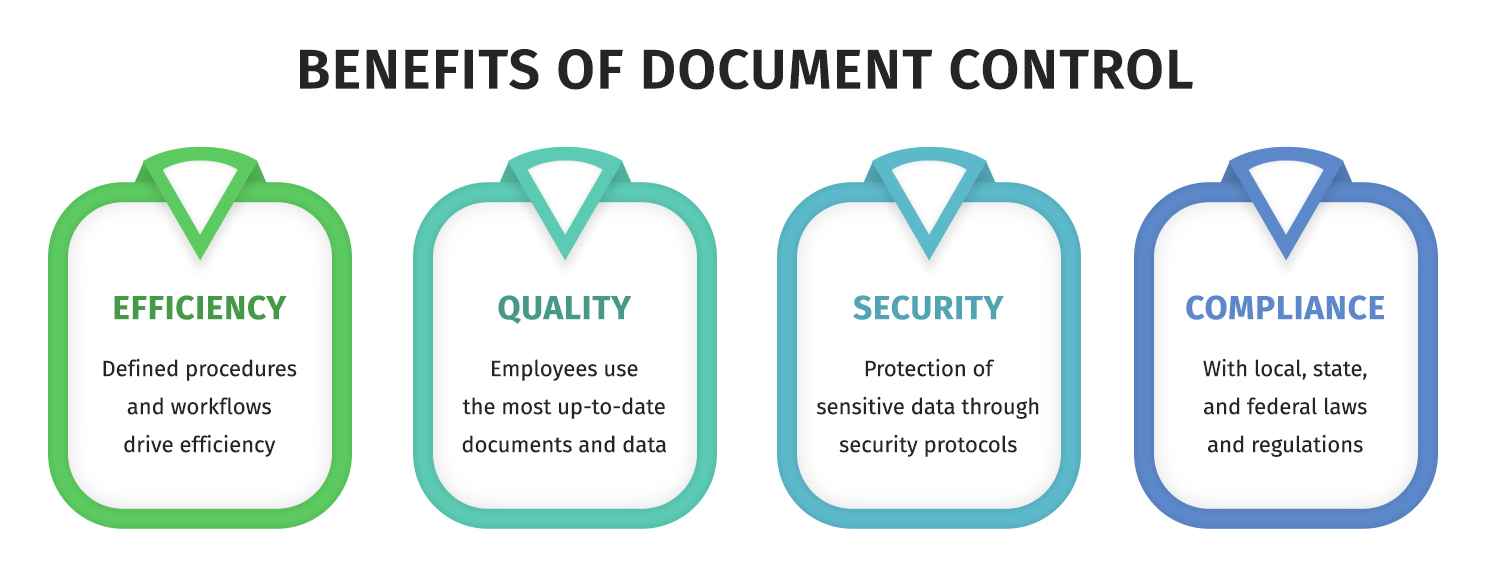
When document control is working, you get faster retrieval, fewer mistakes, tighter security, and a cleaner audit trail. When it’s not working, you get rework, compliance anxiety, and a lot of awkward meetings.
I think of document management as the broader umbrella. It’s how you store, organize, search, and share documents across the business.
Document control is stricter. It’s the controlled processes around creation, review, approval, distribution, access, retention, and disposal, especially when quality or compliance is on the line.
If your team is mixing these concepts, it helps to start with the basics of what a document management system is so you can separate “storage and access” from “controls and proof.”
If your organization is small and the stakes are low, you can sometimes survive with lightweight conventions. The moment you have regulated work, multi-team approvals, or expensive mistakes from outdated docs, you need a formal system.
The most common trigger I see is scaling. Another trigger is an audit, because audits have a way of turning “we usually do this” into “show me where that’s documented.”
I don’t overcomplicate this. Document control succeeds when the lifecycle is clear and the system enforces it.
Here are the components I treat as non-negotiable:
If you want concrete examples of how teams formalize this, my article on document control procedures shows the common patterns I see across industries.
Most document control workflows look boring on paper. In reality, the details decide whether your process is usable or a bottleneck.
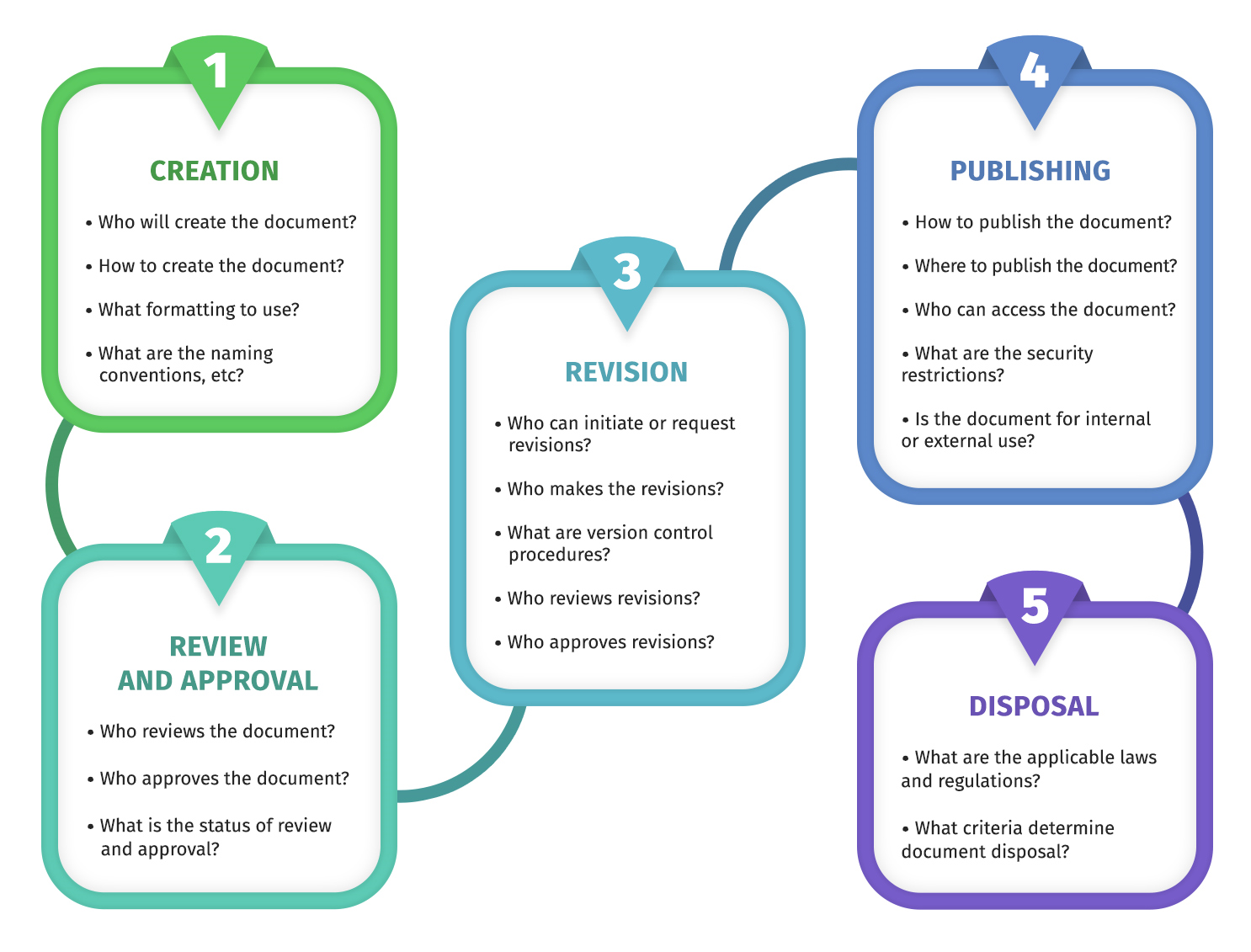
I usually break the workflow into a few repeatable stages: draft, review, approval, publish, change control, periodic review, and retirement. The biggest win is making those stages visible, so nobody is guessing where a document is stuck.
If you’re trying to systematize workflow across the business, it’s worth looking at how a document management software workflow handles routing, approvals, and lifecycle rules at scale.
Document control becomes mandatory when you’re operating inside a quality management system. That’s why it appears in standards and regulations such as ISO 9001, ISO 13485, and FDA quality requirements.
In those environments, you’re not just organizing files. You’re proving controlled processes exist, and that people follow them consistently.
If you’re aligning document control to quality standards, I’d use the official overview for ISO 9001:2015 quality management requirements as a reference point. If you’re in medical devices, it’s also worth reading the FDA’s updates on the Quality Management System Regulation so your expectations match where regulators are going, not just where they’ve been.
A document control system is basically your enforcement layer. It’s where access controls, approvals, audit trails, templates, indexing, and retention rules live.
For some teams, an EDMS is the right answer. For others, it’s a DMS with tight workflows, plus strict governance and training.
If you’re still deciding what you need, I’d start by reading what document management is so you can map your requirements to a system, instead of buying software and hoping it fixes process gaps.
This is where document control stops being “a person with a spreadsheet” and starts being scalable.
Automation helps most in four areas: routing, approvals, reminders, and proof. When it’s configured well, it reduces the manual follow-up that usually kills adoption.
Here’s what I like to automate first:
If you’re building this from scratch, I’ve found it helps to choose a small set of document templates and standard workflows first. Automation works best when the process is consistent, not when every doc has its own custom path.
Document control is useful almost everywhere, but it becomes essential when mistakes are expensive, regulated, or safety-related.
The industries I see leaning on it hardest include healthcare, life sciences, biotech, pharmaceuticals, medical device manufacturing, construction, engineering, aerospace, and food and beverage. Any organization dealing with certifications and audits tends to benefit quickly, because document control turns “tribal knowledge” into repeatable proof.
Here are some of the top technical writing courses you can check out to strengthen your writing and documentation skills.

Document control looks boring until you’re the one trying to prove which version was approved, who approved it, and whether anyone used the wrong file in production. Once you’ve lived through that once, you stop treating this as busywork.
If you want document control to stick, keep it simple, automate the annoying parts, and make ownership obvious. The system should make the right behavior the easiest behavior.
Here I answer the most frequently asked questions about document control.
Document control is the set of controlled processes that manage how documents are created, reviewed, approved, distributed, stored, updated, and retired. The point is to ensure people use accurate, approved information and you can prove it.
Document management is the broader practice of storing, organizing, and retrieving documents. Document control is the stricter subset focused on approvals, versioning, access, audit trails, and compliance.
Most workflows include drafting, review, approval, publishing, change control for updates, periodic review, and retirement. The key is that each stage has an owner and a clear system status so nothing gets lost.
I recommend it as soon as you have regulated work, multi-team approvals, or repeated mistakes caused by outdated documents. If you’re scaling fast, implementing early is cheaper than cleaning up later.
At minimum, you want version control, approval workflows, access controls, audit trails, and retention rules. Search and indexing matter too, because “controlled” does not help if nobody can find the document.
Automation handles routing, reminders, approvals, and logging so the process does not depend on one person chasing people down. It also improves consistency, which is what auditors and quality teams care about most.
Learn documentation engineering and advance your career.
Your syllabus has been sent to your email