Our reviewers evaluate career opinion pieces independently. Learn how we stay transparent, our methodology, and tell us about anything we missed.

Our reviewers evaluate career opinion pieces independently. Learn how we stay transparent, our methodology, and tell us about anything we missed.
A portfolio isn’t there to impress other writers. It’s there to make a hiring manager feel safe.
They’re asking one simple question: “If I hire you, can you ship documentation that works?”
So your portfolio should make it easy to see what you write (api docs, user guides, knowledge base articles, release notes), who you write for (developers, admins, end users), and how you think (structure, clarity, accuracy, maintenance).
If you want a quick companion for how hiring teams evaluate this stuff, pair this with technical writer interview questions so your portfolio aligns with what you’ll be asked in interviews.
If you do nothing else, get this part right: your portfolio should feel focused.
Most people hurt themselves by dumping everything they’ve ever written into one folder and calling it a portfolio. Hiring managers don’t want a warehouse. They want a highlight reel with context.
I like a portfolio that contains 3–6 samples that map to the roles you want. If you’re going for software documentation, that usually means a how-to guide, a troubleshooting article, a short onboarding/tutorial flow, and (if possible) an api guide or reference-style piece.
If you’re aiming at more traditional or regulated environments, swap in things like process documentation, procedure manuals, SOP-style writing, or a product manual excerpt.
The key is that each sample demonstrates one or two technical writing skills clearly: clarity, structure, information design, accuracy habits, and the ability to write for a specific audience.
The fastest way to make a portfolio feel “senior” is to add a short overview above each sample. Not a long essay—just a few sentences.
I like this mini format:
Who it’s for. What problem does it solve? What you owned. How did you validate accuracy? What would you improve next if you had more time?
That “context and problem solved” layer is what turns a writing sample into a story about how you work.
This is where candidates lose people.
A portfolio can be great, but if it’s annoying to access, nobody will look at it. Make it frictionless.
In 2026, the simplest portfolio access pattern is one primary link that takes you to a clean landing page, and from there, everything is one click away.
That landing page can live on an online portfolio site, a lightweight link-in-bio page (a link tree style layout), a GitHub Pages site, a Notion page, or even a well-organized Google Drive folder if you keep it tidy.
The best option is the one you’ll actually maintain.
If you’re using document hosting like Google Drive, Dropbox, or OneDrive, keep the folder structure simple and make sure permissions are set to “anyone with the link can view.” I can’t tell you how many strong candidates accidentally gate their portfolio behind a login wall.
If you’re doing file upload to a portfolio platform, I’d still make sure you have direct links to each work sample so recruiters aren’t hunting through menus.
Your portfolio doesn’t need to be flashy. It needs to be readable.
A clean portfolio template with plenty of whitespace, a neutral portfolio background, and consistent typography wins almost every time. If you use color, use it lightly. A loud portfolio color palette can make you look more like a designer than a technical writer, unless you’re intentionally targeting a doc design or content design role.
I like a simple layout: a short intro, then a grid or list of projects with short descriptions and links. Think “easy to scan” the way you want your documentation to be easy to scan.
If your best work is proprietary, don’t upload it. Seriously.
Instead, do one of these:
You can redact it and clearly label what’s redacted. You can recreate a small portion in your own words with fake product names. Or you can create a “shadow sample” that shows the same doc type and structure without any confidential content.
What you’re trying to avoid is the impression that you’ll leak someone else’s information. Hiring managers notice that.
If you’re a beginner technical writer, or you’re stuck because your work history is proprietary, you’re not blocked. You just need a smart substitute.
This is the easiest route.
Pick a fictitious software product and build three docs around it: a how-to guide, a troubleshooting article, and a short overview doc that explains what the product does and who it’s for.
Make it realistic. Include prerequisites, expected outcomes, and one “common mistakes” section. If you can add simple visuals, even better.
The goal is to show that you understand how documentation works in the real world, not to show that you can write fantasy.
If you want something that feels even more real, pick a public API and write an “api documentation” sample: authentication basics, one endpoint walkthrough, one example request/response, and a short error-handling section.
If you want help with the shape and tone of those docs, use how to write API documentation as your structure guide.
If you already have a job (even if it’s not technical writing), you probably have documentation opportunities hiding in plain sight.
Onboarding notes, internal FAQs, process documentation, SOP-like instructions, knowledge base cleanup, training guides—these are all documentation projects. You can turn them into portfolio artifacts by recreating them generically (no company names, no sensitive data) and describing the problem you solved.
If you’re trying to break in completely, how to become a technical writer without experience pairs nicely with this approach.
Docs-as-code is one of the easiest ways to make your portfolio stand out, because it shows you can work like a modern documentation team.
A GitHub portfolio tells hiring teams you can handle a docs-as-code workflow: keep content in version control, work with markdown, manage changes, and collaborate through review processes.
Even if you’re not applying for a deeply technical role, this signals you won’t be intimidated by tooling.
You don’t need to build a massive site generator setup to be credible.
A good starting point is a GitHub repo with a clean README that links to your writing samples, plus a few folders like “how-to,” “api,” and “troubleshooting.” Keep each sample in markdown, include images in an assets folder, and write like it’s a real doc set.
If you want the “publish it like a site” version, GitHub Pages is a strong option. You can use a simple theme, or a site generator like Jekyll if you want to learn. The main thing is that it’s publicly accessible on github and easy to navigate.
This is an underrated move.
Add a short “process” note in each repo explaining how you’d run reviews, how you’d handle updates, and how content reuse would work. That’s what makes you look like someone who understands documentation as a system, not just as writing.
By now, you know everything to start off. Your portfolio is a portal through which both clients and readers learn about you and your work methods – and it is one of the best ways to land a job. If you need to understand how to make a portfolio, take a look at these five writer portfolio examples for technical writing services:
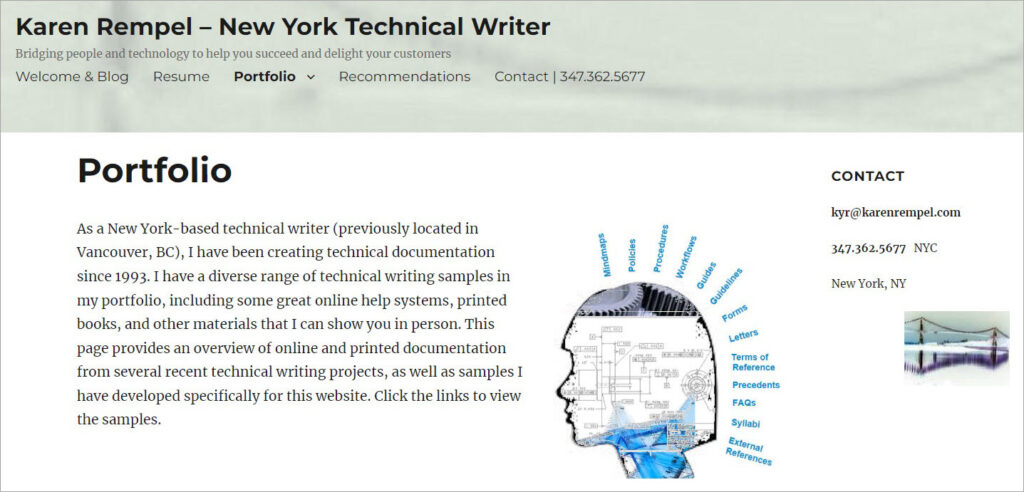
Karen Rempel is an award-winning New York-based technical writer and editor with over 20 years of experience in writing, designing, and creating other materials. She has a simple and clean website having different sections. The portfolio covers each project, along with detailed descriptions and the tools used. The site has a dedicated page to show Karen’s resume to the visitors. Throughout the site, you can find her contact information, previous technical communication position, services, and recent blog posts. You can find detailed client testimonials under the Recommendations section.
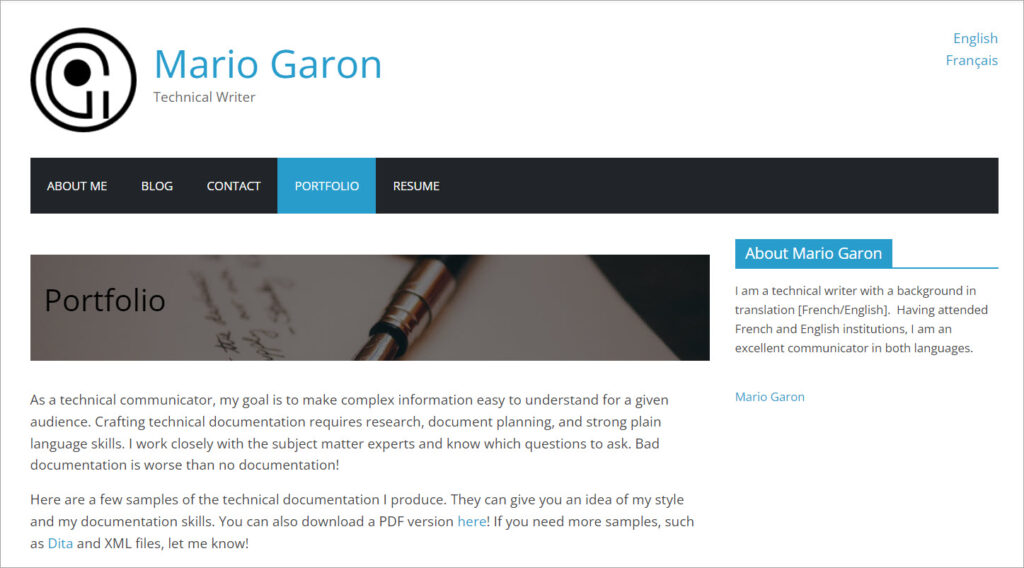
Mario Garon is a technical writer with a background in translation [English/French]. He has a great passion for communicating complex ideas to readers in a simple manner and improving our everyday lives. The portfolio starts with his quick introduction and goes deep into all stages of his projects. There is also a Blog section that has posts around different tech topics written by Mario. He has also shared his resume to give a brief summary of his skills and experience relevant to technical communication. Clients can reach out to him by filling out a form on the Contact page.
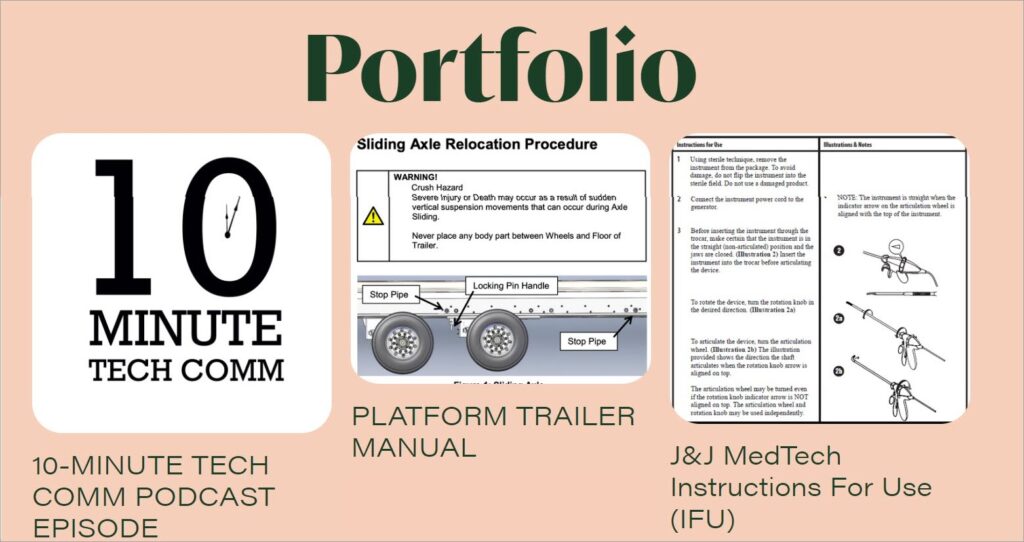
Chelsea Palmer is a renowned technical writer and designer who has been generating excellent copy for her clients and readers for many years. Some of her past employers are eBay, ProWrite, HealthSpot, and Johnson & Johnson Company. The Homepage of her personal website displays her major services: technical communication, digital and visual rhetoric, professional writing, and usability testing.
Her portfolio showcases all her recent technical writing projects, with short descriptions and appealing screenshots. What’s interesting is that the site has a page covering everything about creating technical documentation. Also, Chelsea’s portfolio contains individual pages having her resume and contact details.
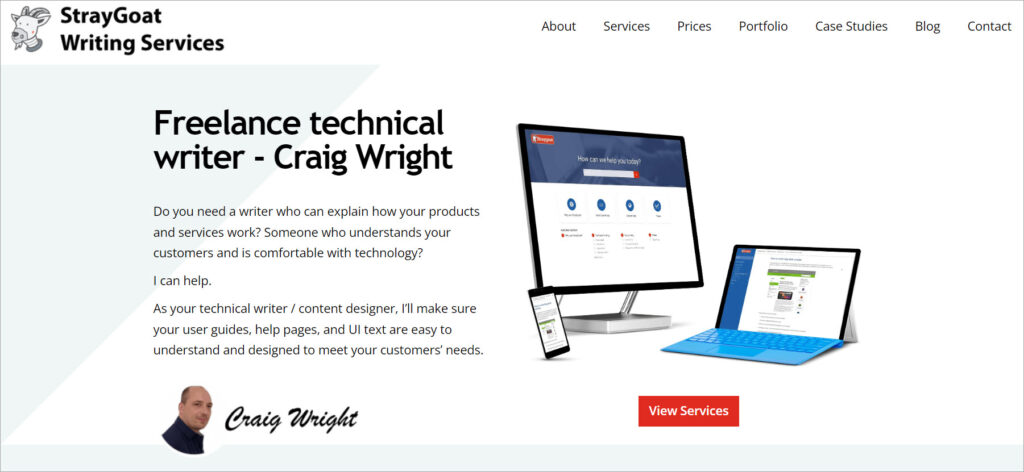
Stray Goat Writing Services is a firm owned by a UK-based freelance technical author, Craig Wright. He holds a Bachelor’s degree in Technical Communication and Information Design and boasts over two decades of experience in hardware and software technical documentation. Visit his website, and you will see some of the best technical writing samples in his portfolio.
The portfolio includes samples of technical writing projects like processes online help, user guide, software online help, and help articles, along with their brief descriptions and screenshots. In addition, the site has pages covering his work methods, services, case studies, client testimonials, blogs, and prices. There are About and Contact pages also, where you can find Craig’s brief introduction and contact information.
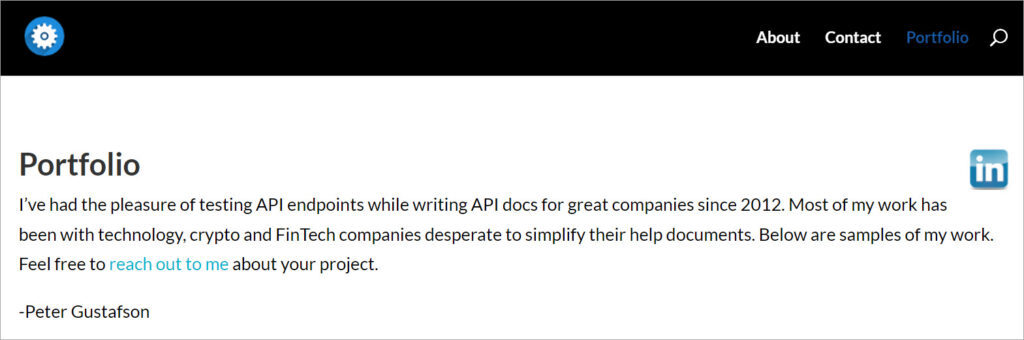
Peter Gustafson is a senior API documentation writer with over 20 years of industry experience. He has worked on documentation for Stripe, Coinbase, Google and several other companies in the technology, crypto and FinTech sectors.
His portfolio website has a simple design and gets straight to the point: you can browse through the detailed list of documentation projects and access the documents that you find interesting. There is also an About page on the website with a brief author bio, and a page with Contact information in case you need to get in touch with Peter.
Community involvement can help your portfolio in a very practical way: it gives you projects and credibility.
Open-source contributions are the obvious one, especially api doc projects or doc site improvements. But you can also build credibility through guest post opportunities, documentation meetups, and collaborating with software engineers in community spaces where docs help is needed.
If you’re active on linkedin, you can also share small documentation projects, before/after rewrites, or templates. It’s not about “building a brand.” It’s about making your work visible so opportunities find you.
If you want to tighten your public-facing story alongside your portfolio, technical writer linkedin profile is a good companion piece.
If you’re stuck, here’s the mindset shift that usually helps: you don’t need “the perfect portfolio.” You need a small set of samples that prove you can write the kind of documentation your target team needs.
Make it easy to access. Make it easy to skim. Make it clear what problem each sample solves. Then keep iterating as you grow.
Get the weekly newsletter keeping 23,000+ technical writers in the loop.
Learn technical writing and advance your career.
Please check your email for a confirmation message shortly.





















Get our #1 industry rated weekly technical writing reads newsletter.
Your syllabus has been sent to your email