Our reviewers evaluate career opinion pieces independently. Learn how we stay transparent, our methodology, and tell us about anything we missed.

Our reviewers evaluate career opinion pieces independently. Learn how we stay transparent, our methodology, and tell us about anything we missed.
If you’ve ever watched an HR coordinator dig through email threads for an offer letter, you already know why this matters. HR paperwork is time-sensitive, privacy-sensitive, and audit-sensitive, which is a rough combo when everything lives in scattered folders.
I think of HR document management as “quiet risk reduction.” When it’s done well, nobody celebrates it. When it’s done poorly, everyone suddenly cares at the worst possible time.
HR document management is how an organization stores, organizes, accesses, and governs HR files across the employee lifecycle. That includes recruiting, onboarding, performance, leave, compliance, and offboarding.
The core goal is simple: keep employee information retrievable for authorized users while minimizing exposure and mistakes. Even a small improvement in how fast HR can locate the right document can reduce admin burden and improve the employee experience.
If you want the bigger umbrella concept before you go deeper, you can start with our general document management overview and then come back here.
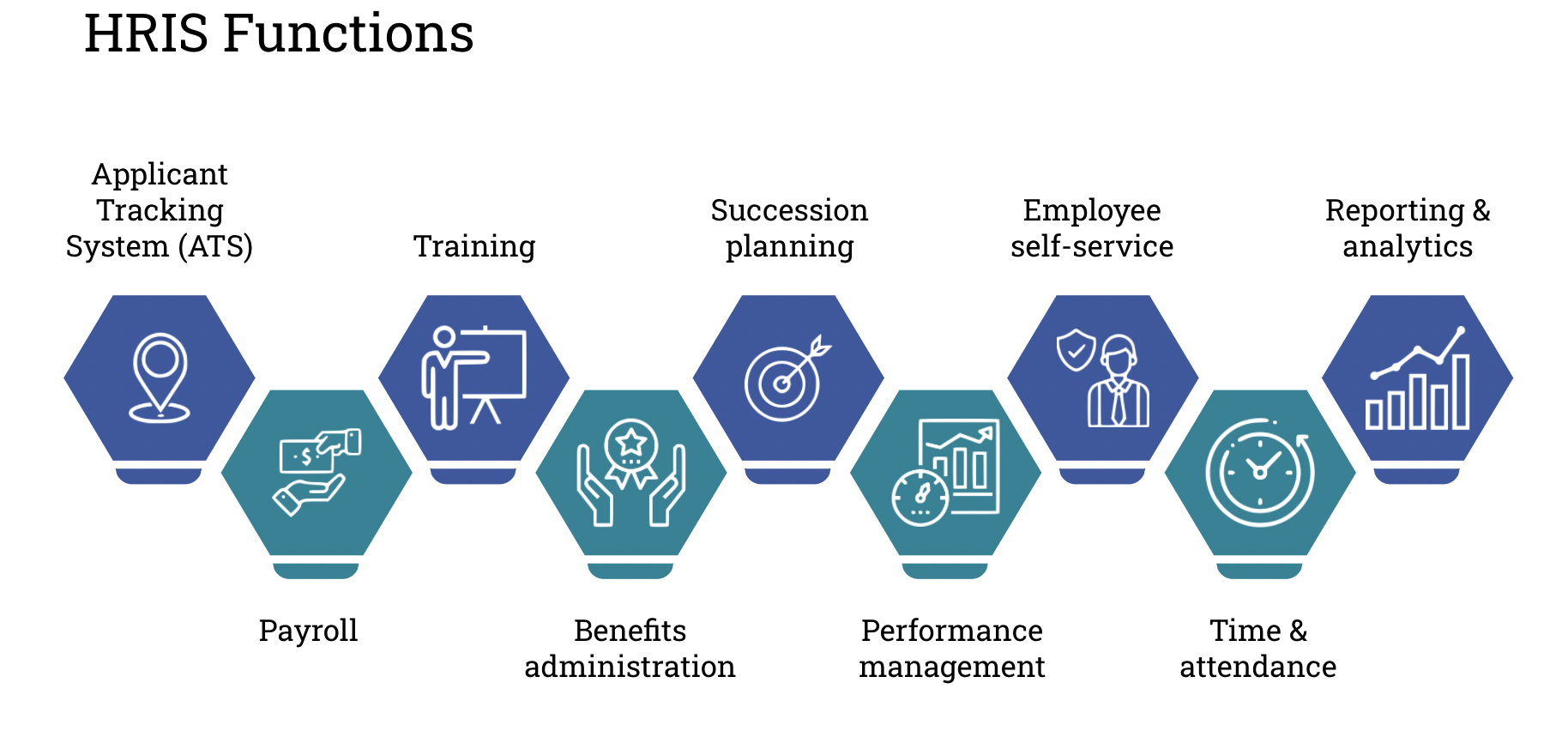
An HR document management system is a dedicated tool or platform that stores HR files in a structured repository, typically offering features like permissions, search, version history, and workflows. Organizations may use stand-alone employee file management systems or modules within human capital management systems (HCM).
It’s not about the user interface; it’s about functionality. A good HR-ready system offers:
When assessing HR document management systems, look for features that align with real HR workflows, such as:
HR teams manage more document types than most people realize, and each type has its own risk profile. This is why “just use one folder” breaks down so quickly.
Here are the common categories of HR documents:
If you want a deeper best-practices view focused on structure and governance, see our guide on HR document management best practices.
Centralized HR storage ensures that HR documents live in one controlled repository instead of being scattered across email, desktops, shared drives, and random cloud folders. Scattered storage creates two major problems:
Today, centralized storage is often delivered through cloud-based servers with:
The key is that “centralized” does not mean “open.” It means “managed.”
HR systems hold confidential employee information, so security is not optional. The biggest risk I see is not “hackers” in the abstract. It’s internal overexposure caused by sloppy access and permissions.
A strong HR document management system limits access to authorized users through access control, role-based permissions, and clear separation of sensitive files. It also supports an auditable history so you can confirm who accessed what and when, which is essential when there’s a dispute or investigation.
Privacy expectations also affect daily operations. Secure document storage reduces the chance of accidental sharing, misfiled documents, or non-compliant document storage practices that quietly grow over time.
HR is full of repetitive processes, which is exactly where automation creates real value. Automated document workflows can route offer letters for approval, collect signatures, and file the final version into the right employee record without HR manually moving PDFs around.
Automation also helps with policy and procedure sign-offs. Instead of tracking acknowledgements in spreadsheets, the system can store the signed record and provide secure, instant access when someone asks for proof.
Onboarding and offboarding are the two workflows I’d automate first. They are document-heavy, time-sensitive, and prone to manual errors when HR is busy.
The benefits of a dedicated system show up in three places: efficiency, compliance, and employee experience. It reduces administrative tasks because documents become searchable, standardized, and easier to retrieve.
It also lowers document management liabilities. When you have retention settings, controlled access, and a clear history of changes, it’s much harder for the organization to lose documents, keep them too long, or share them incorrectly.
Finally, it improves the digital employee experience. Employees get faster onboarding, fewer repeated requests for the same form, and more confidence that HR is handling their data responsibly.
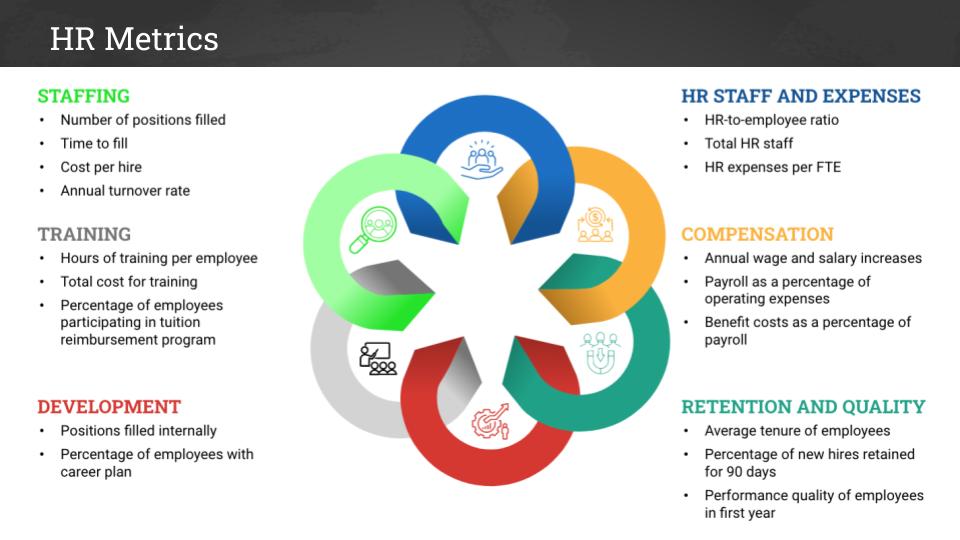
A few examples of essential HR metrics include:
If you try to “fix everything” at once, HR teams often resist because they still need to manage payroll and onboarding during the rollout. A phased approach is more effective, starting with the highest-volume workflows.
Here’s how I’d roll out an HR document management system:
HR document management is a strategy to reduce risks, improve efficiency, and enhance the employee experience. A strong system centralizes storage, automates tasks, and ensures compliance with security and retention policies.
Start small with high-impact workflows like onboarding, then expand as the team gains confidence. Focus on clear access models, automation, and ongoing maintenance to create a system that supports HR’s daily operations while protecting sensitive data.
Below I answer the most frequently asked questions about HR document management.
It’s the practice of organizing and governing HR files so they are easy to find, properly secured, and retained or deleted according to policy. In plain terms, it’s how HR keeps employee records from becoming a mess.
If your HR files live in multiple places and your team spends time searching or re-requesting documents, a dedicated system usually pays off quickly. It becomes even more valuable when you need tight permissions, auditability, or automated workflows.
I’d start with onboarding and offboarding because they are predictable and document-heavy. Then I’d automate policy sign-offs and approval workflows, since those are easy to forget and hard to prove later.
Use role-based access, limit sharing by default, and separate highly sensitive files from general HR records. The system should also track access so you can review activity when something feels off.
They treat “centralized” as “everyone can access it.” Centralization should come with strict permissions, clear structure, and retention rules, otherwise you just create a larger, more dangerous pile of documents.
Get the weekly newsletter keeping 23,000+ technical writers in the loop.
Learn documentation engineering and advance your career.
Please check your email for a confirmation message shortly.





















Get our #1 industry rated weekly technical writing reads newsletter.
Your syllabus has been sent to your email